What Is Google Keyword Planner and How Do You Use It?
Learn what Google Keyword Planner is and how to turn its free search volume, intent and local demand data into GEO-ready keyword research and content plans.

Keyword research should no longer be treated as an exercise in listing specific words and dropping them into content. In a GEO and AI Search context, keyword data must be read alongside user intent, query patterns, prompt behavior, local demand, ad competition, topic clusters, entity relationships, and answer format planning. One of the core tools for reading this data reliably is Google Ads Keyword Planner.
Although Google Keyword Planner was built for advertising campaigns, it offers a strong starting point for understanding which phrases users search with, where demand is concentrated, and which topics carry commercial value. From a GEO perspective, however, the real value lies in using this data not as a word list but as a window into the prompts users might type into AI tools, the sub-questions they ask, and the decision processes they move through.
What is Google Ads Keyword Planner?
Google Ads Keyword Planner is a planning tool inside Google Ads that provides keyword ideas, search volume estimates, competition levels, and bid ranges for advertising campaigns. It helps you discover new keyword ideas, gauge the potential of existing keyword lists, and build campaign forecasts.
The tool's primary purpose is ad planning. Even so, the data it provides can serve as a supporting signal for content planning, category strategy, local demand analysis, product and service positioning, and AI Search visibility.
A high-volume keyword on its own, for example, is not sufficient reason to produce content. You need to analyze the intent behind the search, the answer the user expects, where they sit in the purchase journey, and which sub-questions the query might expand into within AI-powered answer systems.
How do you access Keyword Planner?
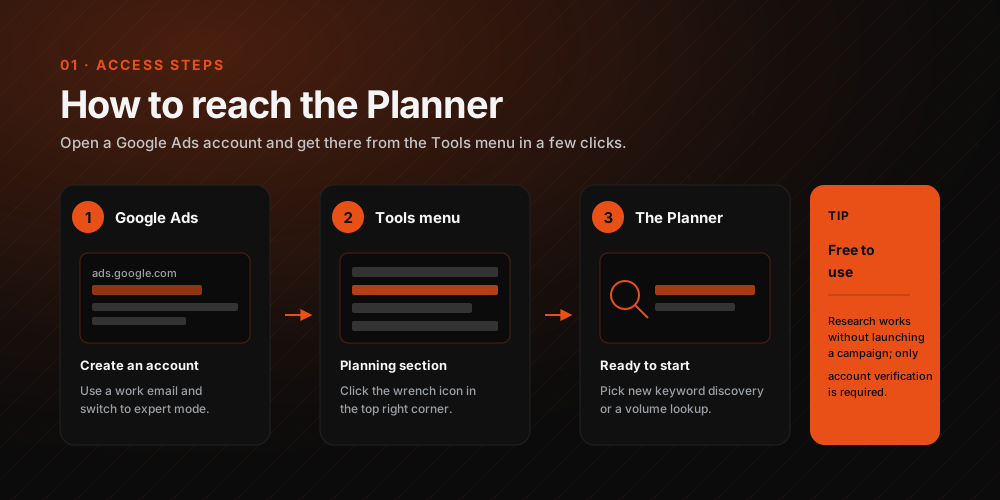
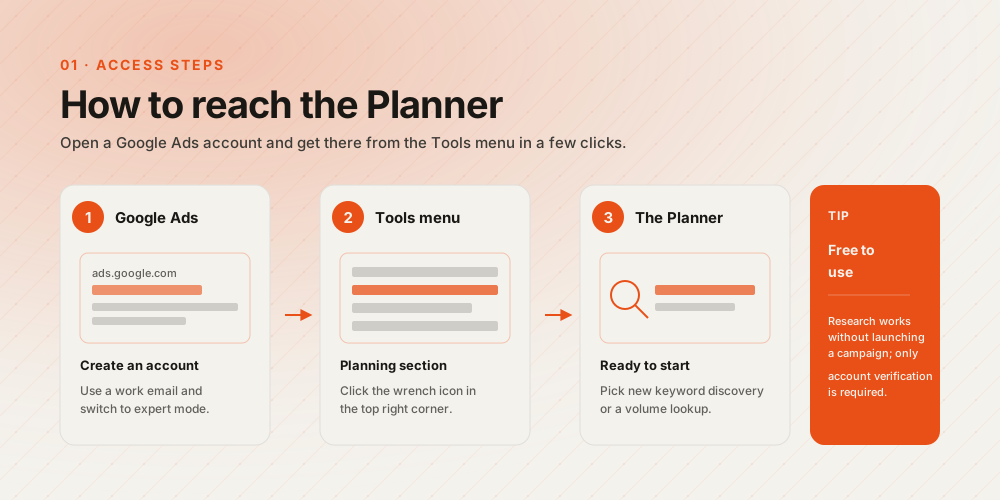
First, you need to create a Google Ads account. You can sign up for Google Ads here.
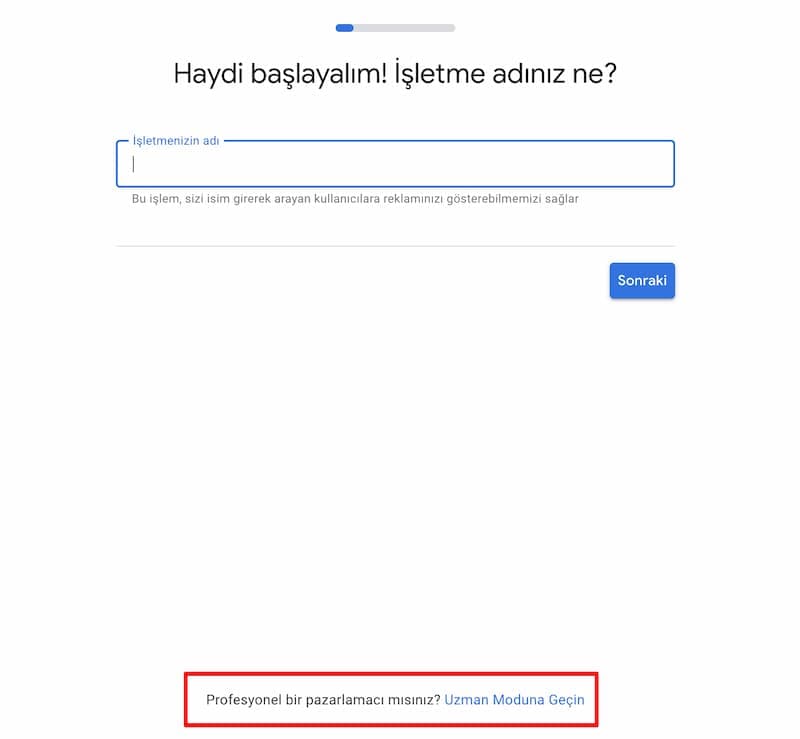
Note: The Google Ads interface and account setup steps may change over time. Some accounts may be asked to complete setup and add billing details before Keyword Planner features unlock. Running a campaign may not be required, but the level of data access can vary depending on account status.
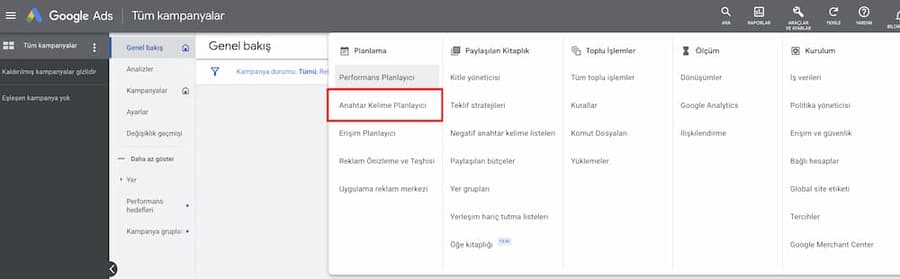
Once your Google Ads account is set up, open the "Tools" section in the top menu and go to "Keyword Planner".
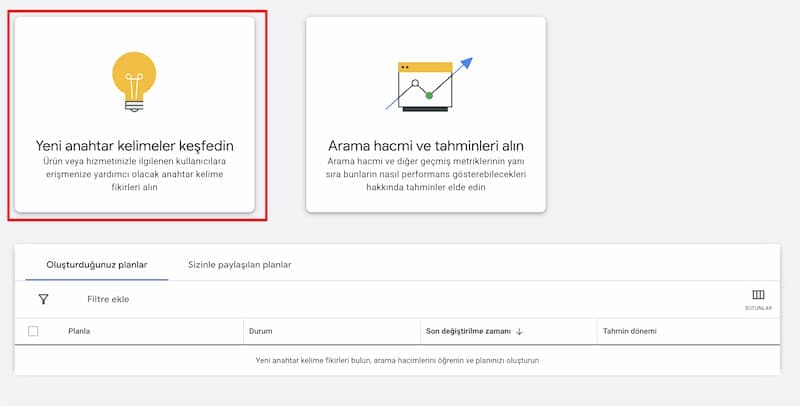
On the screen that appears, "Discover new keywords" generates fresh keyword, query, and category ideas, while "Get search volume and forecasts" lets you examine the potential of a keyword list you already have.
Is Keyword Planner free?
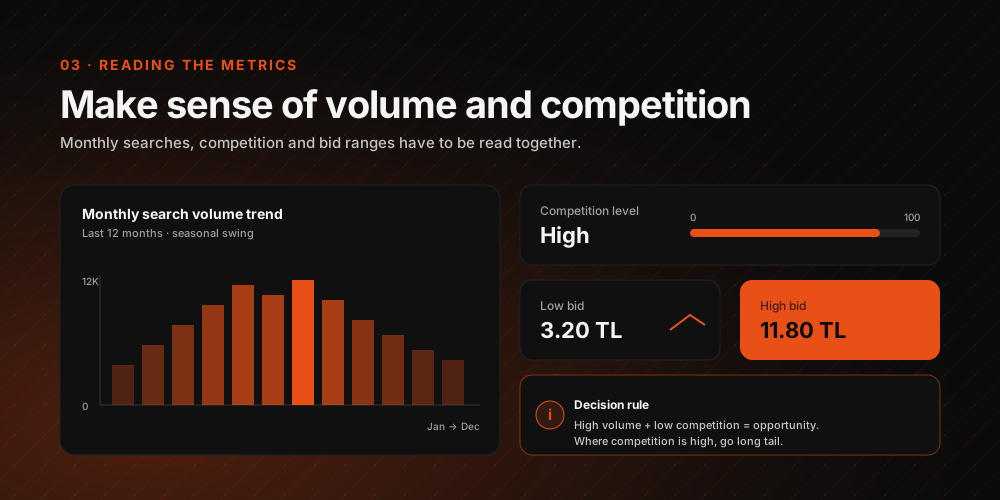
Yes, Google Ads Keyword Planner is free to use. That said, the level of data the tool provides can vary depending on the status of your Google Ads account. Some accounts see search volumes displayed as broad ranges, and more detailed forecasts may require completing account setup.
For this reason, Keyword Planner data should never be treated as the sole basis for a decision. It produces far healthier strategic insight when interpreted together with Search Console, Google Trends, competitor content analysis, ad data, user research, and checks of AI Search answers.
How effective is Keyword Planner for GEO?
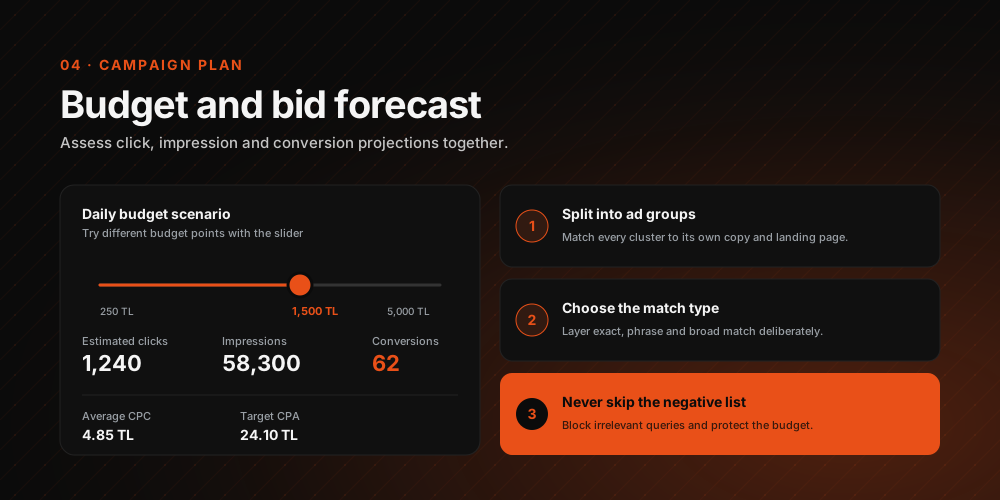
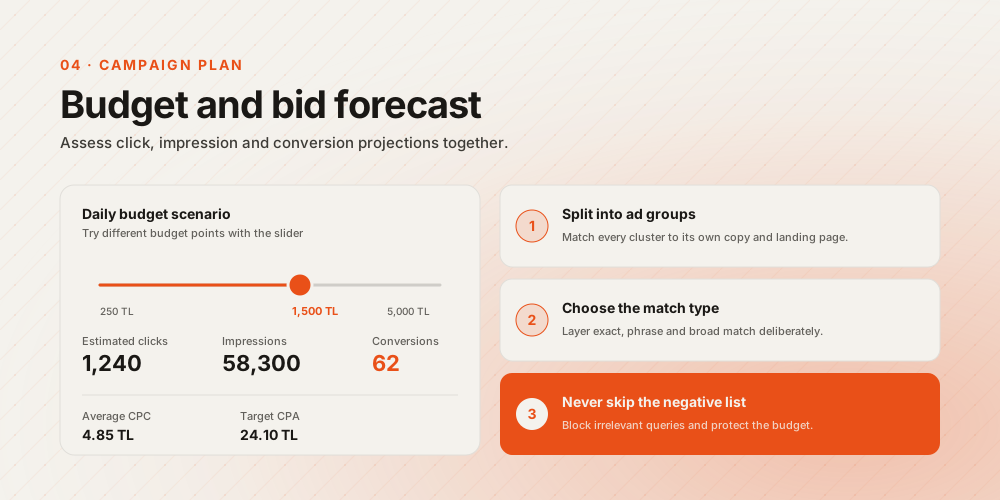
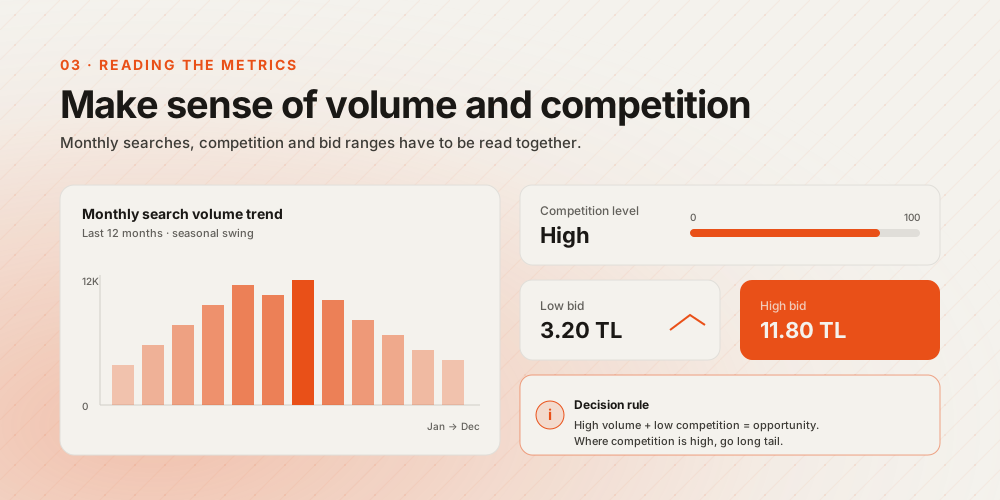
Google Keyword Planner is a powerful starting tool for GEO work, but it is not sufficient on its own. Metrics like search volume, competition level, and bid range help you understand user interest, commercial value, and ad competition. When building a content or category strategy, however, focusing solely on high-volume keywords is a mistake.
What matters most for GEO is the intent behind the keyword, the answer format the user expects, the commercial value of the query, the brand and category relationship, entity connections, and the content's potential to be used as a source across AI Search surfaces.
Keyword Planner data should therefore be used to answer questions like these:
- Is the user seeking information, comparing products, or choosing a service?
- Which sub-questions could this query split into inside AI systems?
- Which category, product, service, or location entities does it relate to?
- Is the best answer format for this query a guide, a list, a comparison, an FAQ, or a product page?
- Can the brand provide citable information on this topic?
Local demand analysis with Google Ads Keyword Planner
Local demand analysis helps businesses with physical locations, or brands serving specific regions, understand user needs by city, district, country, and language. Keyword Planner can analyze search demand in specific regions through country, city, district, and language targeting.
Location and language targeting is especially critical for brands serving multiple countries. Changing your browser language, checking search results manually, and studying competitors can all help, but Google Keyword Planner makes the process faster and more data-driven.
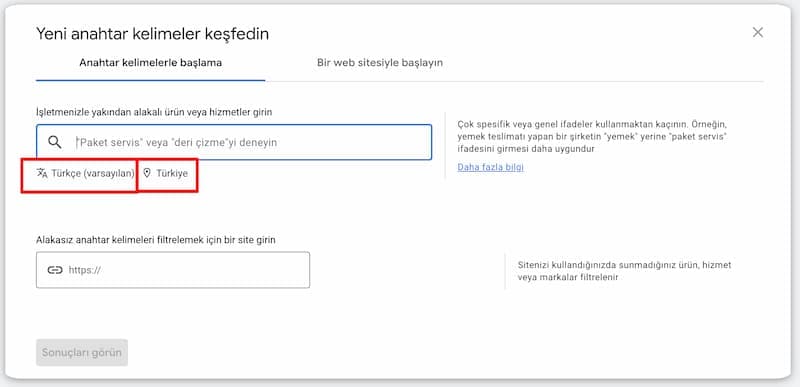
After opening Keyword Planner, you can set country and language targeting just below the field where you enter your target keyword. This lets you analyze which queries see the most demand in a given market.
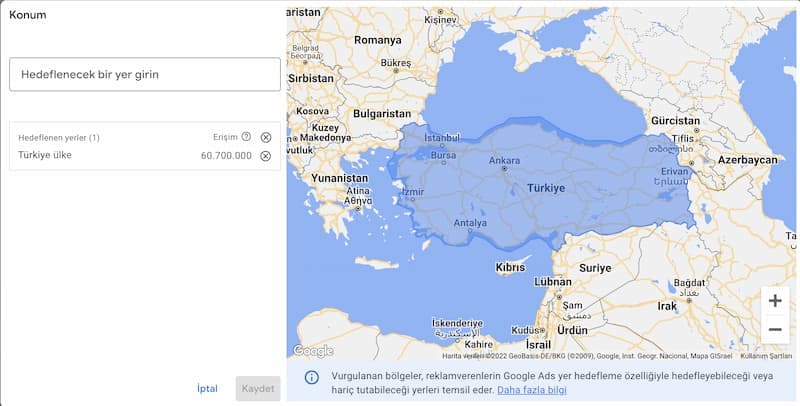
Location selection lets you research at the country, city, or district level, revealing the estimated volume, competition level, and bid ranges for target queries in that region. For GEO, this data also helps you understand the needs driving local searches and the prompts local users might put to AI systems.
How to use Keyword Planner data for GEO
In GEO work, Keyword Planner data should not be used merely to generate keyword lists. It should be interpreted alongside user intent, topic clusters, question patterns, product and service comparisons, local search behavior, and citable answer formats.
Before a high-volume query enters the content plan, for instance, the user's intent must be clarified. Is the user seeking information, making a purchase decision, looking for a local service, comparing alternatives, or checking prices and reviews? In the AI Search era, content must address that intent explicitly and produce directly quotable answers.
Build prompt and query clusters
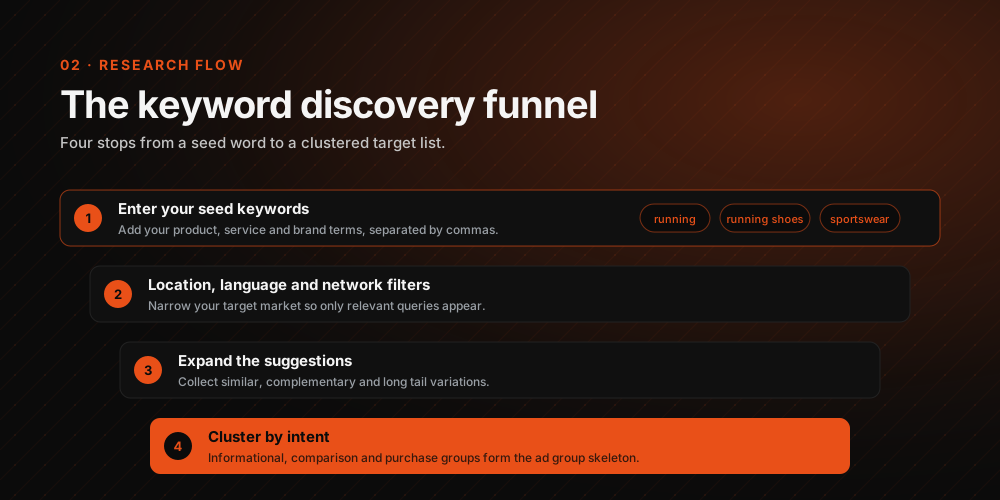
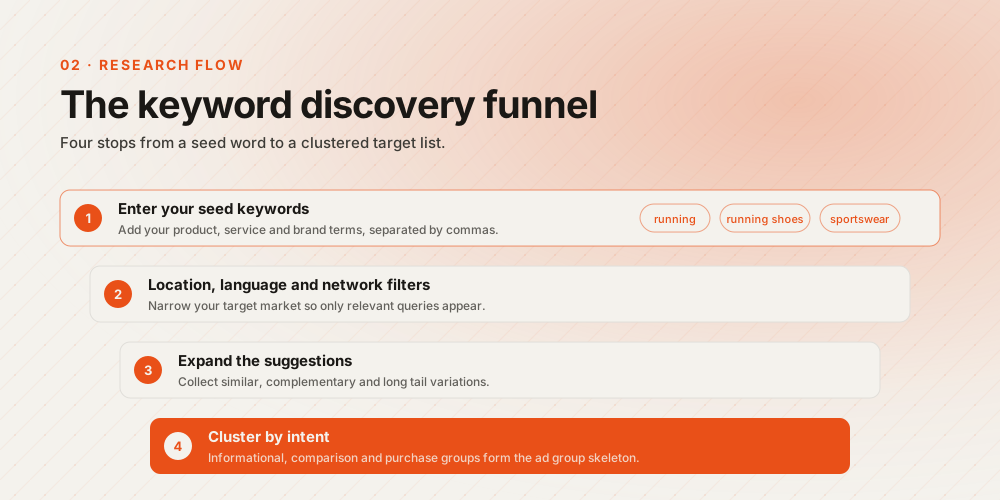
Rather than targeting Keyword Planner terms one by one, group them into prompt and query clusters. The phrase "CRM software", for example, can expand into distinct prompts such as "CRM recommendations for small businesses", "CRM comparison for sales teams", "CRM pricing", "how to choose a CRM", and "best CRM alternatives".
This approach better reflects how AI systems run multiple sub-queries around the same topic using query fan-out logic. Your content plan should be built around the sub-questions and decision stages surrounding a topic, not around a single keyword.
Map entity relationships
Every query relates to specific entities. A product query can connect to brand, model, category, price, features, use case, and alternatives. A service query relates to location, specialization, industry, problem, and solution type.
Keyword Planner data will not extract these relationships on its own, but by showing which phrases generate real user demand, it makes building an entity map easier. That map can then anchor category pages, guide content, comparisons, and FAQ blocks.
Plan the answer format
Not every query deserves the same content format. "What is" queries call for a short definition and explanation, while "best" queries need list and comparison formats. "How to" queries require step-by-step instructions, and "pricing" or "alternative" queries should be reinforced with tables, criteria, and decision-support information.
For GEO, it is important to support content with clear definitions, short answers, tables, lists, FAQs, and source blocks. This structure helps AI Search systems extract information from your content more easily and use specific sections of it as a cited source.
What to watch out for when using Google Keyword Planner
- Never use search volume as your only decision criterion.
- Evaluate keyword data together with user intent and the structure of the search results.
- Always set location and language targeting correctly.
- Remember that ad competition and organic visibility competition are not the same thing.
- Analyze long-tail queries and question patterns separately.
- Support Keyword Planner data with Search Console, Google Trends, and competitor analysis.
- For GEO, group queries by prompt, topic cluster, entity relationship, and answer format logic.
- Map the user journey and decision stages, not just a keyword list.
- Separately check which sources represent your competitors in AI Search answers.
GEO-focused Keyword Planner checklist
- Have target queries been segmented by informational, comparison, purchase, local service, or brand intent?
- Have possible prompt and sub-question clusters been mapped for each query?
- Have topic, product, service, location, and brand entities been clearly defined?
- Have high-volume keywords been weighed alongside low-volume but high-intent queries?
- Have seasonal spikes, declines, and regional interest been checked with Google Trends?
- Has it been analyzed which content formats make competitors visible for the same queries?
- Has the content format been chosen based on the need for a definition, list, comparison, guide, table, or FAQ?
- Have citable short-answer blocks been planned within the content being produced?
- Have local queries been segmented by city, district, country, and language?
- Has Keyword Planner data been reinforced with Search Console, ad data, and AI Search visibility checks?