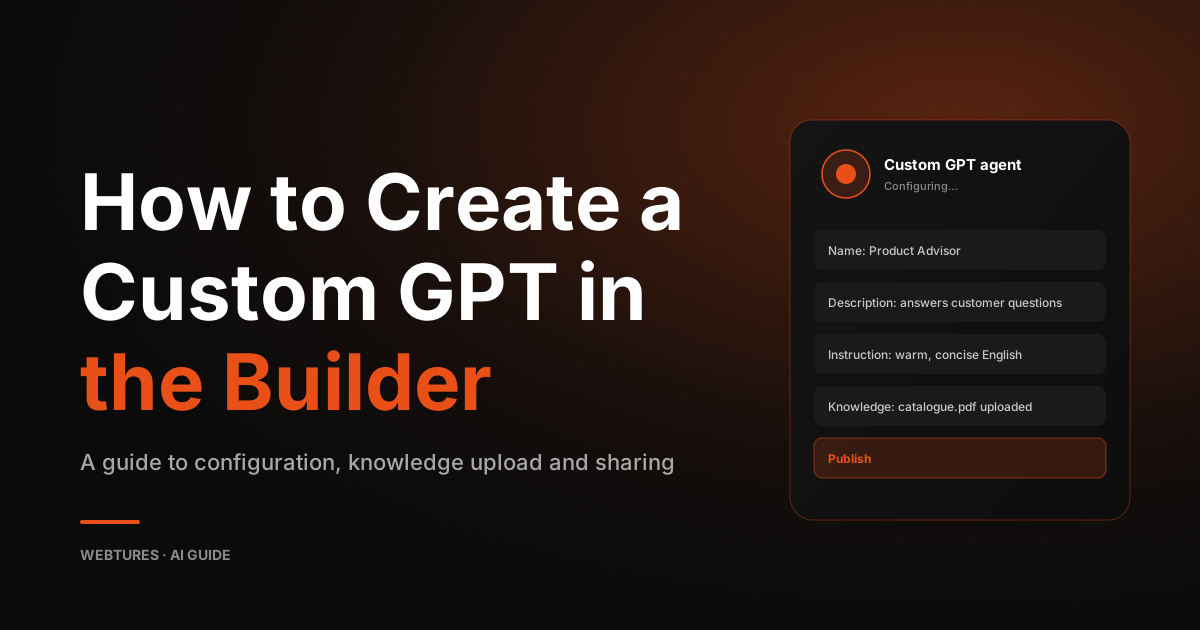
How to Create a Custom GPT in the ChatGPT Builder
Learn how to build your own Custom GPT step by step in the ChatGPT Builder, from instructions and knowledge files to testing and publishing your model.


ChatGPT introduced a new capability, and every Plus subscriber can now build their own customized Custom GPT models. In this guide we walk through the entire process of creating a Custom GPT, stage by stage.
Creating a Custom GPT step by step
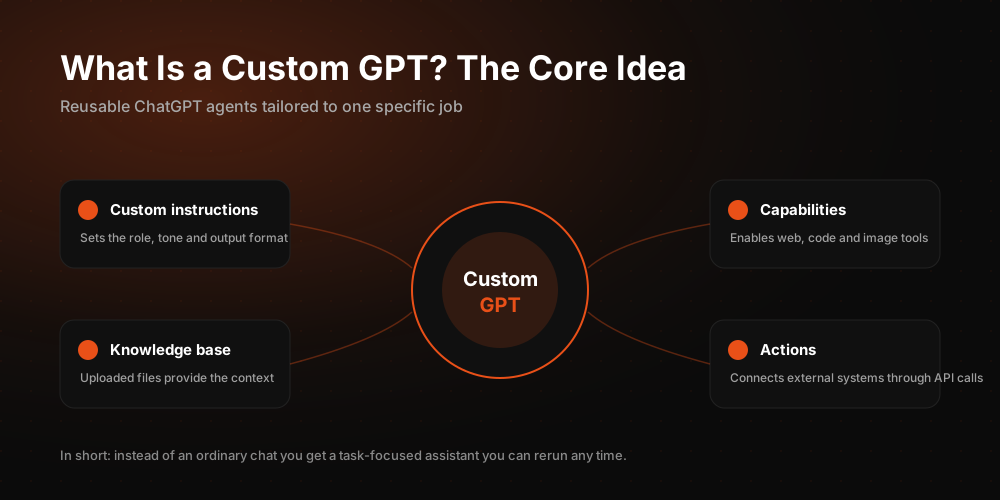
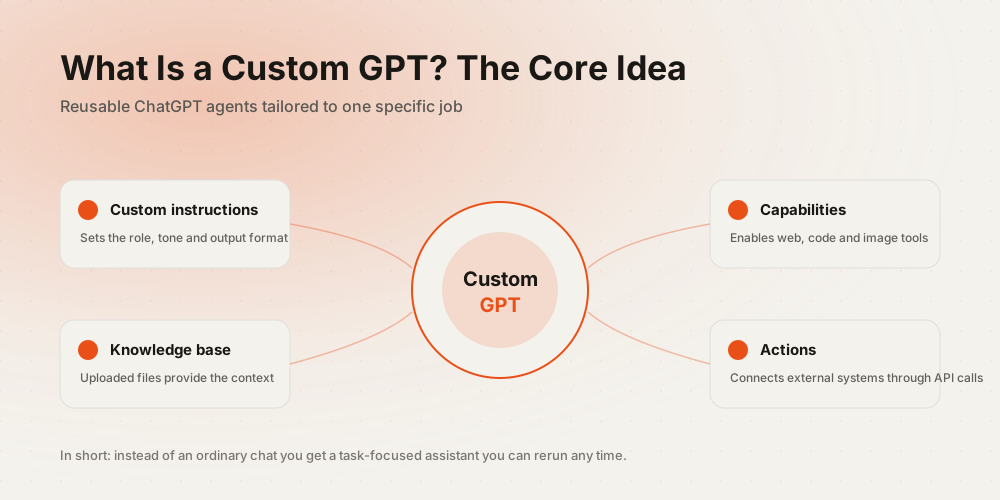
To build a customized GPT you first need a premium account. Once you have created an account and signed in, follow the steps below.
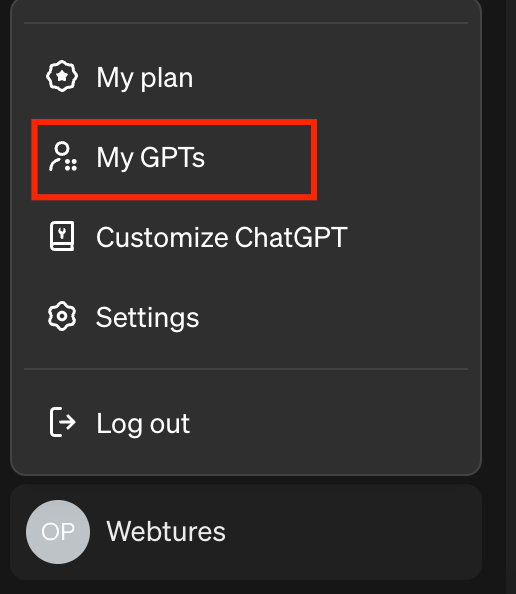
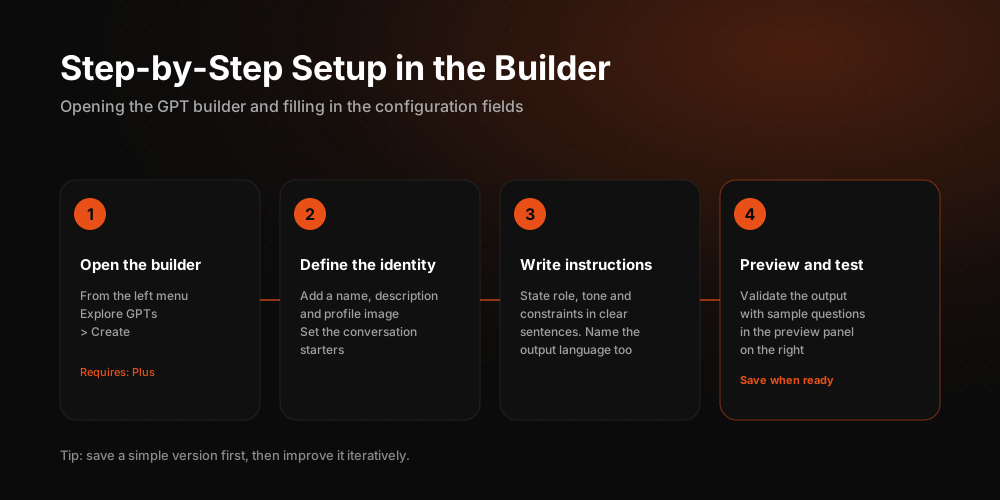
Go to the My GPTs section shown in the image below, located in the lower left area. On the page that opens, click Create a GPT to start your own custom project.
Define your project
Start by deciding which task you want your custom GPT to make easier. Do you want a GPT that optimizes images, writes blog content, or drafts product descriptions? Settle on a focus along those lines before you build anything.
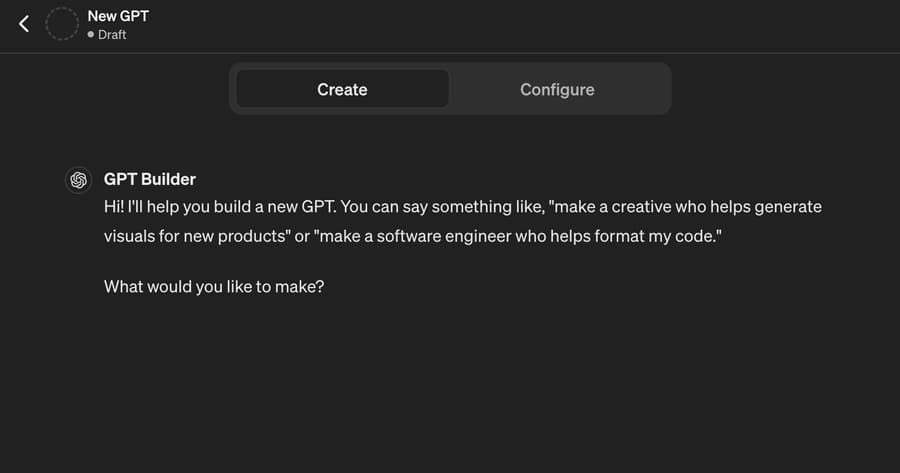
Name your GPT
Once you have decided on the project, choose a name for the GPT you are about to build. You can change or update this name whenever you like.
Write a short description for your GPT
Add a short description that works as a summary of your GPT. Think of it as a brief note that tells people what the GPT does and what it should be used for.
Set the instructions
This is the core and most fundamental part of the setup. Here you spell out everything you want your GPT to do, and everything you want it to avoid.
- Upload the data set you will use to train your model. These can be the texts your model learns from.
- Fine-tune the model so it performs better on specific tasks or specific types of data.
- Tell your GPT how to respond on sensitive topics you want it to steer clear of.
- Teach your GPT how to answer when the questions it receives are unclear.
- Specify the language your GPT should use in its answers. State whether it should respond in a formal register or keep a friendly, conversational tone.
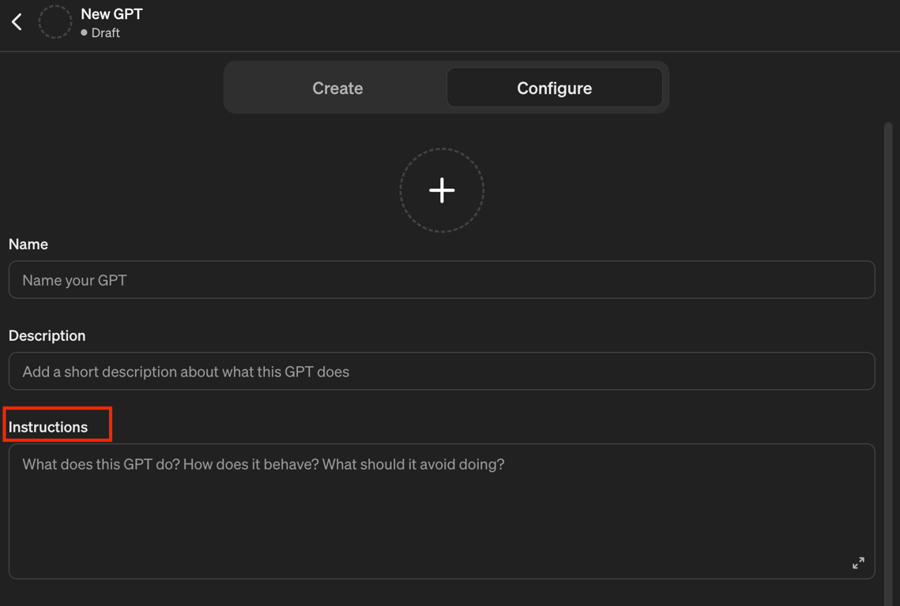
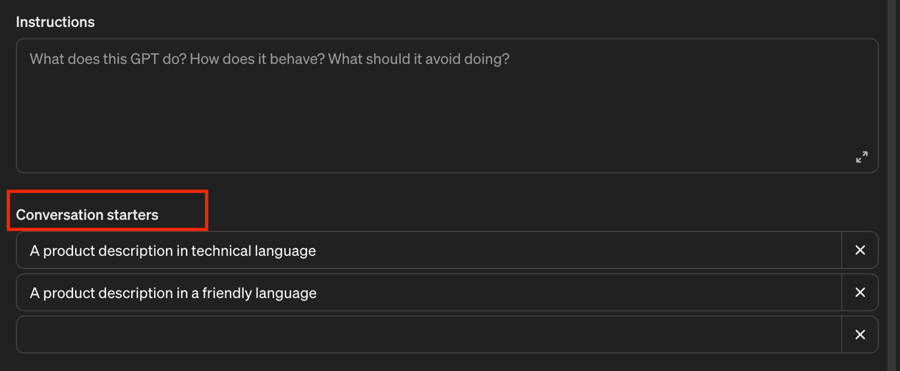
Create conversation starters
This section adds shortcut prompts to your GPT, making it easier to get quick answers for the queries you run most often.
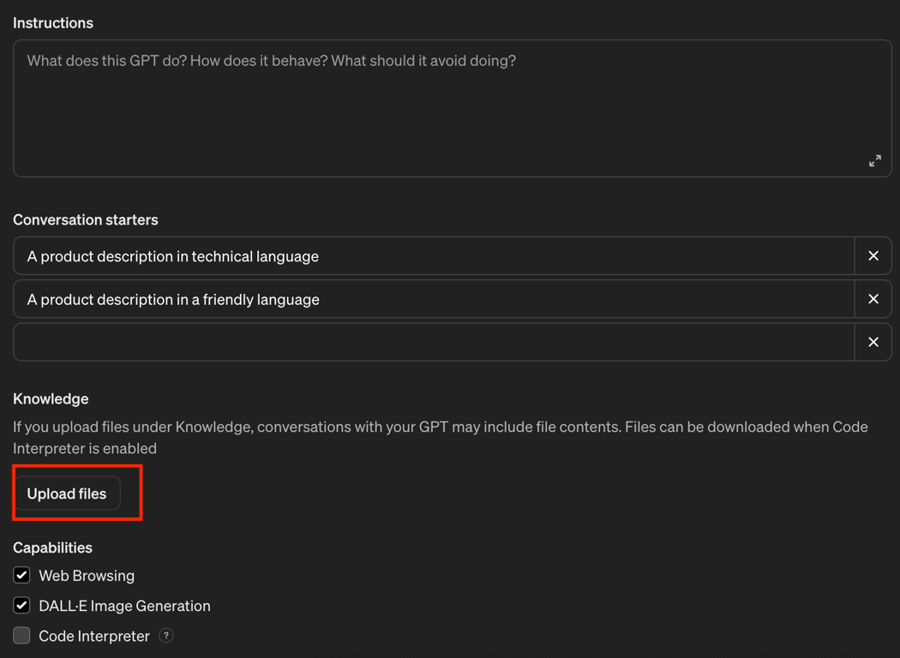
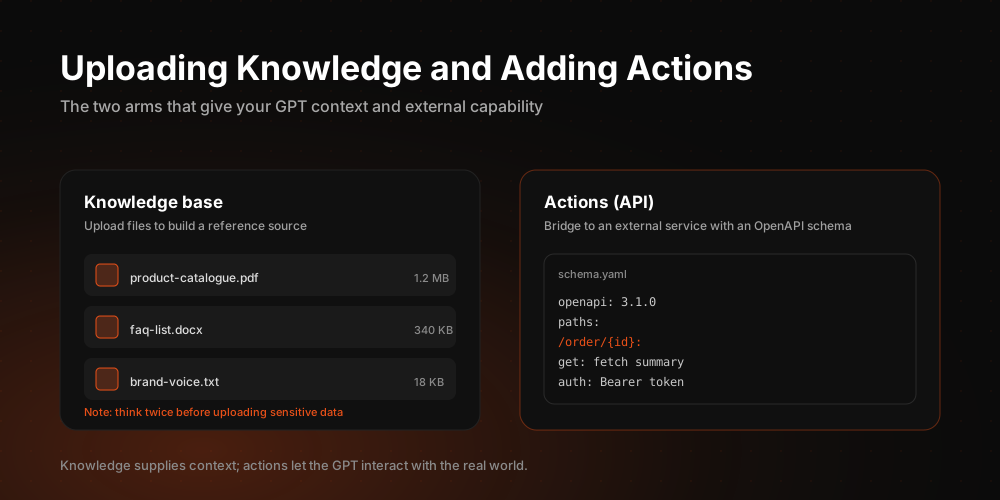
Upload files
If there is a structure or example you want your GPT to model its output on, you can upload those details as files.
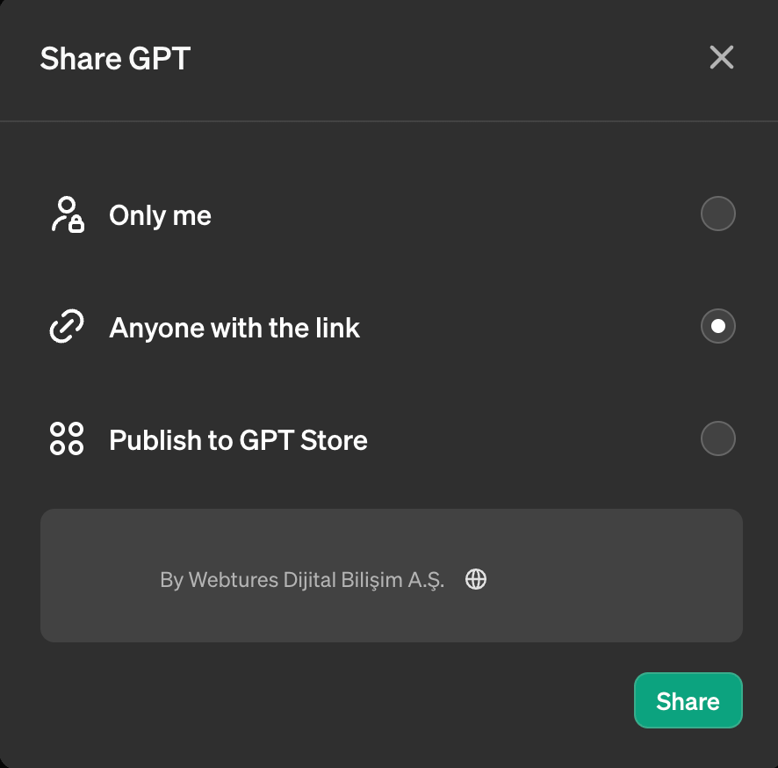
Publishing
Once you are satisfied with the results of your build and testing, you can publish your GPT. Keep it private at first, then open it up via link to any colleagues or friends you want to test it. After it passes every test, you can make it available to everyone.
Follow all the stages above and you can easily build custom GPTs for any project you set your sights on. That gives you a shortcut to results on the topics you care about, saving time while producing output shaped exactly the way you want.
What are the benefits of creating a Custom GPT?
Building Custom GPT models brings several important benefits. They let users and organizations deliver solutions tailored to their specific needs:
- Custom GPT models can use the terminology and jargon of a specific industry, business process, or subject to produce more accurate and relevant answers. That serves the user far better.
- Organizations keep full control over their own data and can use it to train the custom model. This matters most in industries handling sensitive or confidential data.
- Custom models can recognize the questions users ask most often and the situations they run into, delivering more relevant and personalized experiences.
- A model designed around your business processes can automate routine tasks and speed up access to information, raising overall efficiency.
- Training in different languages or dialects lets the model serve a multilingual user base, which is especially valuable for global companies.
- Custom models integrate more easily into existing workflows and systems, so the technology works in harmony with your current infrastructure.
- Because you have full control over a custom model, you can keep improving and updating it. That means a system that gets better continuously.
- Tailored solutions give companies a competitive edge. A Custom GPT helps a company stand out and differentiate itself in the market.
These benefits let businesses and individuals build more effective and efficient solutions for their own needs while also lifting customer satisfaction and user experience.
What should you watch out for when creating a Custom GPT?
There are several points worth paying attention to. These include:
- Back up every instruction in a separate file after adding it to your GPT. A backup pays off if anything is ever deleted or lost.
- Keep your GPT private at first. Open it up for wider use only after your tests come back successful.
- Write your instructions in a clear, ordered sequence rather than a tangled structure.
Keep all of these stages in mind and you can develop your Custom GPT models with confidence.