What Causes Organic Traffic Loss?
Diagnose organic traffic loss with Search Console and GA4: technical issues, algorithm updates, SERP shifts, AI Overviews, and measurement errors explained.

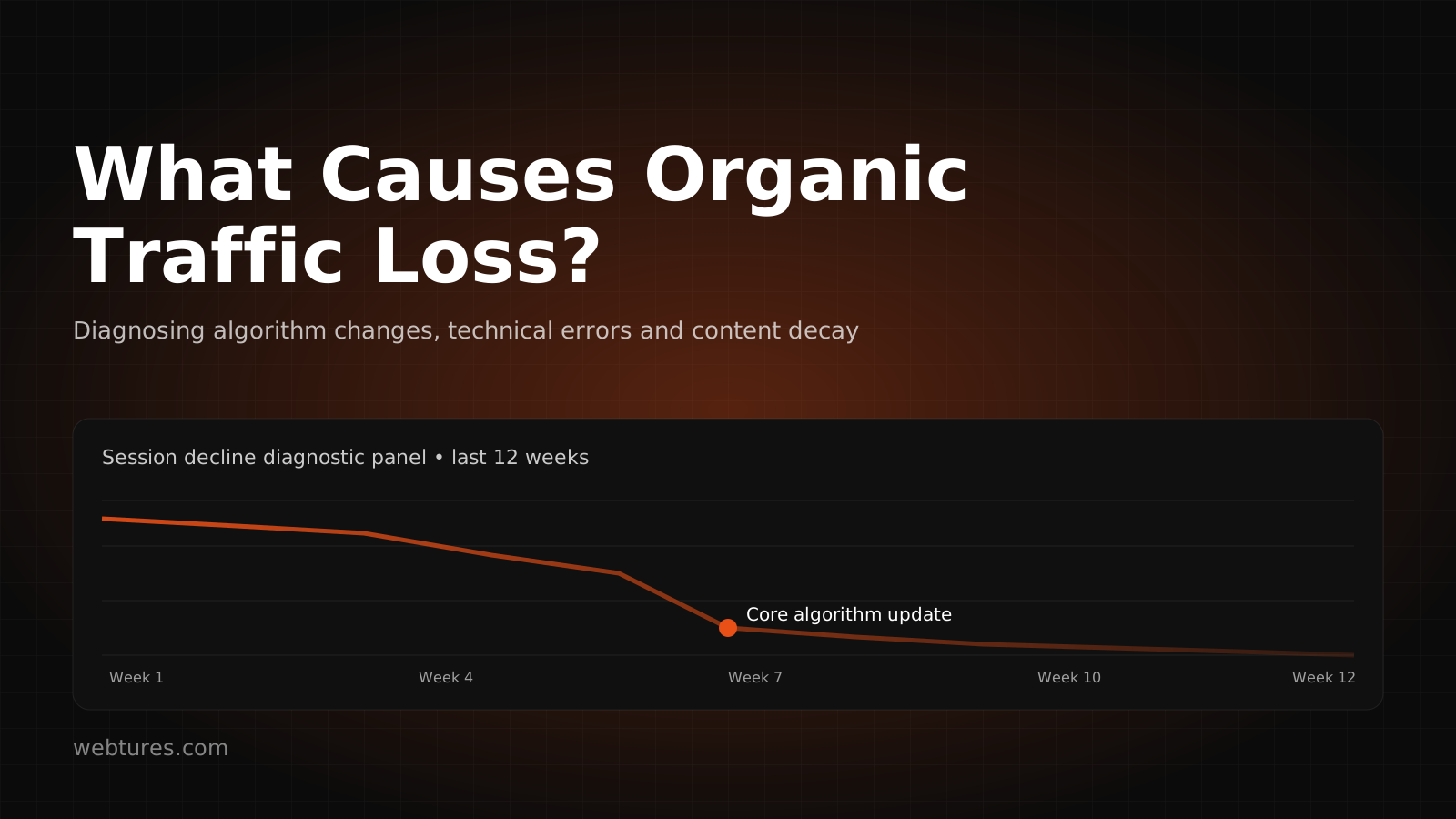
You monitor your website regularly in Search Console and Google Analytics, yet you have noticed a drop in organic traffic? The cause of organic traffic loss is not always obvious at first glance. A decline does not come only from position changes in Google results; it can also stem from technical access problems, indexing issues, changes in the SERP layout, AI Search surfaces such as AI Overviews and AI Mode, measurement errors, shrinking brand demand, or users getting their answers directly from answer engines.
That is why organic traffic loss should never be interpreted through a single metric. Search Console click and impression data, GA4 organic session and conversion data, Google Trends, backlink and brand mention changes, technical crawl signals, AI crawler access, and citability from a GEO perspective must all be examined together. To answer "what causes organic traffic loss?" correctly, you first need to separate whether the drop is a genuine visibility loss, a change in click behavior, a reporting problem, or a contraction in demand.
How Do We Detect Organic Traffic Loss?
The first checkpoints for understanding whether a website is losing organic traffic are Search Console and Google Analytics data. These two tools do not measure the same thing. Search Console shows impressions, clicks, CTR, average position, queries, pages, countries, devices, and search appearance data on Google Search. GA4 lets you analyze the sessions, engagement, conversions, and revenue of users arriving from organic search.
Open the "Performance" report in Search Console to track your organic search visibility. If the click and impression chart trends downward, first isolate which query, page, country, device, date range, or search appearance segment the drop occurs in. If average position is stable while clicks fall, the problem may be CTR, a SERP feature, AI Overviews exposure, ad density, or a change in search demand. If average position is falling too, look more closely at content quality, technical accessibility, strengthening competitors, freshness, or algorithm impact.
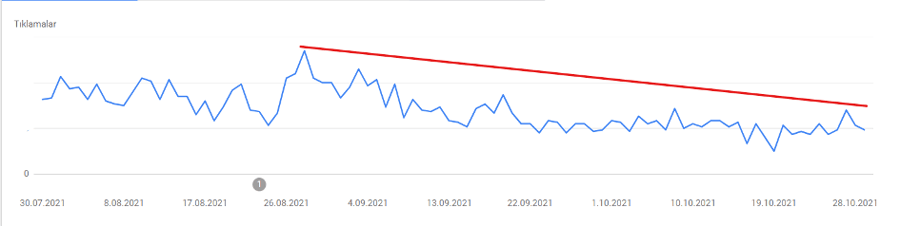
On the Google Analytics 4 side, check organic search sessions, engagement rate, conversions, and revenue in the "Traffic acquisition" report. If clicks are stable in Search Console but organic sessions are falling in GA4, the problem may lie in tagging, consent mode, redirects, channel grouping, cross-domain tracking, or the measurement setup. This distinction is critical for understanding whether the traffic loss really comes from search visibility or from the reporting and analytics configuration.
The Main Causes of Organic Traffic Loss
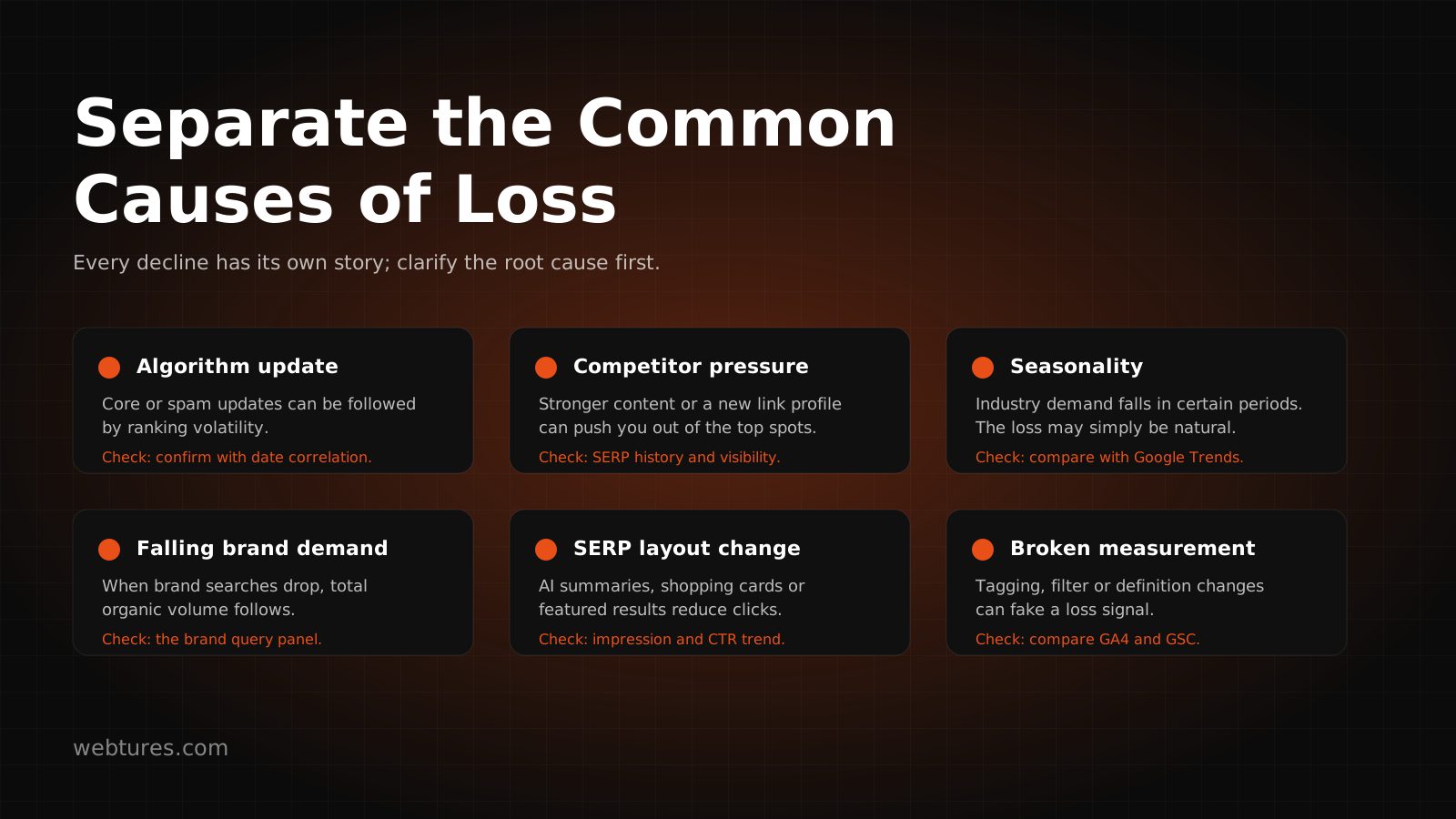
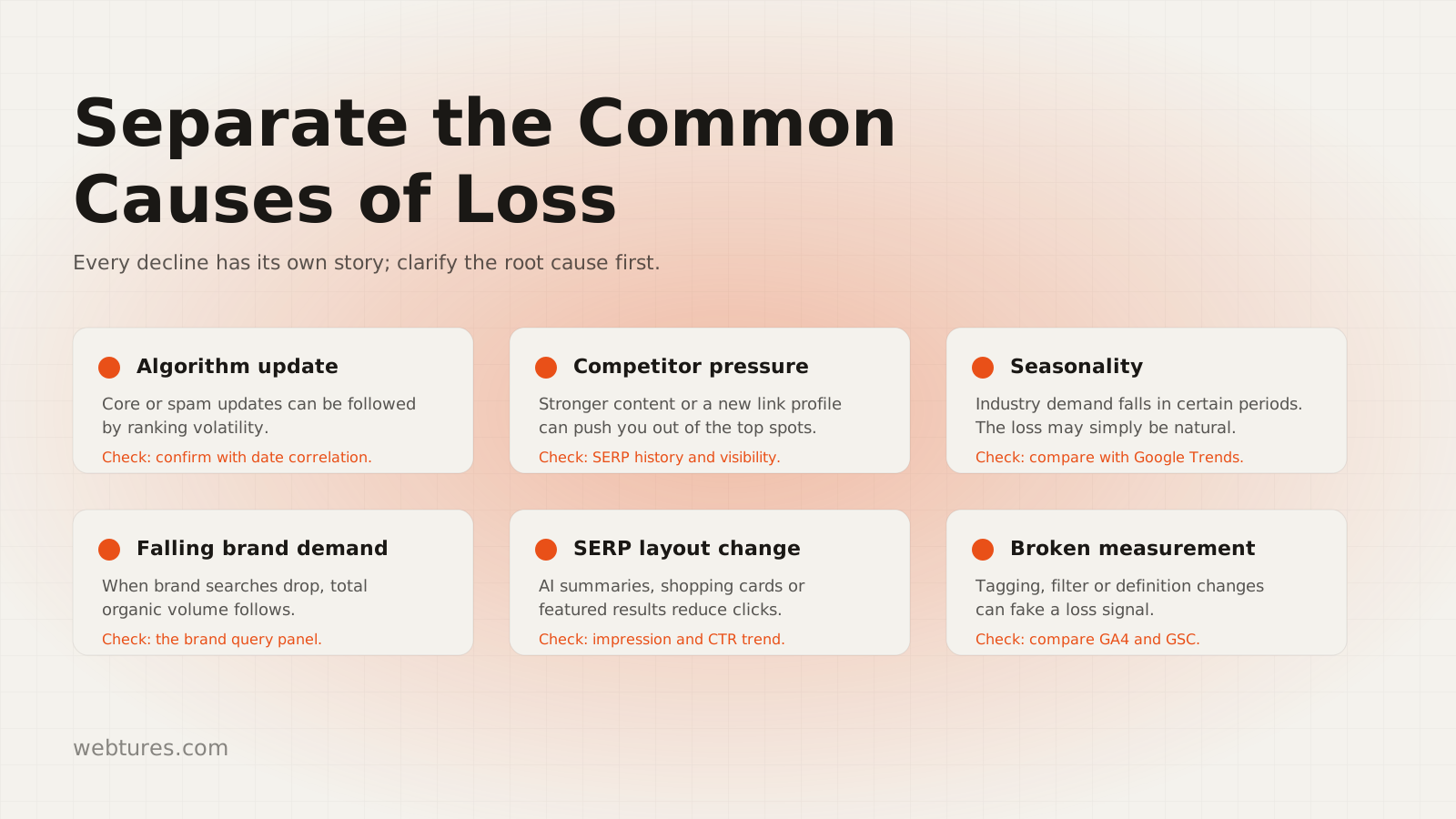
When your website's organic traffic starts to fall, "position loss" may be the first thing that comes to mind. But in the GEO and AI Search era, traffic loss cannot be explained by ranking changes alone. Interface changes Google makes in its search results, generative AI surfaces such as AI Overviews and AI Mode, ad density, the loss of a featured snippet, technical access problems, content freshness, and seasonal demand shifts can all directly affect organic traffic.
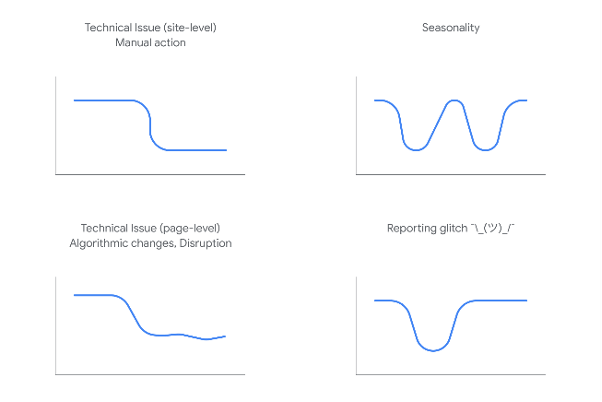
The image above represents the typical patterns Google uses to interpret organic traffic drops. A sudden drop, a gradual decline, seasonal fluctuation, and reporting-driven changes each point to different causes.
- Sudden, sharp drops can be tied to a manual action, a security issue, a robots.txt or noindex mistake, a server outage, a faulty redirect, or a removed measurement tag.
- Drops that recur in regular periods can relate to seasonality, campaign calendars, fading news value, or declining user demand.
- Drops that coincide with an algorithm update should be examined separately for content quality, expertise, helpfulness, freshness, and trust signals.
- If Search Console and GA4 disagree, check reporting, channel attribution, tag management, consent mode, or data delays.
- If clicks fall while impressions hold, analyze SERP changes such as AI Overviews, featured snippets, local packs, shopping modules, or ad density.
You can review the core causes affecting your organic traffic under the headings below.
1. Technical Issues
The leading technical issues are server errors, DNS problems, 5xx responses, slow-loading pages, incorrect robots.txt rules, misused noindex tags, canonical confusion, and faulty redirects. If your website is not accessible to users, Googlebot, or AI crawlers, both organic traffic and AI Search visibility can fall.
If your server performs poorly, Google struggles to crawl and render your pages. Likewise, JavaScript rendering problems, a broken mobile experience, a faulty sitemap, unnecessary parameterized URLs, broken internal links, or incorrect hreflang usage all weaken source URL clarity. From a GEO perspective, these problems cost you more than clicks; they also affect whether answer engines perceive your content as a reliable source.
2. Manual Actions and Spam Issues
Sites that violate Google's spam policies or quality guidelines can receive a manual action. If your website has one, organic visibility can suffer severe losses. This is typically caused by problems such as artificial link schemes, duplicated or low-quality content, cloaking, hacked content, or deceptive redirects.
You can check for a manual action in Search Console under "Security and Manual Actions", in the "Manual Actions" tab. If one exists, removing the offending issue alone is not enough; after the fix, a reconsideration request must be submitted with a proper explanation and evidence.
3. Security Issues and SSL
Most websites today use SSL. Browsers flag pages without SSL as "Not secure", which damages user trust and click behavior. An expired SSL certificate, mixed content errors, or insecure form fields can all cause organic traffic loss.
If your website has SSL but the certificate has expired, users may see a "Your connection is not private" warning before entering the page. Because this drives users away, you may see drops in organic sessions, engagement, and conversions on the GA4 side.
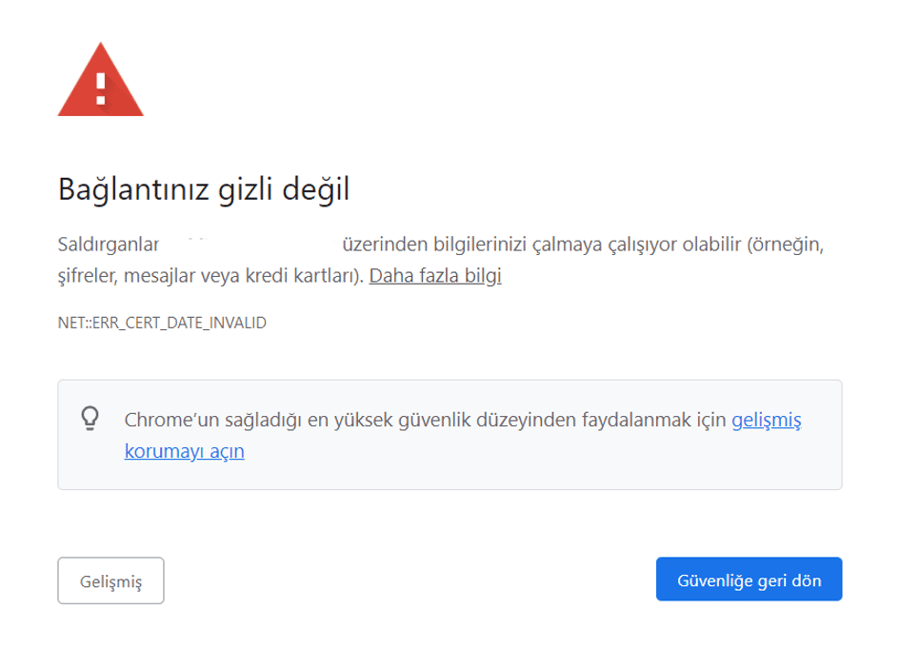
Security Issues
If your website contains malware, hacked pages, unauthorized redirects, or spam content, Google can treat this as a user safety problem. Issues of this kind weaken not only your classic search results but also your chances of being chosen as a source on the AI Search side.
You can check for warnings in Search Console under "Security and Manual Actions", in the "Security issues" tab. Server logs, security plugins, Search Console notifications, and scanning tools should also be evaluated together.
4. Algorithm Updates
Google's search systems are updated regularly. If your website is affected by a core update or a spam update, you may lose impressions, clicks, and organic sessions. Instead of obsessing over individual query positions, analyze content quality, user value, E-E-A-T, topical authority, freshness, source clarity, and search intent alignment together.
You can check whether an algorithm update affected you by comparing date ranges in the Search Console performance report. Seeing whether the drop concentrates in specific page groups, query clusters, or content types tells you which action to prioritize.
The image below shows the before-and-after Search Console chart of a website affected by the algorithm update released on December 3, 2020.
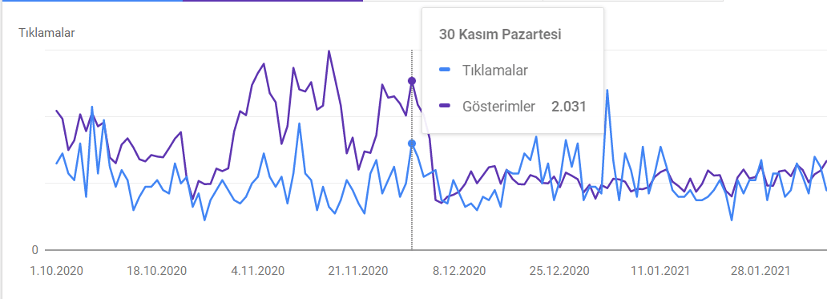
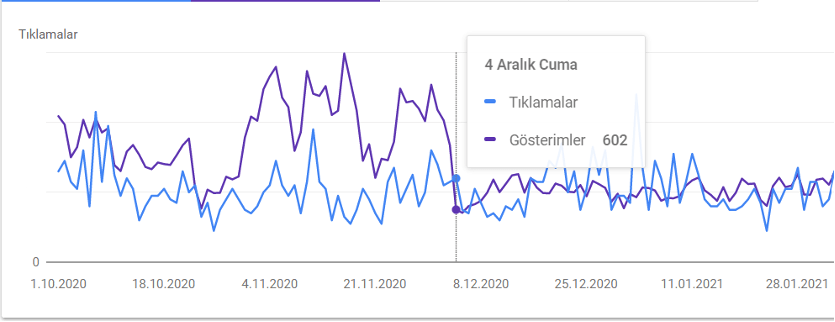
The chart shows a website that received around 2,000 impressions on November 30, 2020 falling to 602 impressions after the algorithm update. A drop in impressions of this size also feeds through to lost organic clicks and potential conversions.
5. Declining Search Demand and Prompt Demand
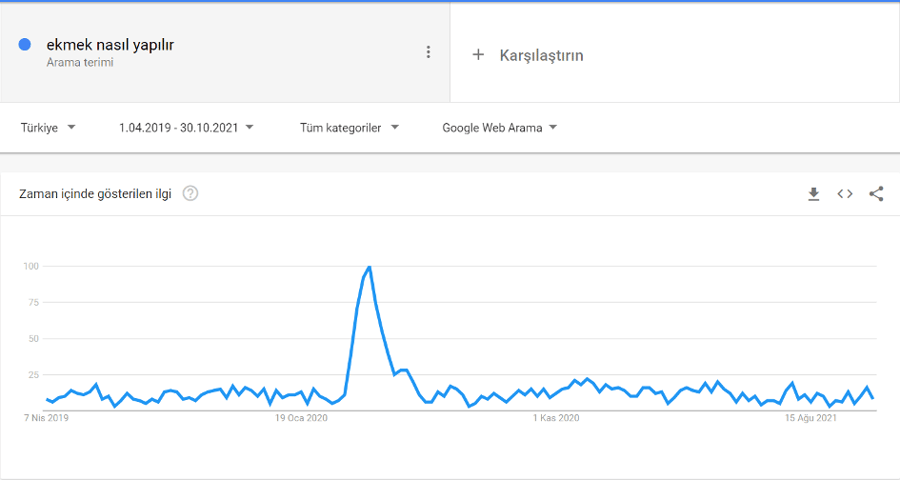
Changes in user behavior show up both in search queries and in AI Search prompts. A topic that trends in one period can fall off the agenda in the next. For example, the query "how to bake bread" was extremely popular in the early days of the Coronavirus pandemic and later returned to its former volume. When interpreting a drop, examine not only ranking changes but also search demand, prompt demand, and topic popularity.
If your website has seasonal traffic, losing organic traffic outside the relevant period can be perfectly normal. Demand cycles shift sharply in industries such as hotels, travel, education, fashion, tax, health, and events. Read Search Console data alongside Google Trends, year-over-year comparisons, and, where available, brand search volume.
For example, a website in the hotel or travel industry can receive high traffic during summer and holiday periods. A traffic drop outside those windows does not automatically signal a technical problem; it may simply follow the demand cycle.
Other Causes of Organic Traffic Loss
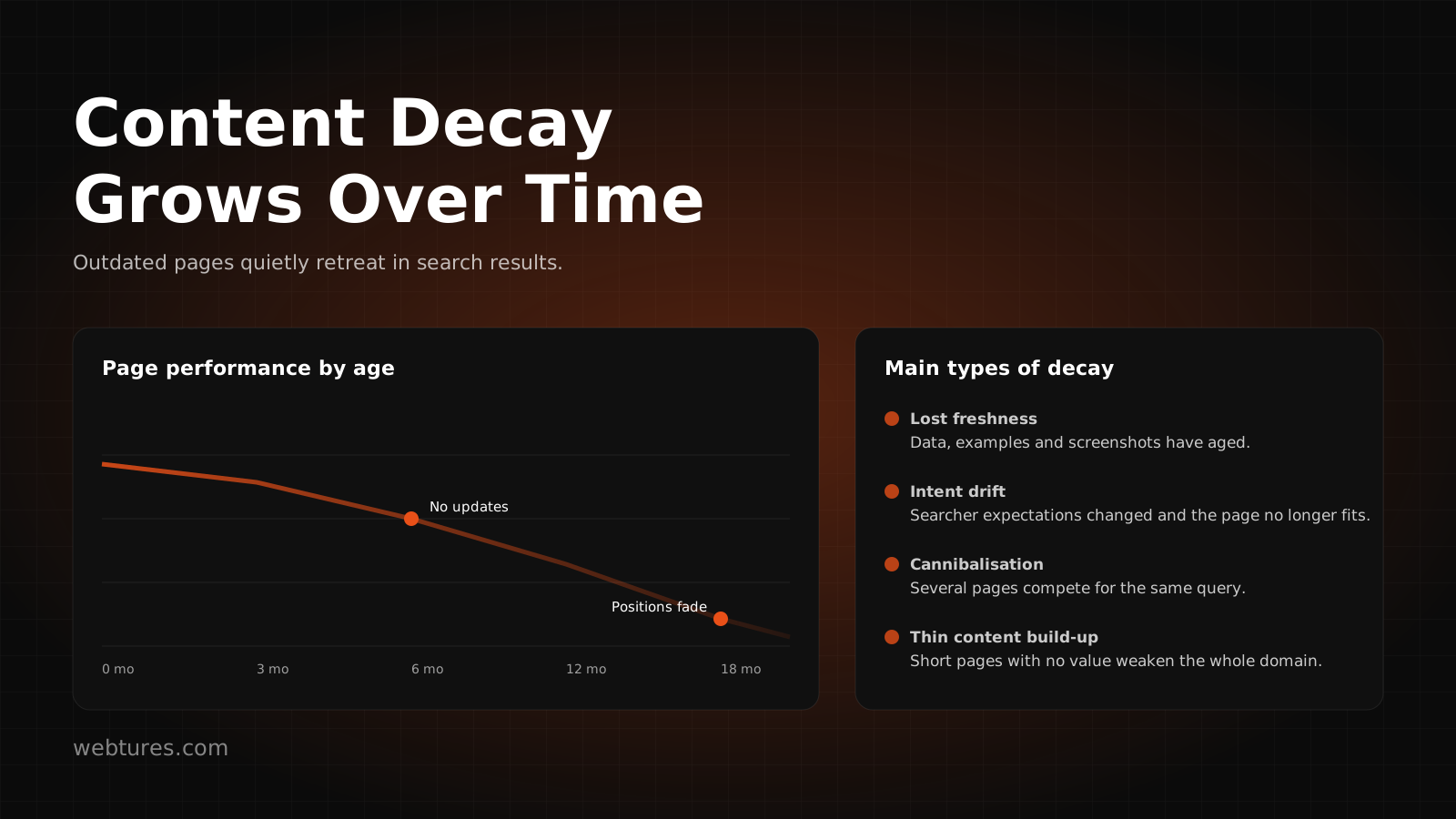
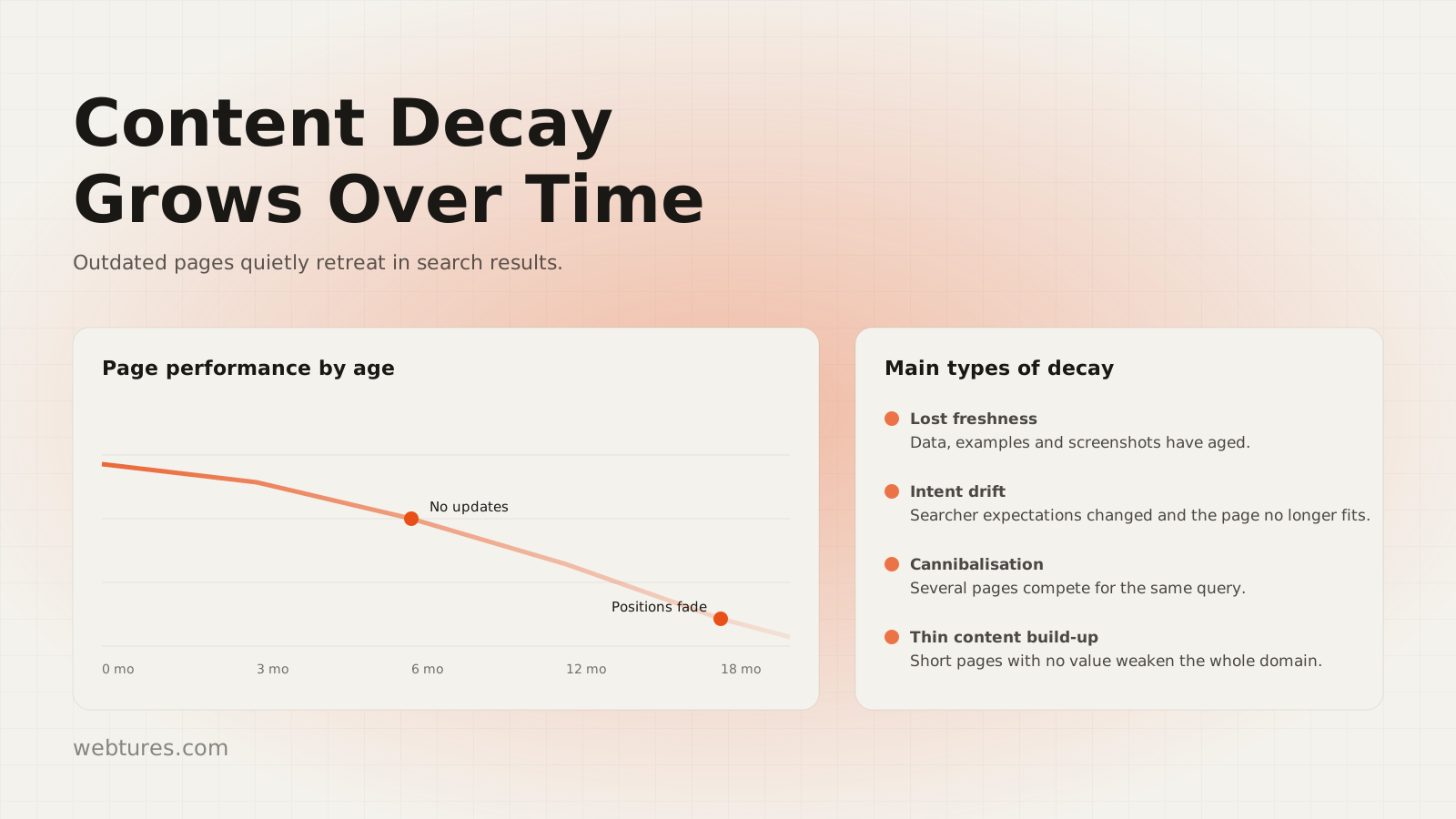
Beyond the main causes, you should also check SERP appearance, backlink and mention changes, language perception, theme changes, title and description revisions, strengthening competitors, and reporting issues.
1. Losing Featured Snippets, AI Overviews, and SERP Visibility
If your website held content in the featured snippet area, also called position zero, and that placement is lost, organic traffic can fall. In the same way, SERP elements such as AI Overviews, People Also Ask, video results, shopping modules, local packs, or ad density can reduce clicks on the classic blue links.
From a GEO perspective, this topic deserves a wider lens. Your content may still be visible; instead of earning a click, it may be surfacing as a source, summary, or reference inside AI answer surfaces. Interpret Search Console query and page breakdowns, search appearance data tied to AI features, and brand mention tracking together.
2. Backlink and Brand Mention Checks
If organic traffic has dropped and there is no manual action, check backlinks, brand mentions, and digital PR signals. Tools such as Ahrefs or Semrush can reveal lost high-value links, spikes in spam links, anchor text imbalances, and new references your competitors have earned.
On the AI Search side, what matters is not just the number of links but how your brand is mentioned across trusted sources. Industry guides, news sites, academic sources, comparison content, and expert citations can all build supporting authority signals for how answer engines choose their sources.
3. Spam Link and Trust Signal Checks
Spam links created by competitors, deliberately or not, along with copied content, fake redirects, or low-quality reference networks, can weaken your site's trust signals. If you are losing visibility and traffic without having lost any backlinks, examine your spam link profile, sudden link spikes, and suspicious redirects.
The goal at this stage is not to panic and disavow every low-quality link. First examine the source of the link, its volume, its anchor structure, the speed of its historical growth, and its correlation with the drop in Search Console. If needed, actions such as disavow should be applied in a controlled way.
4. Your Website Getting Caught in Translation
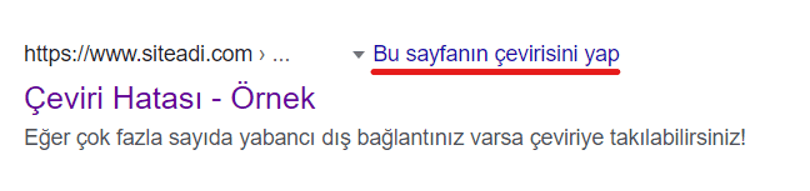
If search results interpret your website in the wrong language, you can lose organic visibility. A large number of foreign backlinks, incorrect hreflang usage, mixed languages, leftover machine translation, or incorrect canonical usage can lead Google to read the page in a language other than the one you target.
If you see the phrase "Translate this page" next to your page title in Google results, you may have a language perception problem. From a GEO perspective, this also corrupts entity clarity; when brand, service, country, language, and audience signals get mixed up, AI Search systems struggle to place your content in the right context.
5. Theme Changes and Migrations
Organic traffic can fluctuate during theme changes, infrastructure transitions, or server migrations. If the new theme is slower, the HTML structure breaks, the heading hierarchy changes, schema markup disappears, internal links break, or URL redirects are set up incorrectly, traffic loss can follow.
During a site migration, check 301 redirects, canonical tags, sitemap updates, robots.txt rules, hreflang structure, structured data, and Search Console property settings together. AI crawler access and an LLM-readable content structure should not be overlooked in this process either.
6. Title and Description Changes
Title and description tags have a direct effect on click-through rate. If these fields are changed incorrectly, you can lose CTR and clicks even while average position holds steady in Search Console. Removing the brand name, using titles that clash with search intent, or writing overly generic descriptions can all reduce organic traffic.
Titles and descriptions are not just slots for target phrases. Query intent, the page's promise, brand trust, freshness, and the expected answer must all come through clearly. On the GEO side, a title and description that make clear which question the content answers strengthen how understandable the page is as a source.
7. Competitors Gaining Visibility
Competitors ranked below you may have refreshed their content, earned stronger backlinks, delivered a better user experience, or built page structures better matched to SERP intent. In that case you can lose organic traffic even when your page has no technical problem at all.
When analyzing competitors, look beyond query position: examine content depth, entity coverage, image and video usage, schema structure, expertise signals, brand mention strength, and the likelihood of appearing as a source in AI Search answers.
8. Reporting and Measurement Issues
Sometimes a drop in organic traffic is not a real visibility loss but a measurement problem. A removed GA4 tag, consent mode changes, incorrect channel grouping, redirect parameters, cross-domain tracking errors, bot filters, or data delays can make the organic traffic chart look lower than it is.
Check Search Console clicks, GA4 organic sessions, server logs, and, where possible, CRM and conversion data together. If clicks are holding in Search Console while organic traffic falls in GA4, the problem most likely comes from the measurement setup, not from search visibility.
How Should Organic Traffic Loss Be Interpreted for GEO and AI Search?
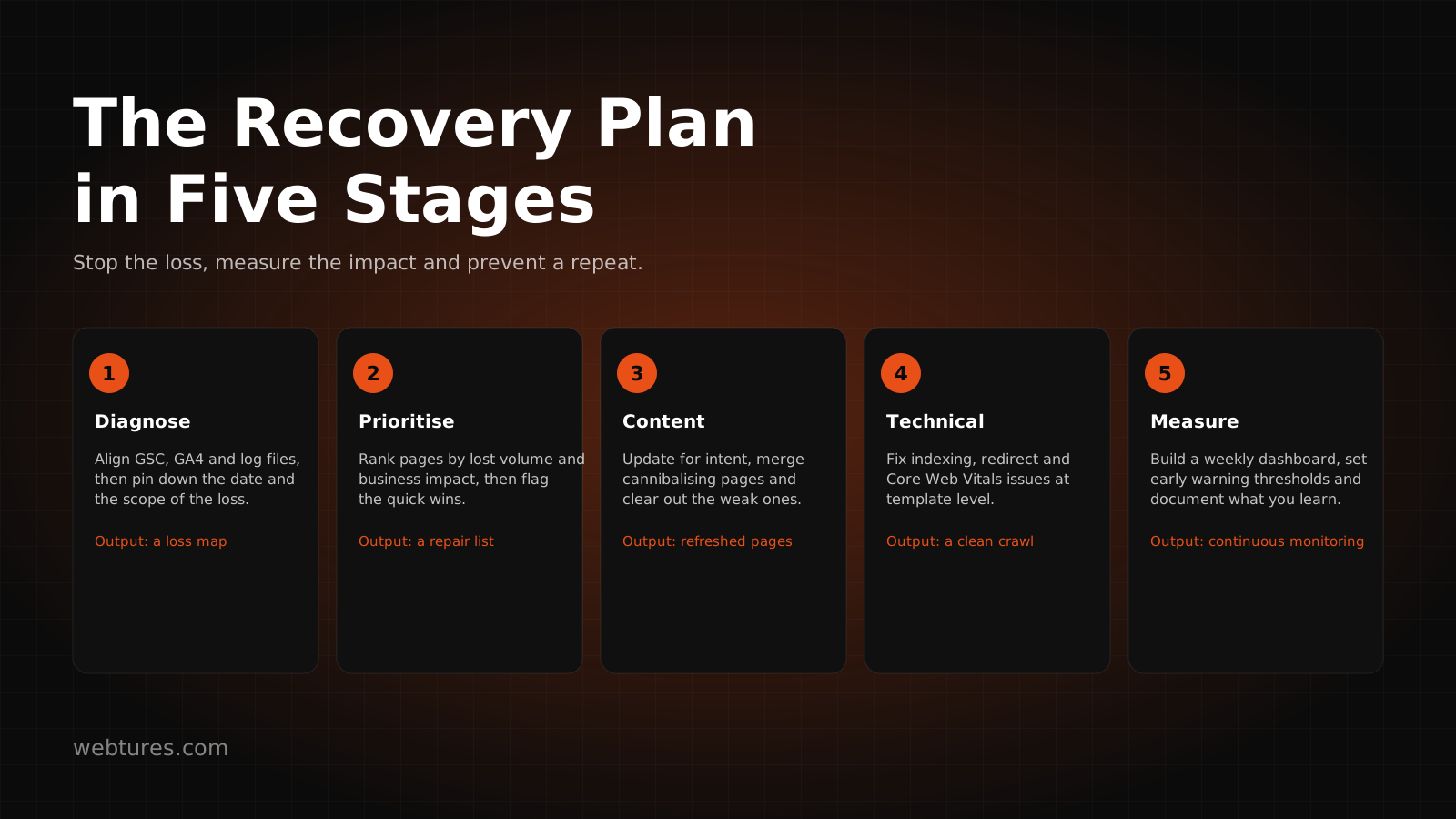
Organic traffic loss can no longer be explained by asking "where do we rank on Google?" Users now reach information faster through AI Overviews, AI Mode, ChatGPT Search, Perplexity, and similar answer engines. For some queries, clicks may fall while brand visibility, source attribution, or in-answer mentions continue.
From a GEO perspective, a traffic loss analysis should also ask: Which query and prompt sets does the content answer? Does the page offer a clear definition, a short summary, expertise signals, and citable information? Is the entity structure explicit? Are schema, author information, freshness, internal links, and references strong? Can AI crawlers access the page? These questions let you evaluate an organic traffic drop not only as channel performance but also in terms of AI Search visibility and source authority.
A First Checklist for Organic Traffic Loss
- Check clicks, impressions, CTR, and average position in Search Console with date comparisons.
- Analyze whether the drop concentrates in specific pages, queries, countries, devices, or search appearance segments.
- Review organic search sessions, engagement, conversions, and revenue in the GA4 traffic acquisition report.
- Read Search Console and GA4 data together to separate visibility loss from measurement problems.
- Run checks on robots.txt, noindex, canonicals, sitemaps, 404/5xx errors, redirects, Core Web Vitals, and the mobile experience.
- Check for manual actions, security issues, SSL problems, hacked content, and spam warnings.
- Compare drop dates against algorithm updates; re-evaluate pages for content quality, E-E-A-T, and topical authority.
- Use Google Trends to check for seasonal declines in search demand.
- Examine SERP changes such as featured snippets, AI Overviews, People Also Ask, local packs, and ad density.
- Compare backlinks, brand mentions, digital PR, and competitor authority signals.
- For GEO and AI Search visibility, evaluate the LLM-readable structure, entity clarity, and citability of your pages.