What Is Browser Use?
Explore how Browser Use automates repetitive web tasks, optimises browser performance and supports data collection for marketers, developers and teams.


Browser Use is a tool built to make web browsers work harder for you. The software simplifies a wide range of online tasks, letting people improve browser performance, automate repetitive work and browse more securely. Features such as web automation, data collection and personalised browser settings have made it a favourite with individual and enterprise users alike.
Browser Use features


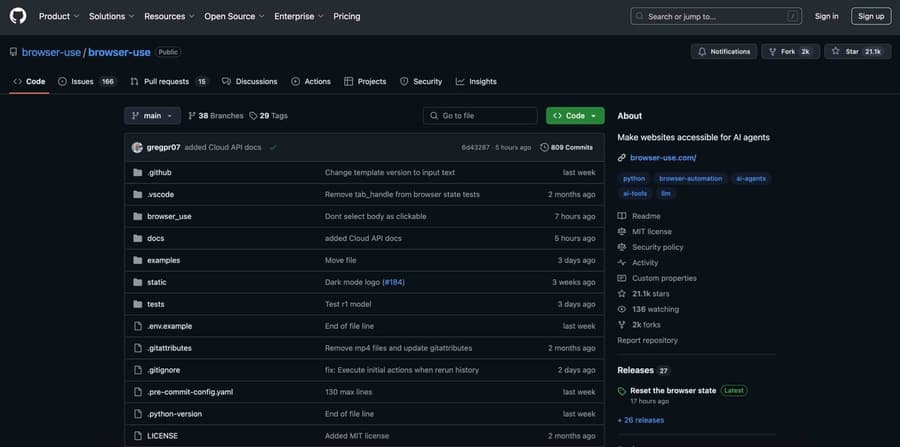
Browser Use offers a range of features that improve the everyday web experience. Automated task management makes repetitive processes simple to run. Its optimisation tools speed up page loading. The user-friendly interface is practical for beginners and experienced users alike. Web scraping support lets you collect data from specific sites, while advanced security measures protect you from harmful content.
How do you use Browser Use?


Browser Use is straightforward to work with. Start by visiting the official website to create an account or sign in. From there you can automate specific tasks to fit your needs, fill in web forms automatically and clear the cache regularly to keep browser performance high.
Benefits of Browser Use


Browser Use delivers advantages for personal and professional users. Automating repetitive processes saves time. The web scraping capability makes analysis easier by pulling data from specific sites. Browser performance improves, which means a faster and smoother experience online. Security and privacy measures protect users against harmful sites. And the user-friendly structure, with settings you can personalise, suits everyone.
Who can use Browser Use?


Browser Use appeals to a broad audience. Individual users and professionals can both draw on the software for different purposes.
- Individual users: Anyone who wants a more efficient web experience can turn to Browser Use. Automatic form filling, ad blocking and browser optimisation make daily use noticeably easier.
- Digital marketers: It is highly practical for marketers who want to analyse web data, study competitor sites and automate repetitive tasks.
- Developers and software specialists: Developers can use it to test websites, manage automation processes and simplify data collection.
- Ecommerce professionals: It is an ideal tool for ecommerce managers running competitor price analysis, product tracking and automated data collection for market research.
- Academics and researchers: The web scraping and automation features speed up data collection and analysis.
- Companies and enterprise users: Organisations use it to accelerate workflows, automate web-based processes and help teams work more productively.
Because Browser Use requires no technical background, it stays easy and effective for users at every level.
Web tasks you can handle with Browser Use
Browser Use automates many of the actions you take in a browser, making everyday internet work more practical. Here are some of the tasks it covers:
- Automatic form filling: Complete repetitive form entries automatically on the sites you use often.
- Web scraping: Pull data from specific sites quickly and consistently for data analysis.
- Ad blocking: Remove intrusive ads so pages load faster.
- Password management: Store login details securely and fill them in automatically.
- Automatic sign-in: Speed up logins to the sites you visit most.
- Browser performance optimisation: Clear unnecessary cookies and cache to speed the browser up.
- Web automation: Turn repetitive tasks into rule-based automated flows.
- Multitask management: Save time by running several processes at once.
- Data backup: Back up important browser data to prevent loss.
- Dark mode and personalisation: Customise the browser interface for a better experience.
Browser Use for developers
Developers can manage web applications more effectively with what Browser Use offers. Speeding up browser-based testing, collecting large-scale data from specific sites and testing API calls all make development work considerably easier.
How does Browser Use contribute to web automation?
Web automation matters because it accelerates business processes and makes them more efficient. Browser Use automates repetitive tasks so people stop spending time on them manually. Its interface requires no coding knowledge, which keeps it accessible to everyone. And the ability to run several tasks simultaneously makes workflows far more productive.
Browser Use plans for different needs
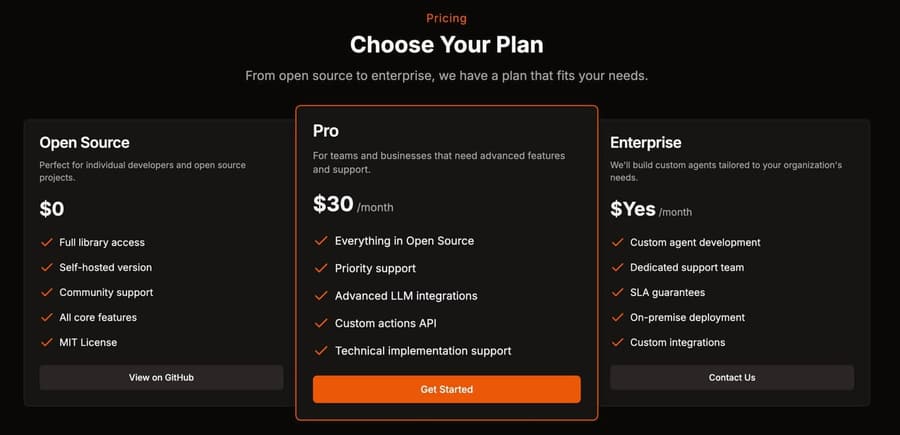
Browser Use offers a range of plans for different requirements. Individual users have packages with core features, while professional users can choose plans that include advanced analysis, web scraping and API support. Large organisations have enterprise plans with bespoke automation and data analysis solutions.
Speed up your web browser with Browser Use
Improving browser performance starts with clearing cache and cookies regularly. An ad blocker helps pages load faster. Removing unused extensions strips out unnecessary load so the browser runs more efficiently. And automating the actions you repeat most turns time spent in the browser into time well used.
Growth & GEO








