What Is ChatGPT? What Are Its Features?
Learn what ChatGPT is, how to use it, which languages it supports and what GPT-5 brings, from custom GPTs to voice, visual and Canvas features.

ChatGPT is an advanced AI chat tool developed by OpenAI. Powered by sophisticated natural language processing (NLP) technology, it delivers meaningful, context aware answers to user questions. It can provide information and support across an enormous range, from everyday conversation to technical topics, from content production to writing code.
What is ChatGPT?
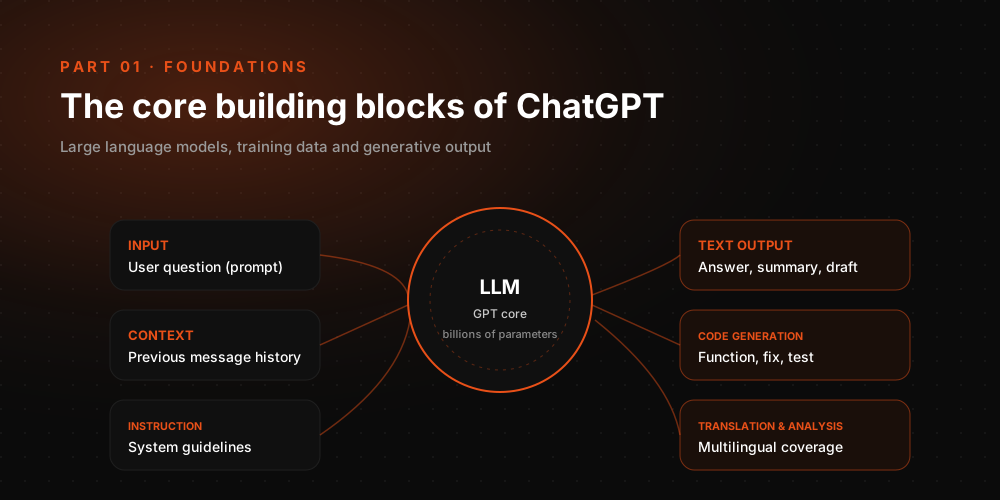
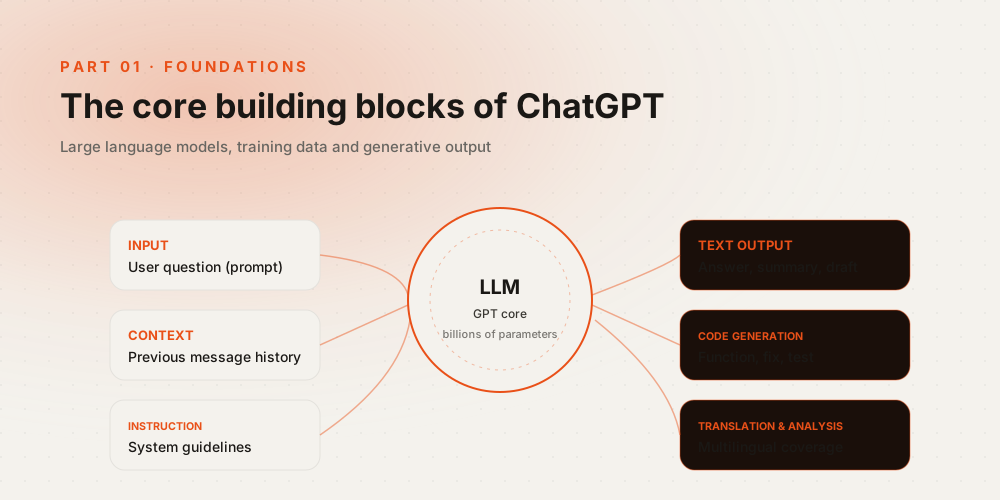
ChatGPT was built by OpenAI, a pioneer in artificial intelligence and natural language processing. The system runs on the GPT (Generative Pre-trained Transformer) architecture and has grown stronger with every new release. Now running on GPT-5 technology, ChatGPT has become an AI chatbot that interacts with people, produces context aware content and responds in real time. The model draws on a vast knowledge base and works not only with text but also with visual and audio inputs. This multimodal design has made ChatGPT usable across many sectors, from business and education to customer service and software development.
How do you use ChatGPT?
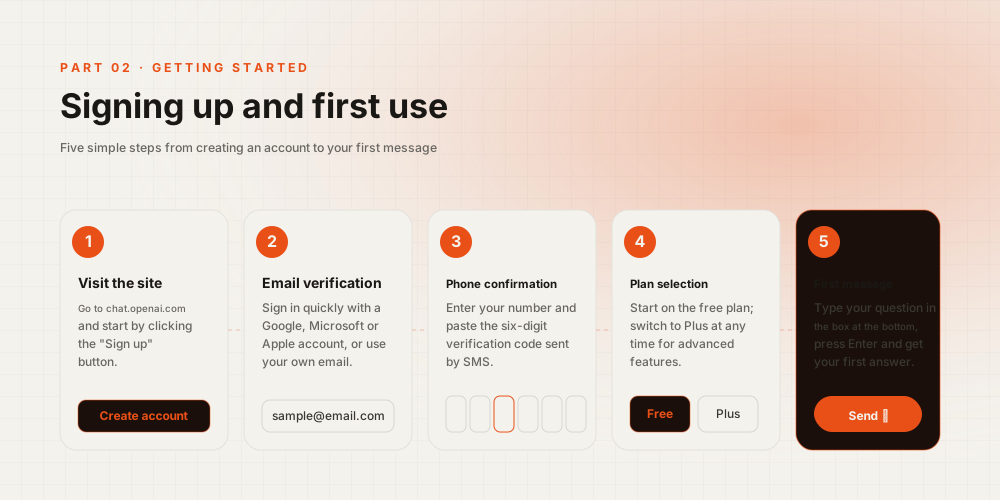
ChatGPT is available through OpenAI’s web platform, its mobile apps, desktop applications for PC and Mac, and API integrations. Users simply sign in to access the system. Beyond written prompts, ChatGPT also offers voice assistant capabilities and visual analysis. Users rely on it for content production, summarization, coding, SEO research, customer support and more. This AI powered platform has become one of the most capable solutions available, covering everything from personal productivity to enterprise efficiency.
Step 1: Create an OpenAI account
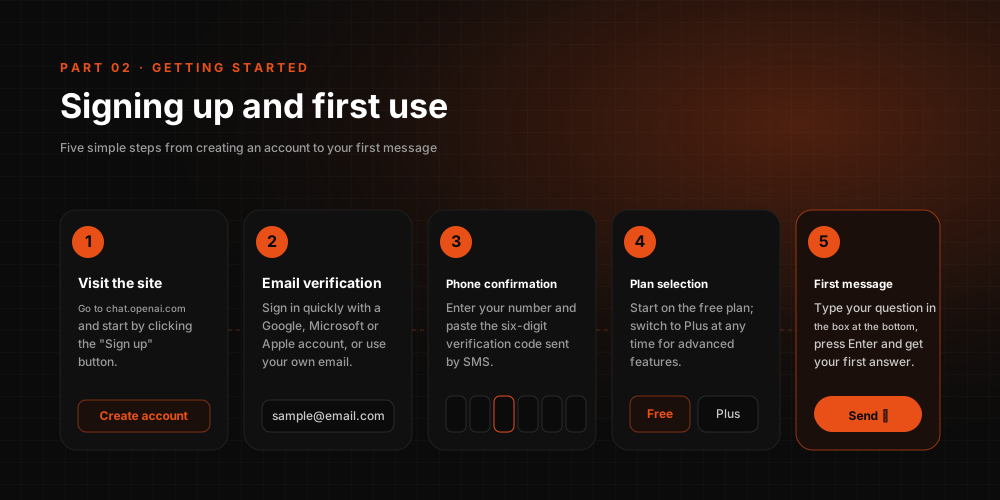
Users can now try the free version of ChatGPT on the web without signing up. Basic features are accessible without an account. To reach the latest GPT models and advanced functionality, however, you need to create an OpenAI account and, where required, purchase a ChatGPT Plus subscription.
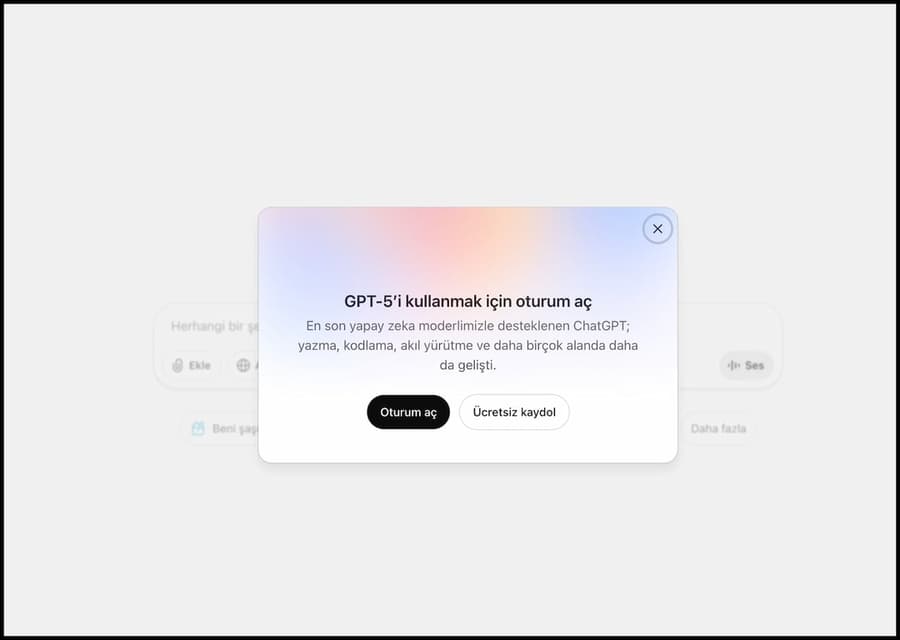
To sign up, go to chat.openai.com and click the Sign Up button. You can register with your email address or with an existing Google, Microsoft or Apple account.
If you already have a ChatGPT account, simply use the Log in option. ChatGPT is no longer browser only; it is also available through iOS, Android and PC/Mac desktop apps.
Step 2: Start working with ChatGPT
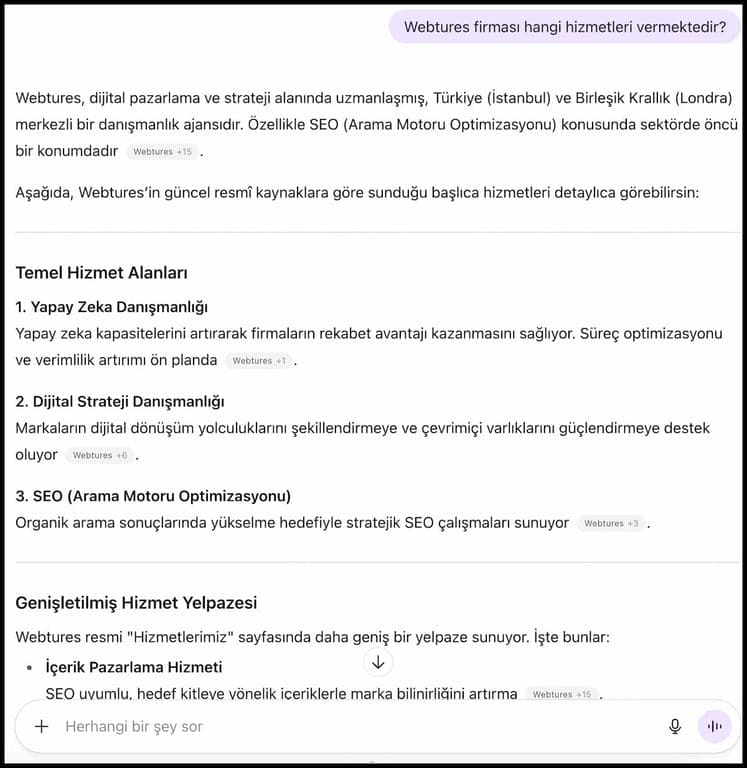
To use ChatGPT, you first submit a query. Based on the answer you receive, you can keep interacting with it and build follow-up queries.
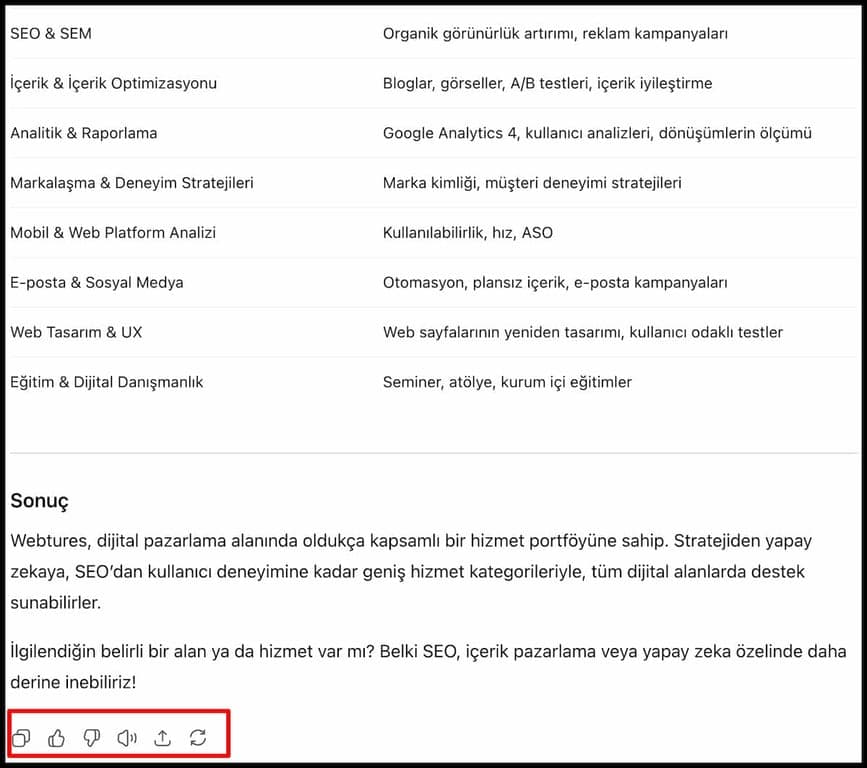
If the output does not satisfy you, or you are unsure about its accuracy, click the regenerate button beneath the content to have it rewritten. There is also a voice button that lets you listen to the generated content read aloud.
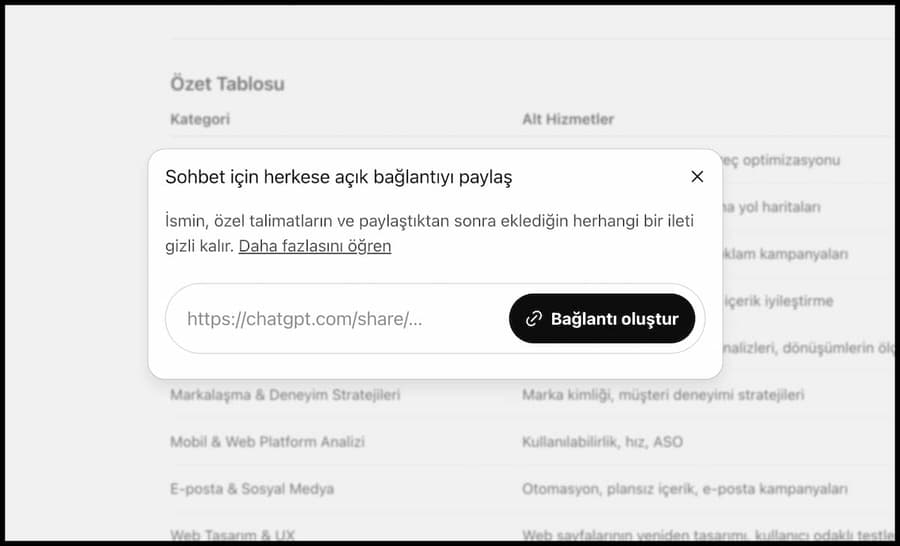
You no longer need screenshots to share your ChatGPT conversations with friends or colleagues. Click the Share button in the top right corner of the chat screen to share the conversation directly. The generated content is shared through a private link, and the recipient can view the full conversation.
You can also manage previously shared conversations from the Shared Links section of your account. Whether for personal use or team collaboration, sharing your ChatGPT output with others takes seconds.
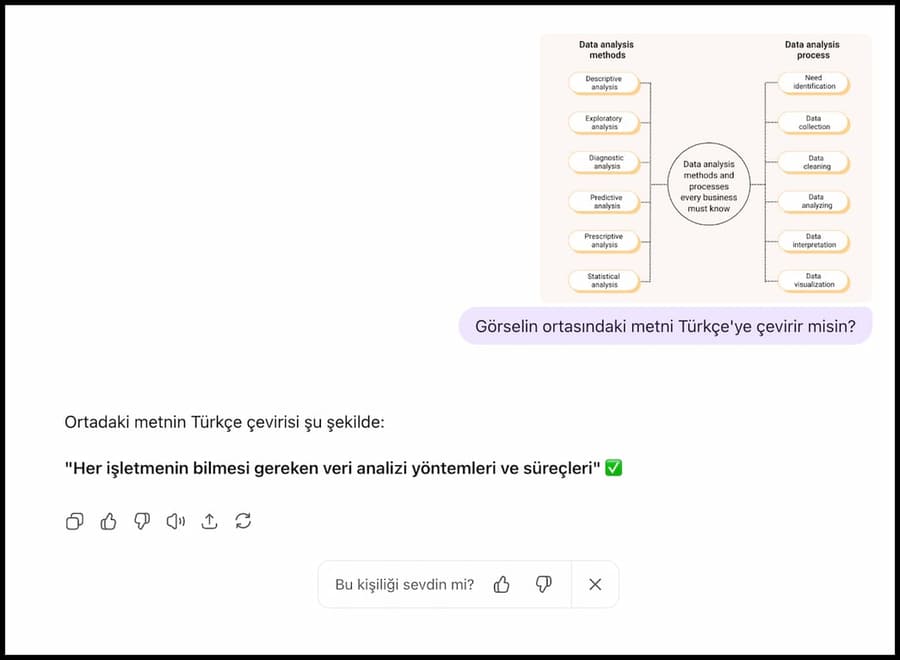
While ChatGPT 4 answers many questions accurately, ChatGPT 5 is significantly faster, more comprehensive and more personalized in the content it delivers. GPT-5 brings improved plugin support, querying with images and voice, more advanced image generation with DALL·E and a far more natural conversational experience. It also delivers substantial performance and speed improvements over previous versions.
With a ChatGPT Plus account you can use GPT-5’s multimodal capabilities. Upload any image and have it analyze the objects it contains, rewrite text in alternative forms or produce detailed explanations. You can also run voice queries for real time answers and a genuinely versatile AI experience. Use the image or file upload option on the chat screen to get started.
Step 3: Generate AI images with ChatGPT
- ChatGPT is not limited to text. Alongside written content, you can produce creative visual content as well. Beyond text generation, OpenAI built an image generator called DALL·E.
With this plugin structure in place, you can shape your prompts to produce creative visual content.
Step 4: Build a custom GPT
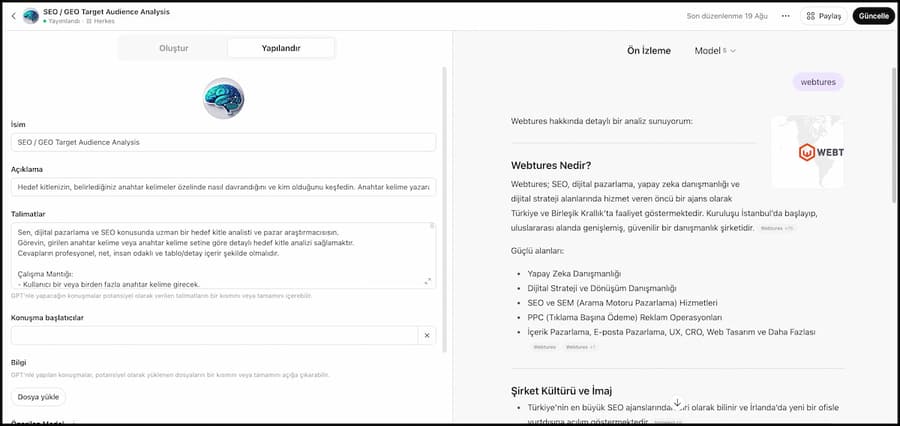
ChatGPT lets you create Custom GPTs dedicated to any topic you choose and publish them for others to use. If you are a fitness coach, for example, you can train your own GPT to prepare personalized workout plans. When a user enters their physical details, the GPT can respond with an exercise program tailored to them.
In the My GPTs area you can do more than develop your own GPT; you can also search across every GPT created by others and find the one that fits your needs best. Build a specialized GPT for your own field, or discover ready-made GPTs designed for different needs and start using them right away.
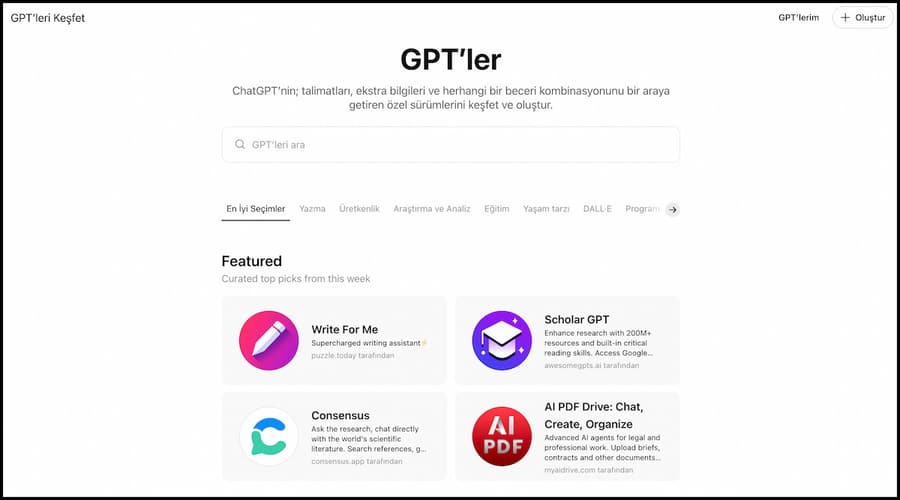
- Click the Create button in the top right corner of the GPT area to build your Custom GPT.
- The Instructions field is critical when creating a Custom GPT. Overloading it with complex information will complicate how the GPT operates and can sometimes lead to incorrect results. In the Instructions field, state clearly what this GPT does and who it is. Use simple, plain language to guide it. While building the GPT you can also upload files and have it draw on them within its custom setup.
How do you communicate effectively with ChatGPT?
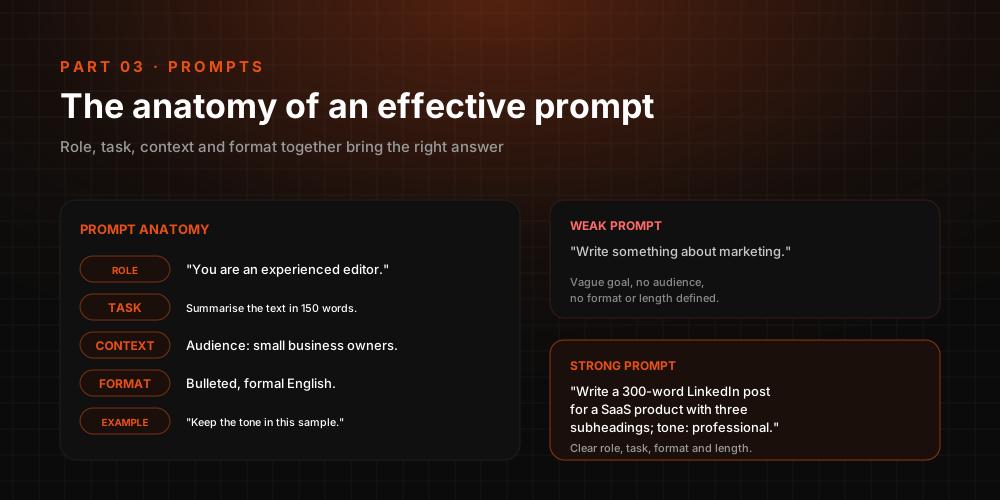
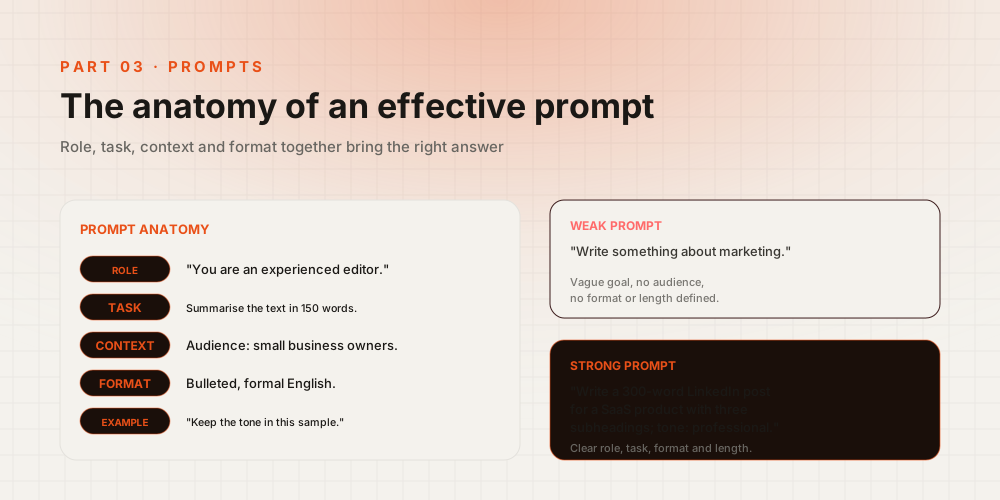
A few practical habits make a real difference when working with ChatGPT. First, ask questions that are clear, specific and focused on a single topic. Questions with concrete detail produce more accurate and useful answers than vague or overly general ones. Instead of asking “What is artificial intelligence?”, a question like “Can you explain how GPT-5 can be used?” delivers a far more productive result.
You can also steer the conversation with step by step instructions or supporting examples. Because ChatGPT retains context, you can start with a general overview and then ask for detail, making the interaction more efficient. Giving accurate feedback on the answers it produces also helps you get more relevant responses in future conversations.
Finally, remember that ChatGPT now supports visual and voice queries as well. Upload images for commentary or ask your questions by voice. Both make the interaction more effective and get you far more out of ChatGPT.
What are ChatGPT’s features?
ChatGPT puts the power of artificial intelligence at users’ service, enabling intelligent conversation on a wide range of topics. These features place ChatGPT among the leading artificial intelligence applications, and it is continuously improved to meet user needs.
- OpenAI technology: ChatGPT is backed by OpenAI’s artificial intelligence technology and incorporates the most advanced AI algorithms.
- Natural language processing capabilities: ChatGPT has advanced NLP capabilities and lets users communicate comfortably in multiple languages.
- Intelligent answer generation: Thanks to advanced AI algorithms, ChatGPT produces intelligent, coherent answers to user questions.
- A flexible language model knowledge base: ChatGPT draws on a broad language model knowledge base, giving it familiarity with a wide range of subjects.
- Conversation across many topics: Using the most advanced AI technology available, ChatGPT engages users on a wide variety of topics and tackles diverse problems.
- A user friendly interface: ChatGPT’s interface is easy to use, so interacting with it takes no effort.
- Continuous updates and improvement: ChatGPT is updated and refined constantly, becoming more efficient and effective over time.
Which languages does ChatGPT support?
ChatGPT supports a broad range of languages so users can communicate effectively in the language they prefer. The AI platform applies state of the art technology to enable effective communication in many languages. With artificial intelligence and natural language processing working together, ChatGPT lets users converse comfortably in their native tongue. Beyond widely spoken languages such as English, Spanish, French and German, ChatGPT works in many others as well. This makes it a genuinely multilingual, global communication tool.
What kinds of conversations can you have with ChatGPT?
ChatGPT enables an extensive range of interactions and helps users engage intelligently on a wide spectrum of topics. Built on advanced AI technology, the platform understands user questions and assists across many subject areas. Users can request technical support, gather information, hold everyday conversations or even play games. Drawing on the most advanced capabilities in the field, ChatGPT supports whatever type of interaction fits the user’s needs and serves as a truly versatile communication tool.
What is new in ChatGPT-5
ChatGPT-5 takes the user experience a step further with advanced AI capabilities. Higher speed, more accurate context understanding and expanded multilingual support make it more effective for both individual and professional use. Its fully multimodal capabilities cover text, image, audio and video processing, offering flexible use across many fields. These advances lift productivity everywhere from daily life to business processes, education and customer service.
More natural conversations through voice and visual interaction
ChatGPT-5 delivers a far more natural experience in voice and visual interactions. Users can speak through their microphone for real time conversation, with the AI producing instant spoken responses. It can also run detailed analysis on uploaded images, recognizing objects, interpreting text and generating alternative content. In voice interactions, a choice of tones lets each user pick the conversational style that suits them for a more personal experience.
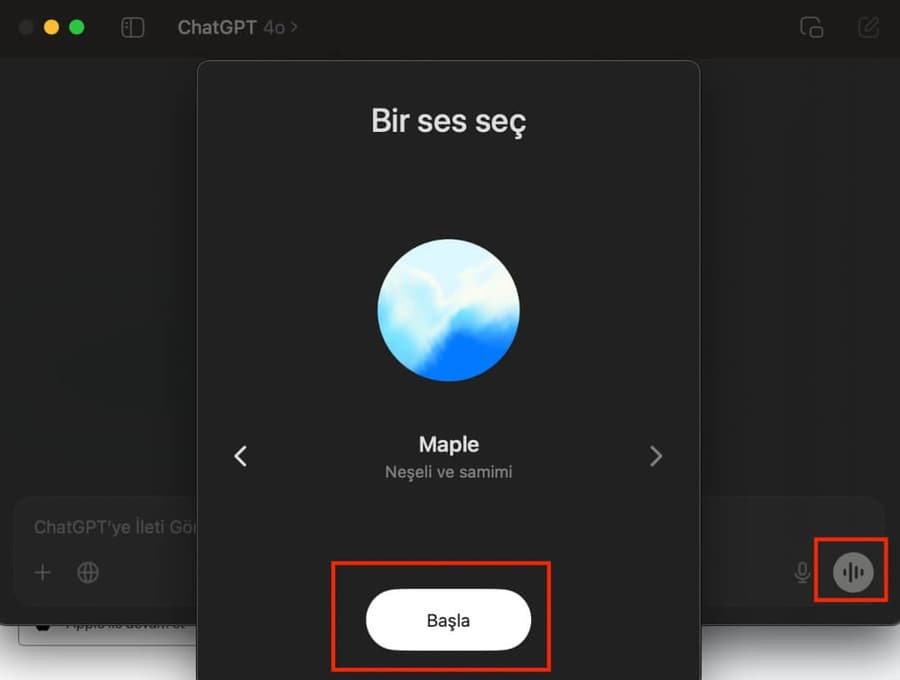
Real time information with the web browsing feature
Thanks to its integrated web browsing feature, ChatGPT-5 can search the internet on the spot and reach current information. This is a major advantage for anyone who needs accurate, reliable answers on fast moving topics or the latest developments. ChatGPT no longer relies on training data alone; it draws on real time information to deliver more comprehensive and up to date answers. Users can reach the latest data with ease, for daily needs and professional work alike.
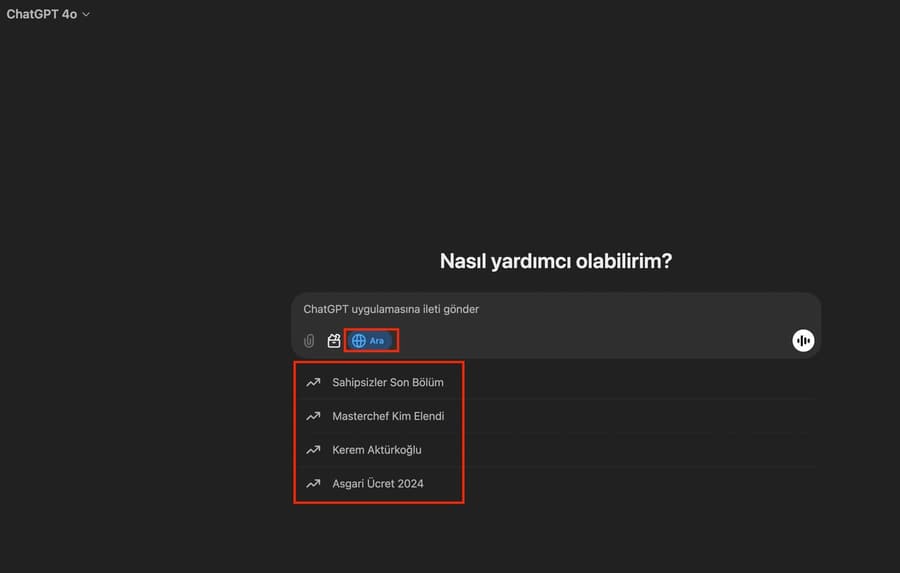
Working with the Canvas feature
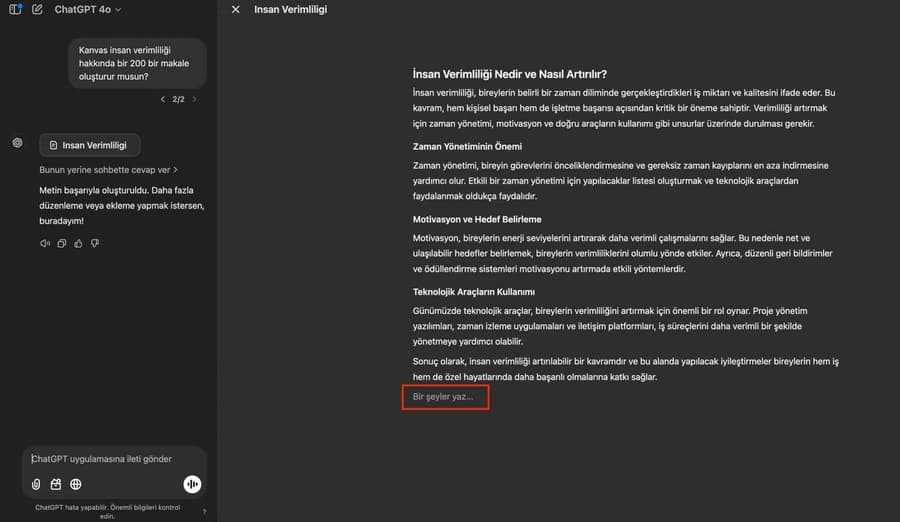
ChatGPT-5’s updated Canvas feature makes collaboration on writing and coding far easier. Users can work on text content, strategy drafts or code in a more organized and creative way. Real time editing lets teams progress on the same project simultaneously.
To access it, click the Tools icon at the bottom of the chat screen and select Canvas. Writing, brainstorming and software projects all become more productive and interactive as a result.
The ChatGPT Projects area
ChatGPT’s Projects area gives users an effective workspace for organizing and optimizing their workflows. The Projects tab brings together a range of capabilities, from personalized content production to file management.
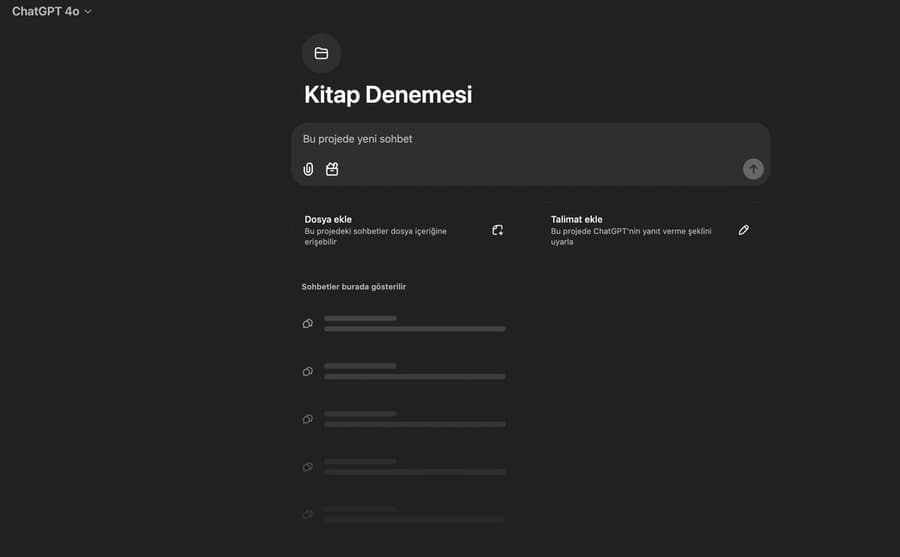
Key capabilities:
- Project based management: Organize each project independently, with its own custom instructions and file uploads.
- Focused content production: Steer ChatGPT within a specific context to get more effective, on-target responses.
- File attachment and editing: Add project specific documents and resources for contextual support.
- Easy access: Keep all projects listed in order and reach the content you need in seconds.
App integrations with ChatGPT
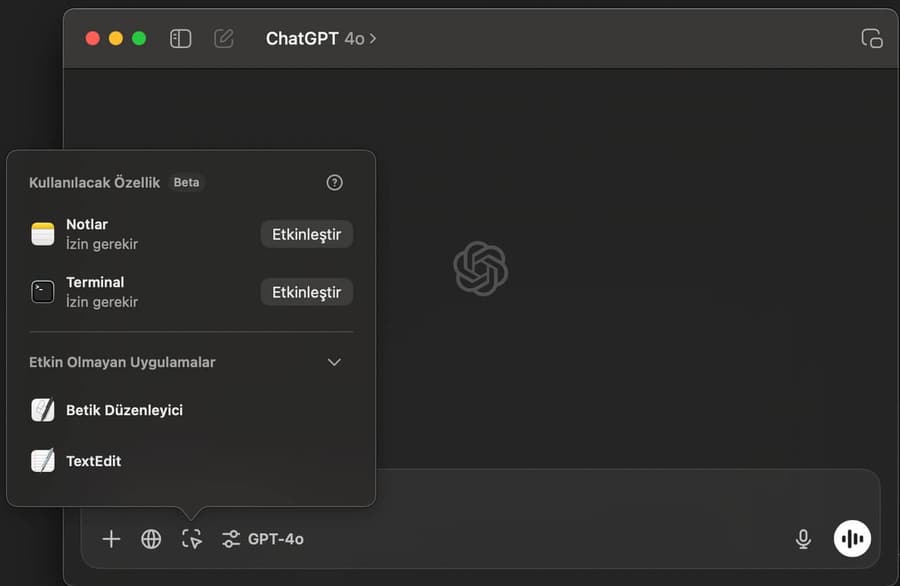
On macOS, ChatGPT works in harmony with productivity tools such as Apple Notes, Notion and Quip, as well as a range of code editors. Users can process data from different applications quickly and make their content development workflows far more efficient with ChatGPT’s support.
Where is ChatGPT used?
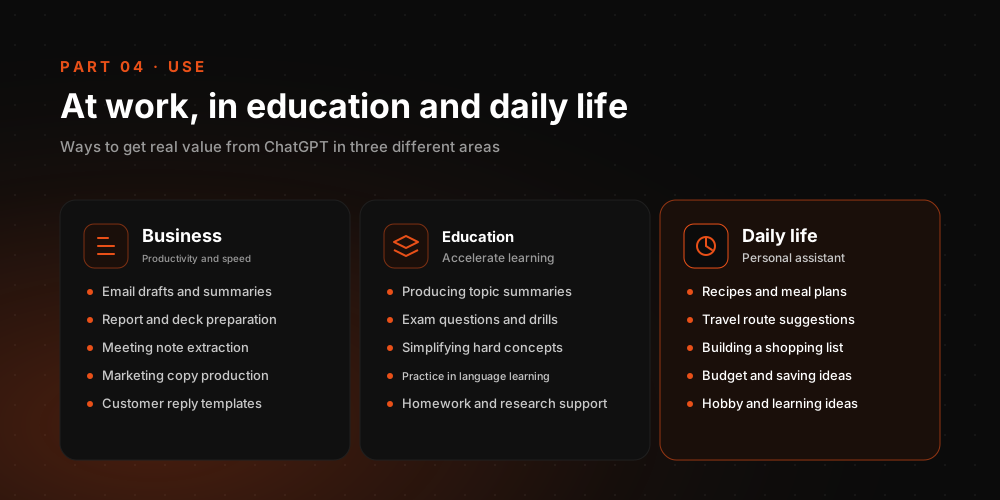
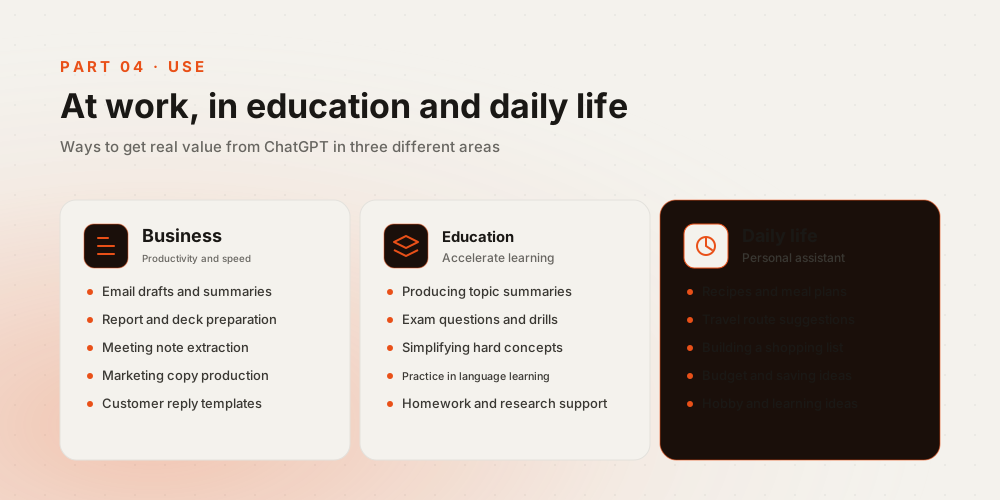
ChatGPT has an exceptionally wide range of applications, spanning education, business, content production, technical support and everyday conversation. Thanks to GPT-5’s multimodal capabilities, it now works not only with text but also with image, audio and file based data to support people across different fields. By making information easier to reach, the platform drives efficiency in both personal and enterprise workflows.
How can ChatGPT be used in education?
In education, ChatGPT supports students with homework help, topic explanations, exam preparation and research. GPT-5’s advanced context understanding gives students a more interactive, personalized way to learn. With image upload support, students can also ask questions about a table or chart directly, which makes the learning process far more dynamic.
How is ChatGPT used in business?
In business, ChatGPT serves many functions, including customer service, reporting, content production and data analysis. AI assisted customer support, for example, shortens response times and lifts customer satisfaction. With GPT-5’s multimodal architecture, companies can optimize processes such as document analysis, drafting emails and summarizing meeting notes. The result is real time savings and a sharper competitive edge.
Is ChatGPT free to use?
ChatGPT’s free version remains available. Advanced versions such as GPT-4 and GPT-5, however, are offered through a ChatGPT Plus subscription. The free tier covers the basics, while paid plans unlock multimodal queries, higher speed and plugin support. OpenAI API access is priced separately. Users can start with the free experience and move to the subscription that fits their needs.
What are the common issues with ChatGPT and how do you solve them?
Working with ChatGPT can occasionally involve misunderstandings, incomplete answers or technical hiccups. In these situations, asking clearer, more detailed questions produces more accurate answers. For visual or voice queries, make sure the uploaded material is descriptive. Keep in mind that ChatGPT is updated continuously and each new version delivers more accurate results; most issues get resolved through these ongoing improvements.