What Is Noindex and How Should You Use It?
Learn what the noindex directive does, when to apply the meta tag or X-Robots-Tag, and how the right setup protects your SEO and GEO visibility.

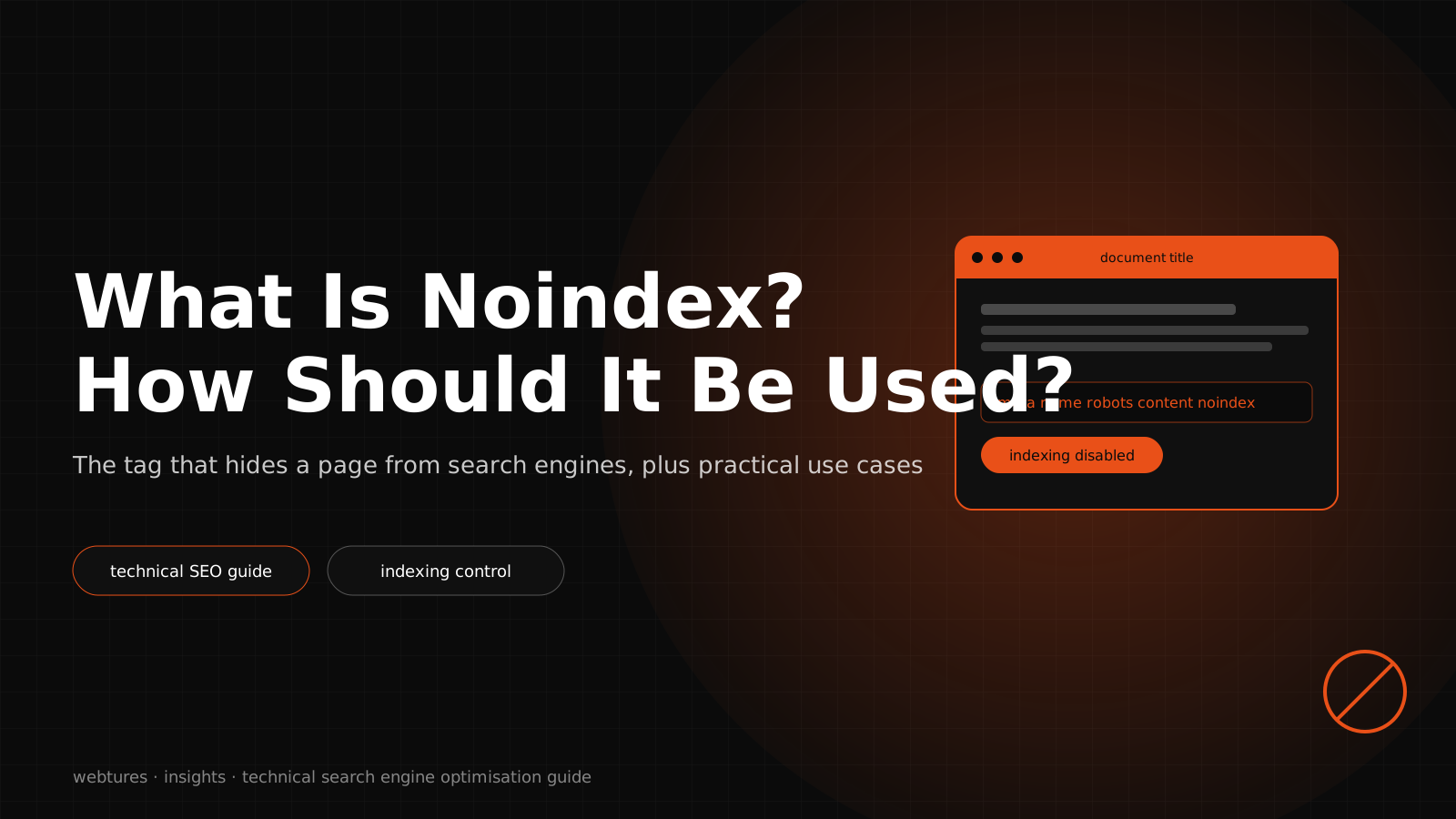
Noindex is a robots directive that tells Google and other search systems that support the noindex rule not to add a web page to their index. The directive can be applied through the robots meta tag on HTML pages, or through the X-Robots-Tag HTTP response header on PDFs, images, videos, and other non-HTML files.
From a GEO perspective, noindex means more than "removing a page from search results." Used correctly, it keeps the set of pages you want AI Search systems to evaluate as sources cleaner, fresher, and more trustworthy. Used incorrectly, your important content can lose its potential to appear as a source in Google Search, AI Overviews, AI Mode, and other answer engine surfaces.
A noindex decision should therefore weigh the page's user value, source credibility, canonical status, robots.txt access, internal link structure, Search Console data, and AI crawler access together.
What is noindex?
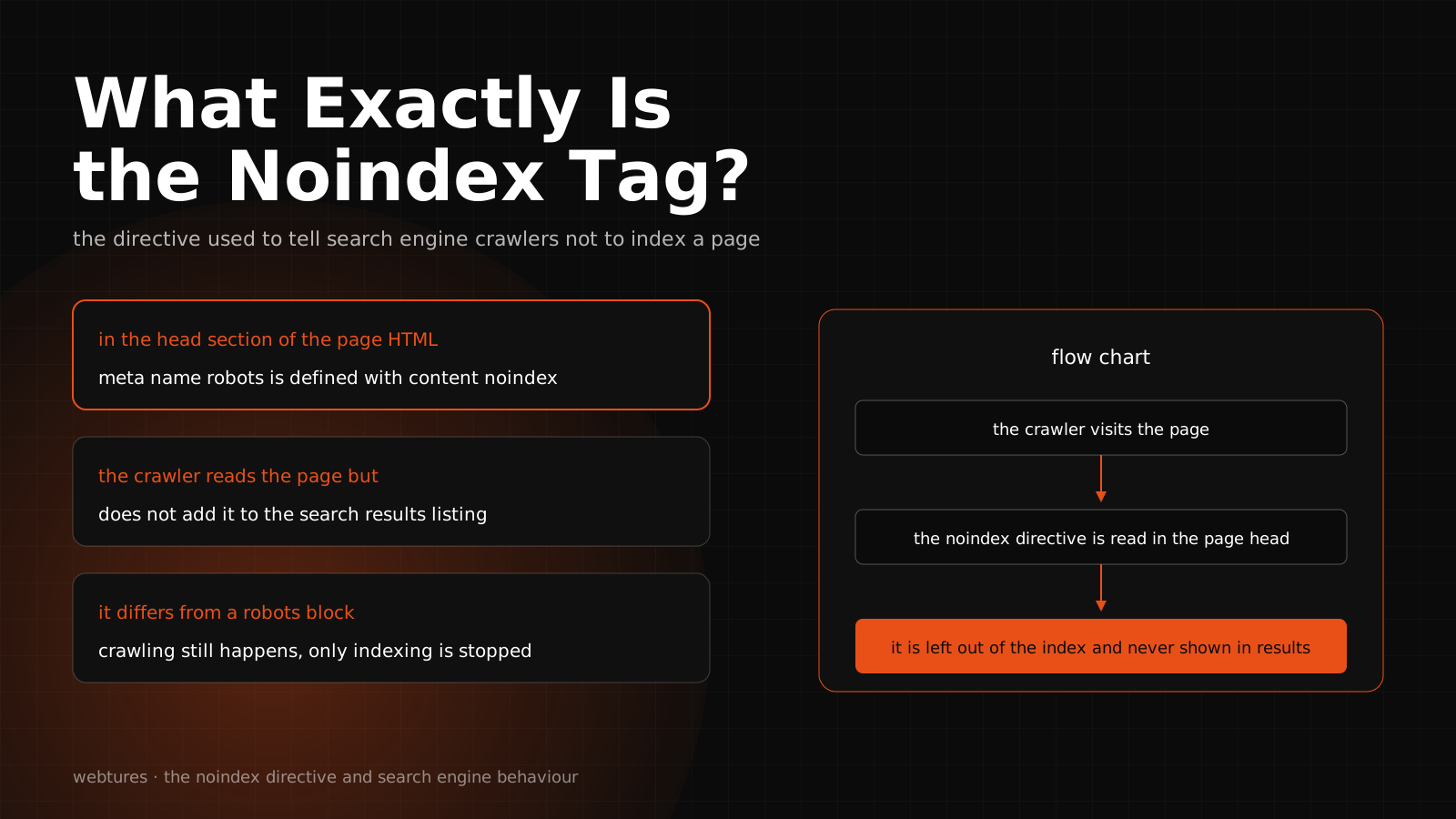
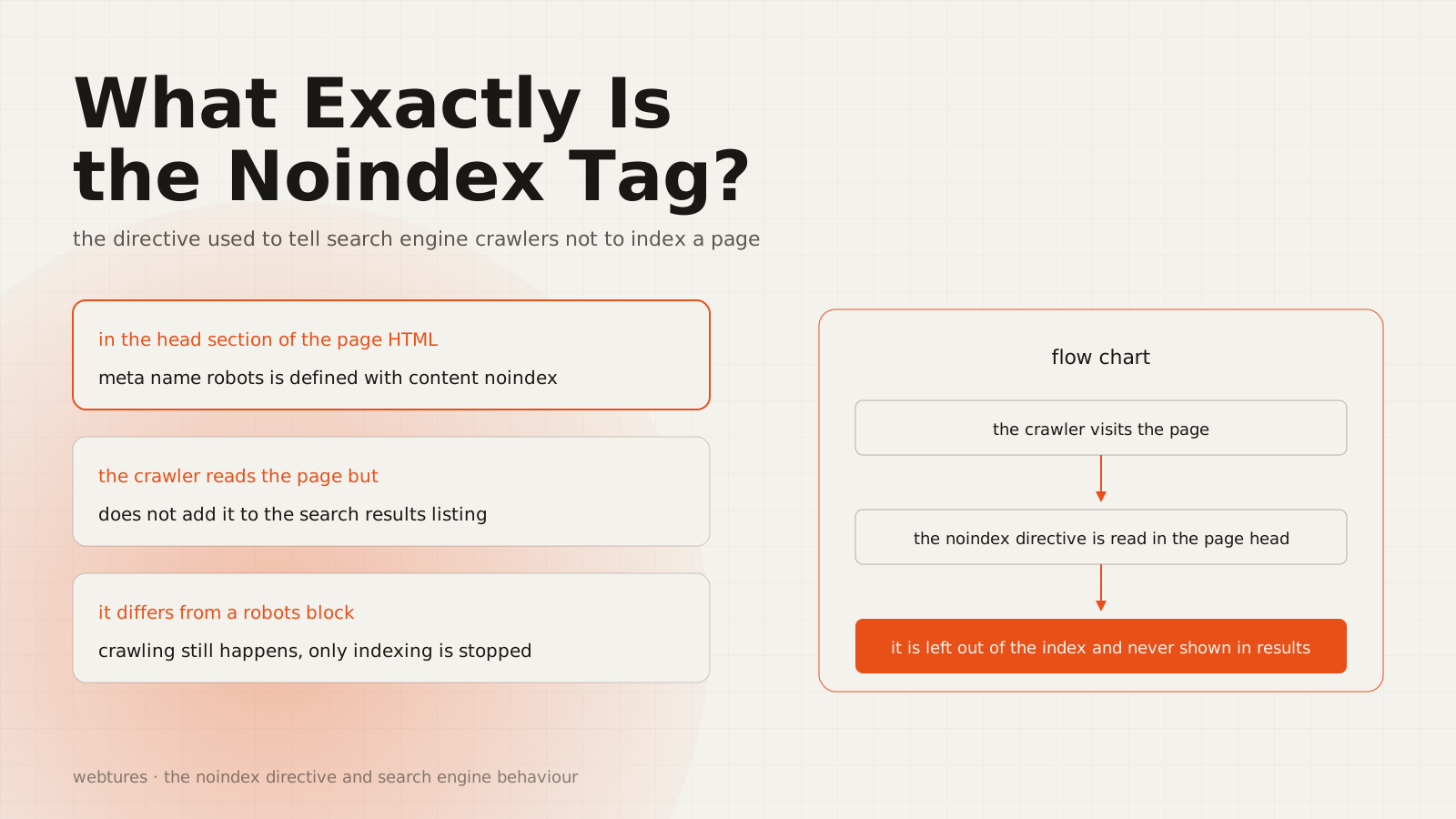
Noindex is a technical signal declaring that a page should not be indexed. When Googlebot crawls the page and sees the noindex rule in the robots meta tag or the HTTP response header, it can remove the page from Google Search results. For this to happen, the page must be accessible to the crawler.
We have seen the same mistake in several client projects: noindex applied through a plugin to a whole template, silently removing category pages the business depended on. Our audits now check noindex at template level first, because a single setting can affect hundreds of URLs.
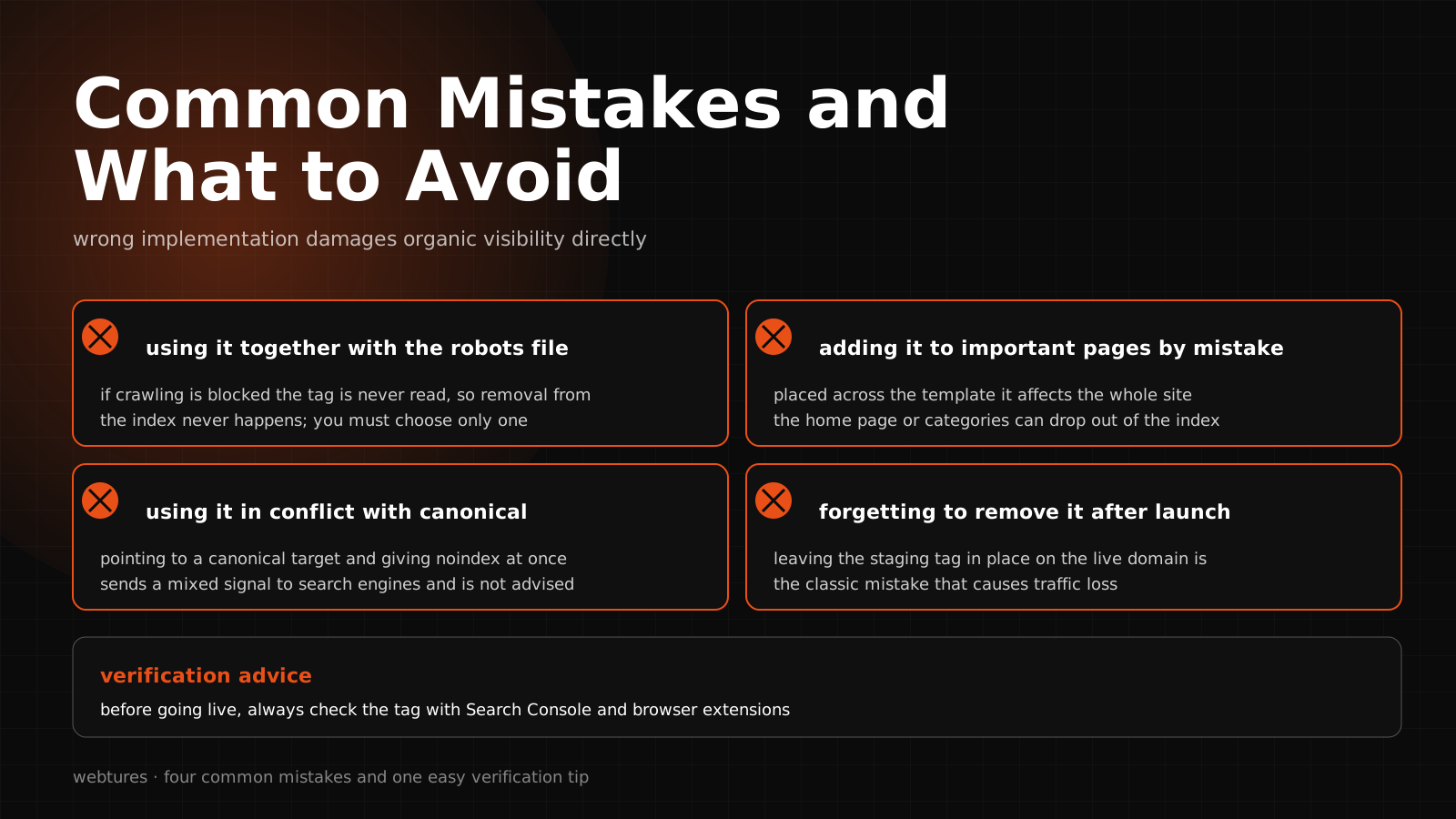
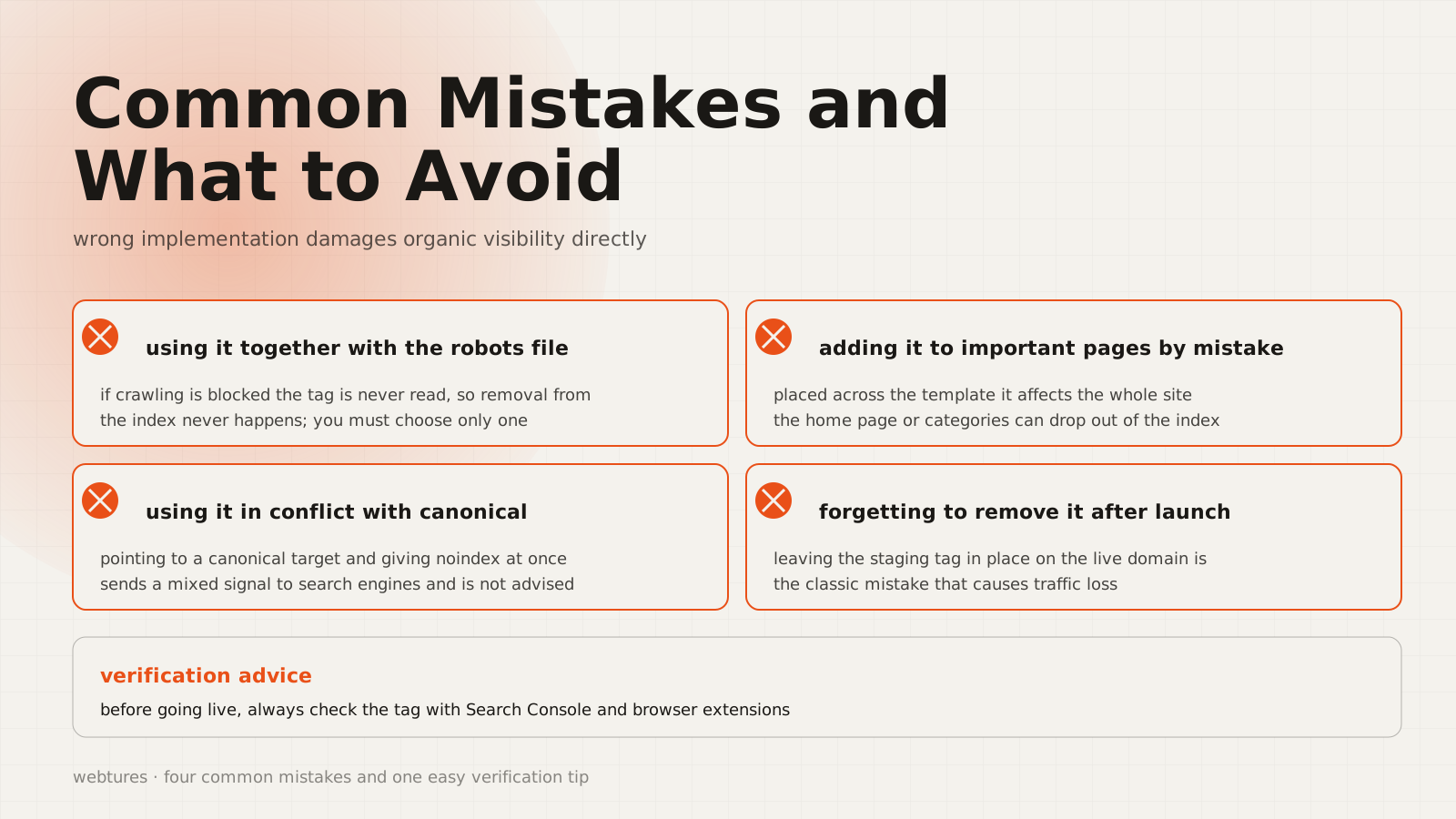
The most critical point is this: for noindex to work, the page must not be blocked by robots.txt. If the page is blocked in robots.txt, Googlebot may never reach it and never see the noindex tag. In that case, if the URL receives links from other pages, it can keep appearing in results with limited information.
What does noindex do?
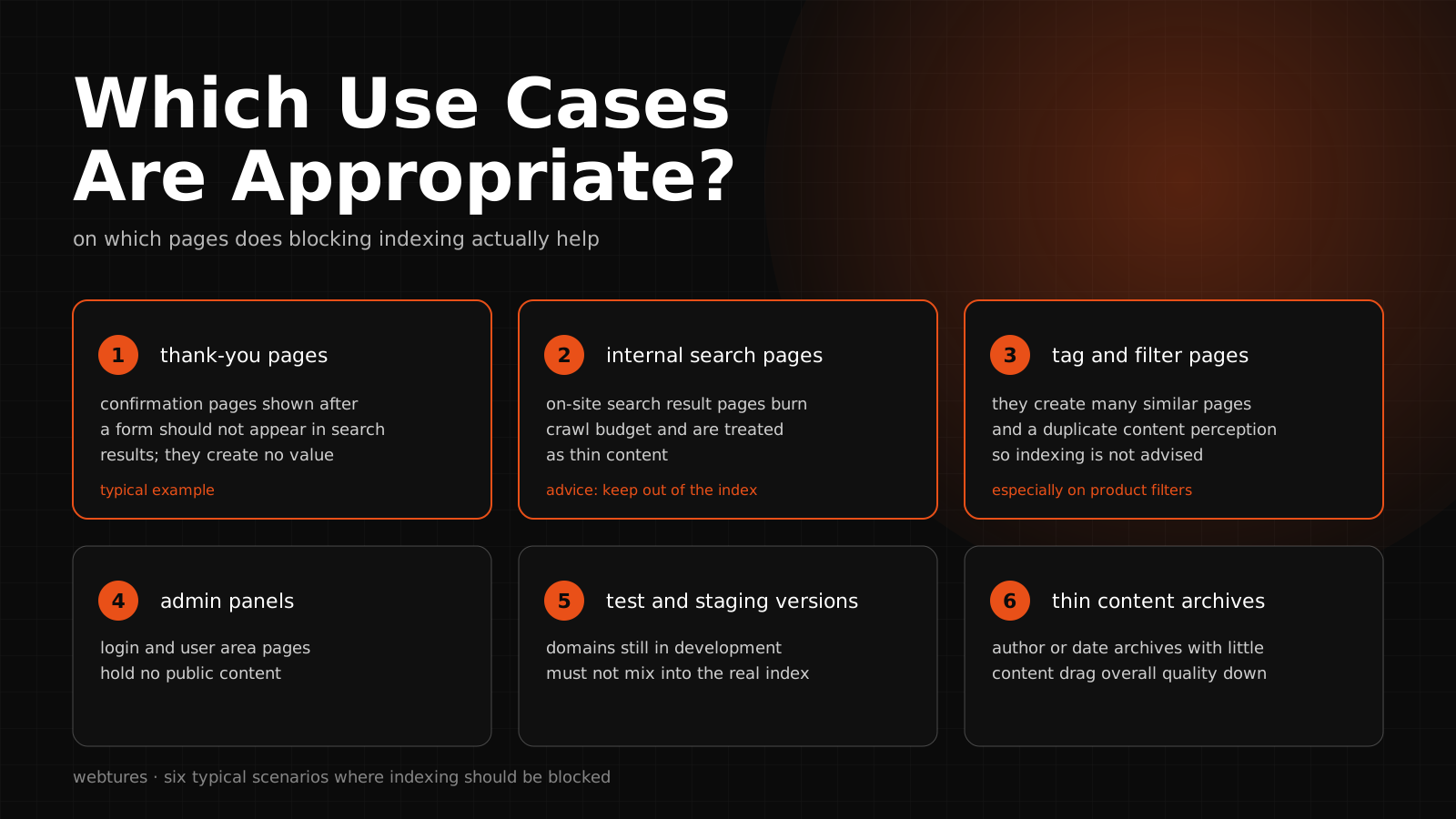
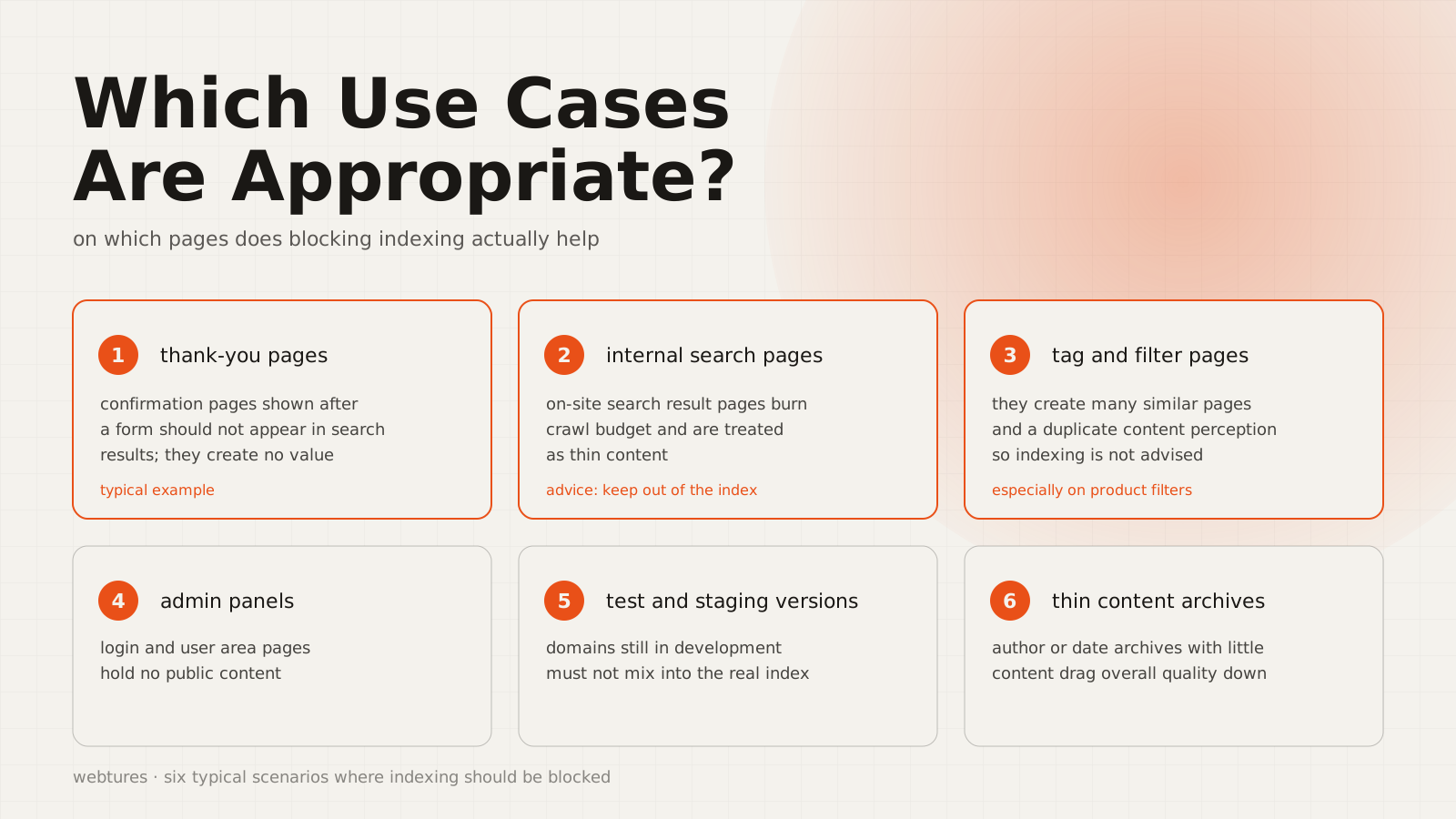
Noindex is used to keep pages that do not need public visibility out of the index. Users, Google, and AI Search systems then encounter a cleaner set of sources. The practice is especially important for managing low-value, temporary, duplicate, internal-use, or security-sensitive pages that should not be publicly visible.
Used correctly, noindex delivers benefits in these areas:
- It helps pages with genuine source value stand apart more clearly.
- It limits unnecessary visibility for duplicate or low-value pages.
- It gives you tighter control over internal search, filter, tag, and temporary campaign pages.
- It cleans up the URL set you want AI Search systems to evaluate as sources.
- It makes it easier to track in Search Console reports which pages were deliberately kept out of the index.
How do you use noindex?
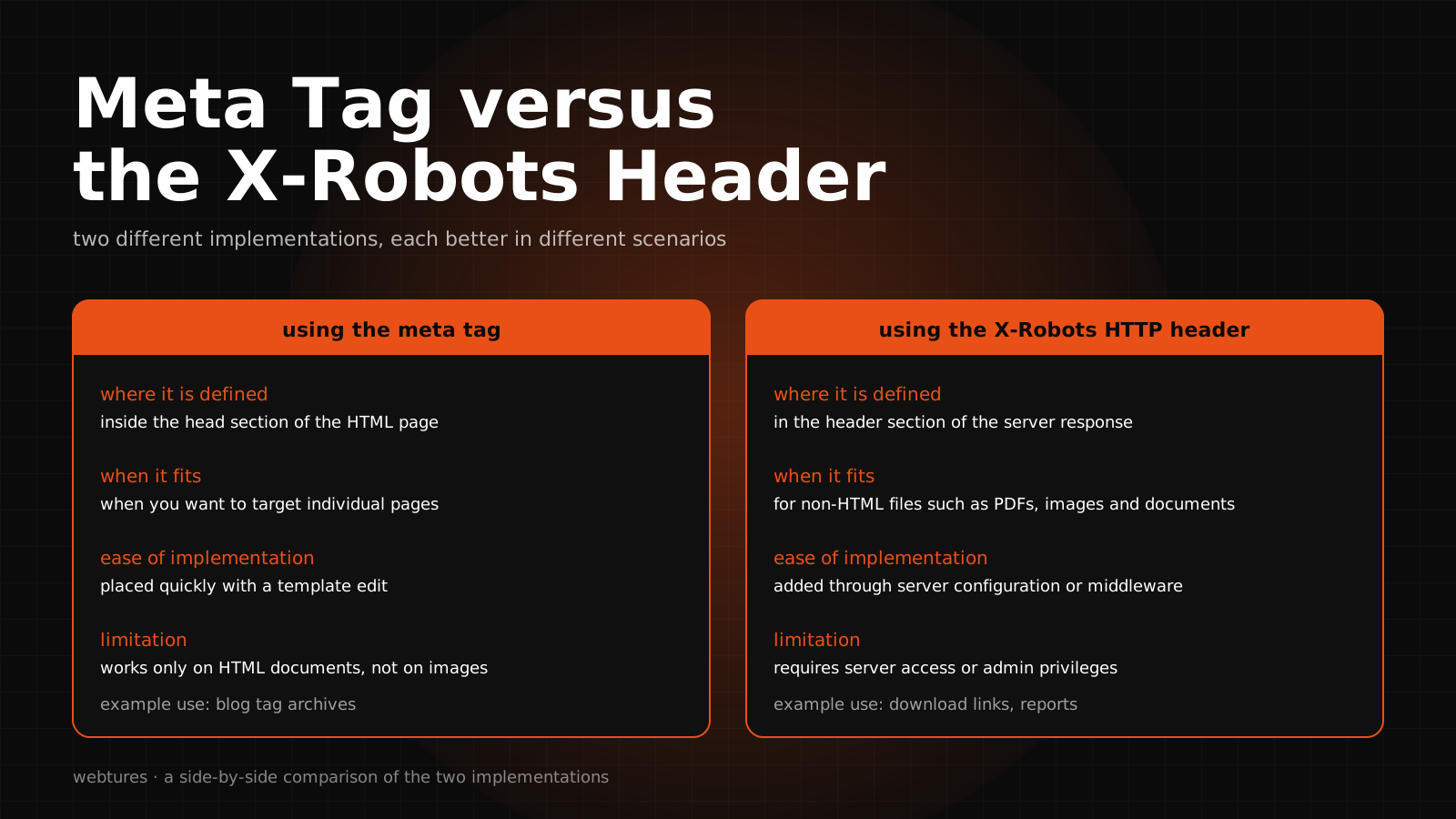
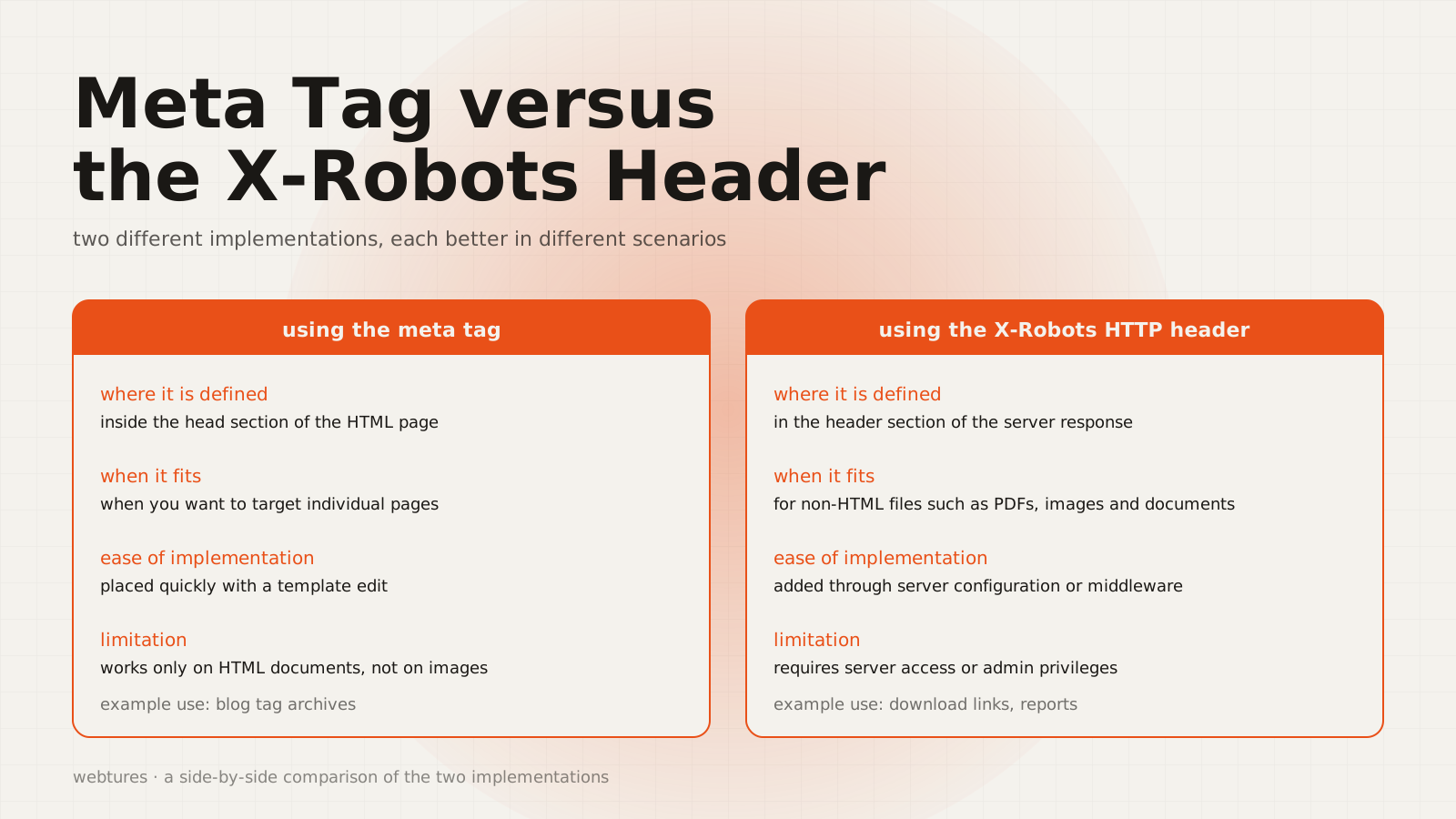
Noindex is applied through two main methods: the robots meta tag on HTML pages, and the X-Robots-Tag HTTP response header on non-HTML files. Which one to choose depends on the content type and your technical infrastructure.
Using noindex with the meta tag
On HTML pages, the most common method is adding a robots meta tag inside the page's <head>.
<meta name="robots" content="noindex">This tag tells crawler systems that support the noindex rule that the page should not be indexed. If you only want to target Google's web crawlers, the googlebot value can be used instead.
<meta name="googlebot" content="noindex">For general use, however, the robots value is more inclusive, because it can be interpreted not only by Google but by any crawler system that supports the noindex rule.
Using noindex with X-Robots-Tag
To apply noindex to PDFs, images, videos, documents, or other non-HTML files, use the X-Robots-Tag HTTP response header. This method works at the server level and allows bulk management for specific file types or URL patterns.
HTTP/1.1 200 OK
X-Robots-Tag: noindex
X-Robots-Tag is the better solution for media files, document archives, test output, and file URLs that should not be publicly accessible.
Can you use noindex in robots.txt?
No. The robots.txt file is not the right method for applying noindex. Robots.txt manages crawler traffic; noindex affects the indexing decision. Google does not support a noindex rule inside robots.txt.
If you want a page kept out of the index, the page must remain accessible to the crawler so the noindex rule can be seen. Blocking a page in robots.txt while also giving it a noindex tag is usually a mistake: because the crawler cannot reach the page, it may never read the noindex signal.
Which pages should use noindex?
Duplicate or near-identical content
When the same content is reachable through multiple URLs, noindex can be used; but not every duplicate content problem should be solved with noindex. If the goal is to declare the main source URL, canonical may be the better choice. Noindex should be reserved for duplicate pages that add no value for users or the source set.
Internal search results
Internal search result pages are usually dynamic, repetitive, and low in source value. Indexing them can expose users to uncontrolled, weak pages. Applying noindex helps AI Search systems focus on curated, permanent pages with high source value.
Filter, sort, and parameterized URLs
On e-commerce and listing sites, filters, sorting, pagination, and campaign parameters can spawn large numbers of similar URLs. If these URLs carry no independent source value, noindex, canonical, and robots.txt management should be weighed together. The decision should account for the URL's user value, internal link status, and its potential as an AI Search source.
Temporary campaign and event pages
Short-lived campaign, event, or announcement pages can be managed with noindex once their run ends. If the page has earned strong links, traffic, or brand value, a 301 redirect to a current source page is often the better move than noindex alone.
Membership, account, and internal-use pages
Login, account, cart, checkout, profile, admin, and members-only pages generally should not appear in the index. But noindex is not a security measure. For personal data or gated content, login requirements, authorization, and access control must be applied separately.
Thin or outdated content
Old, incomplete, thin, or low-value content can be kept out of the index temporarily with noindex. But noindex is not always the permanent answer. Updating the content, consolidating it, applying a 301 redirect, removing it with 404/410, or tying it to the main source via canonical may be more appropriate.
Noindex vs nofollow: the differences
Noindex and nofollow are robots directives that serve different purposes. Noindex declares that the page should not be indexed. Nofollow signals that the links on the page should not be followed.
- Noindex: Keeps the page out of the index.
- Nofollow: Signals that the links on the page should not be followed.
- Noindex, nofollow: Can be used to declare both at once: the page stays out of the index and its links are not followed.
<meta name="robots" content="noindex, nofollow">Use this combination carefully. Applied to the wrong page, it can weaken both the page's visibility and the flow of internal links across the site.
Noindex vs canonical: the difference
Noindex and canonical should not be used for the same purpose. Noindex declares that the page should not be indexed. Canonical points to the preferred main URL among similar or duplicate pages. If you want a page's signals passed to the main page, canonical is usually the better fit. If you do not want the page to appear as a source in any form, noindex is the choice.
From a GEO standpoint, the decision comes down to one question: can this URL stand as an independent, trustworthy source for AI Search systems? If yes, improving the page or clarifying its canonical structure is likely the better path. If no, evaluate noindex, removal, or a redirect.
What to watch when using noindex
- Make sure a noindexed page is not blocked by robots.txt.
- Check that noindex has not been added by accident to important category, product, service, guide, or brand pages.
- After applying noindex, monitor the Page indexing reports in Search Console.
- Use the URL Inspection tool to check the HTML or HTTP header that Googlebot actually sees.
- Verify that CMS, plugin, theme, or staging settings are not stamping noindex onto live pages.
- Keep noindexed URLs out of your sitemap; the sitemap should contain only the canonical URLs you want indexed.
- On source pages that require AI crawler access, audit the noindex and robots rules separately.
- Remember that noindex is not a rapid removal tool; Googlebot may need to recrawl the page first.
How does noindex affect AI Search and GEO visibility?
By keeping pages you do not want treated as sources out of the index, noindex can help you build a cleaner source pool on the AI Search side. Removing thin, duplicate, outdated, or low-value pages from the index can make the entity clarity, source trust, and answer-generation potential of your important pages far more distinct.
But because a noindexed page can be removed from Google Search results, it may also lose its chance to appear as a source in Google-based experiences such as AI Overviews and AI Mode. Noindex should therefore be treated as a powerful technical directive that can cost you visibility.
What are the alternatives to noindex?
Not every problem should be solved with noindex. Depending on the page, other methods may fit better:
- Canonical: Used to declare the main source URL among similar content.
- 301 redirect: Preferred for pages that have been permanently moved or merged.
- 404 or 410: For pages that should no longer be live and have no alternative value.
- Robots.txt: Used to manage crawler traffic; it is not a noindex substitute.
- Content updates: Often the healthiest route for pages that are weak but have potential.
- Access control: For private, personal, or members-only areas, apply real security instead of noindex.
Noindex checklist
- Does the page genuinely lack source value?
- Should the page be tied to a main URL via canonical instead?
- Could the page be updated into a stronger source for AI Search?
- Can Googlebot actually see the noindex tag?
- Is the page blocked by robots.txt?
- Does the URL appear in the sitemap?
- Is the noindex status in Search Console showing deliberately?
- Have AI crawler access and the impact on citability been evaluated?
Conclusion
Noindex is a powerful technical directive for controlling your site's visibility and source set. Used correctly, it keeps duplicate, temporary, low-value, or internal-use pages out of the index and builds a cleaner source structure. Used incorrectly, it can prevent important pages from gaining visibility across Google Search, AI Search, and answer engine systems.
With GEO in focus, a noindex decision is never just about removing a page; it is about clarifying which URLs should remain as trustworthy, current, accessible, and citable sources.
Sources