What Is the ChatGPT Atlas Browser? Features and First Impressions
What the ChatGPT Atlas browser is, how it works and how it changes search behaviour; September 2026 note: from Atlas to agent browsers and transactions.



Super intelligence no longer lives only in chat windows; it now sits directly inside the browser. With the ChatGPT Atlas browser, OpenAI brings the power of ChatGPT to the web and opens the door to an entirely new experience. Atlas offers far more than a conventional browser. You can interact with ChatGPT in real time while browsing, research across pages without losing context, and even have it complete certain tasks on your behalf automatically.
This new browser aims to transform how users access information. You no longer need to jump between web pages or copy text into ChatGPT, because ChatGPT is built into Atlas itself. Thanks to browser memory, it can also recall your previous research, build context for you, and deliver a more personalized experience.
Key features of ChatGPT Atlas


ChatGPT Atlas is not just an SI-powered chat tool; it is a digital assistant embedded directly in the browser. This new system redefines the user experience, making information access, research, and content creation faster and smarter. The features that set Atlas apart make it clear that it delivers far more than a conventional browser. Here are the standout capabilities of ChatGPT Atlas:
1. A browsing experience with ChatGPT built in
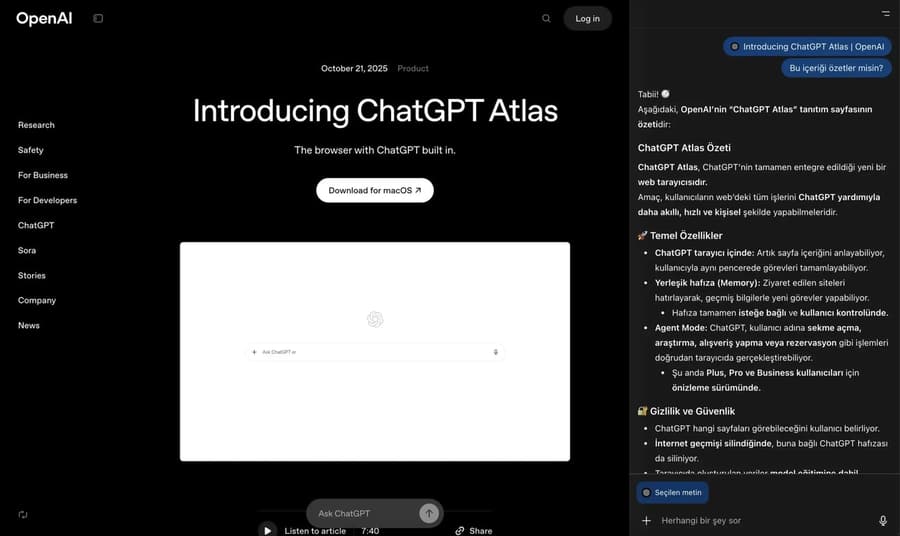
Atlas integrates ChatGPT directly into a classic web browser. You can talk to ChatGPT in the same window without opening a new tab or copying and pasting text. While reading an article, for example, you can say "summarize this content" or "find current sources on this topic" and get an instant answer.
2. Browser memory
One of Atlas's most striking innovations is browser memory. With this feature, ChatGPT can remember the pages you visited, the research you carried out, and your previous conversations. When you bring up a project you started a week ago, ChatGPT can pick up right where you left off. All of this stays entirely under the user's control: you can turn memory off, block specific sites from being tracked, or wipe the history completely.
3. Agent mode: an automated task assistant
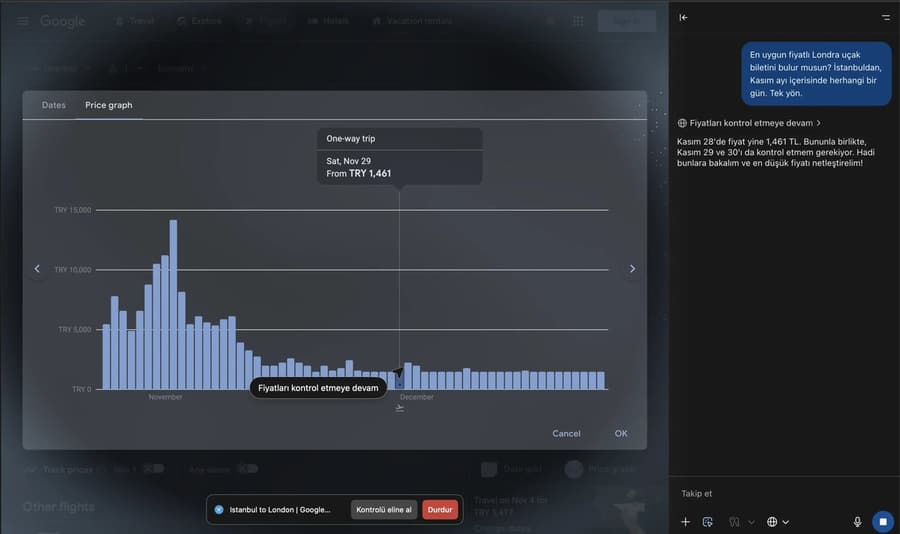
Atlas does more than chat; it can take action in the browser for you. In agent mode, ChatGPT can browse the web on your behalf, gather information, analyze pages, and even complete certain tasks step by step. You can ask it to compare different sites while searching for a flight, compile news on a specific topic, or build a shopping cart for you.
4. A design focused on security and privacy
OpenAI has placed particular emphasis on privacy while developing Atlas. Browser memory remains fully under user control; nothing is stored without permission. Atlas's automated actions are also restricted on sites that hold financial or personal data. Users decide which information is kept and for how long.
5. Platform support and availability
ChatGPT Atlas is currently available to macOS users and works with the Free, Plus, Pro, and Teams tiers of ChatGPT. OpenAI plans to release Windows, iOS, and Android versions in the near future.
First impressions and user experience


At first glance, ChatGPT Atlas delivers a clean yet powerful user experience. The interface keeps the structure of a classic browser while integrating naturally with the ChatGPT window. This shortens the learning curve for new users and makes SI feel like it is right beside you in everyday browsing rather than running in the background.
In terms of performance, Atlas runs smoothly. ChatGPT's ability to analyze and summarize web content in real time is a major advantage for anyone working with long articles or conducting research. Commands like "summarize with one click" or "find similar sources" return results almost instantly.
Agent mode is the most exciting part of Atlas. In this mode, ChatGPT behaves like a digital assistant working on your behalf. It can open pages, gather information, and compare options. Even in this early release, the feature saves serious time for researchers, content creators, and professional users.
On the privacy side, OpenAI has taken a careful approach. Atlas lets users decide exactly which information is kept in memory. Turning off browser memory or excluding specific websites is remarkably easy, which is a significant advantage for enterprise users and anyone sensitive about privacy.
Overall, ChatGPT Atlas is a major step toward placing SI at the center of everyday internet use. Although still in development, it has the potential to fundamentally change how we browse, research, and create information on the web.
A new understanding of visibility in the SI era


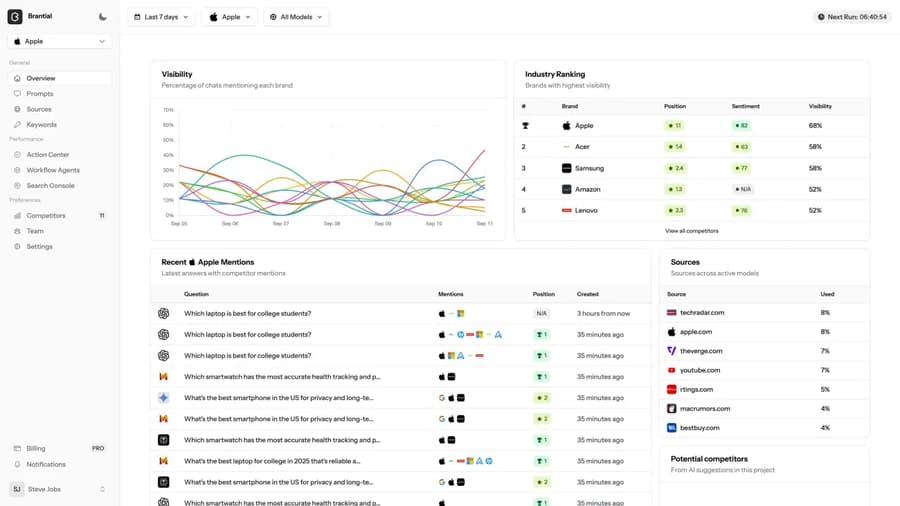
SI-powered browsing experiences are redefining not only how we access information but also how brands build digital visibility. At the center of this transformation, Brantial takes classic SEO a step further, helping brands stand out on SI-driven search platforms such as ChatGPT, Gemini, Perplexity, and Google AI Overviews.
With its GEO approach, Brantial analyzes how content is cited and used by large language models (LLMs) and gives brands strategies for staying visible in this new search ecosystem. The old goal of ranking at the top of the blue links evolves into a vision of appearing inside SI answers.
In short, Brantial redefines digital visibility by helping brands produce content that is more frequently cited, trustworthy, and accessible in the SI era. In the new internet experience shaped by tools like ChatGPT Atlas, brands become not just findable but actively recommended by SI.
September 2026 note: from Atlas to agent browsers


The trend Atlas started in October 2025 became general in 2026: the assistant in the browser no longer only summarises, it also starts transactions through purchases inside ChatGPT and the agentic commerce protocols (ACP, UCP). For brands the result has two layers: content must be citable at passage level, and product data must be structured so that the agent can verify it and add it to the cart. The second layer is covered in the agent-native transformation guide; measurement of the SI channel in GA4 and server-side setup in Google Tag Manager in the agent era; agent mode itself in what is ChatGPT agent mode.