How to Measure AI Traffic with Google Analytics
Learn how to detect, filter and measure AI traffic in Google Analytics so your reports reflect real users and your decisions rest on clean, reliable data.

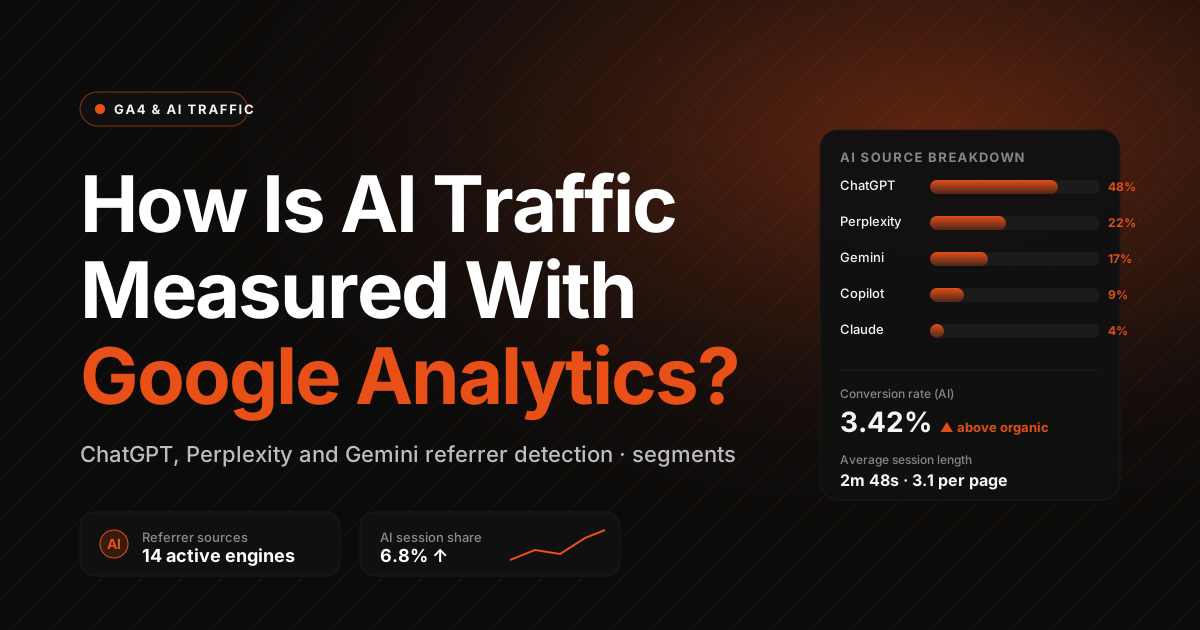
How do you measure AI traffic in Google Analytics? The question is on the mind of everyone who runs a website today. Traffic generated by artificial intelligence (AI) systems can look like real visitors, yet it can lead your analytics badly astray. In this article we explain in plain terms what AI traffic is, how to recognize it and how to track it in Google Analytics. The result: a more accurate read on your site’s performance and strategic decisions built on solid data.
What is AI traffic?
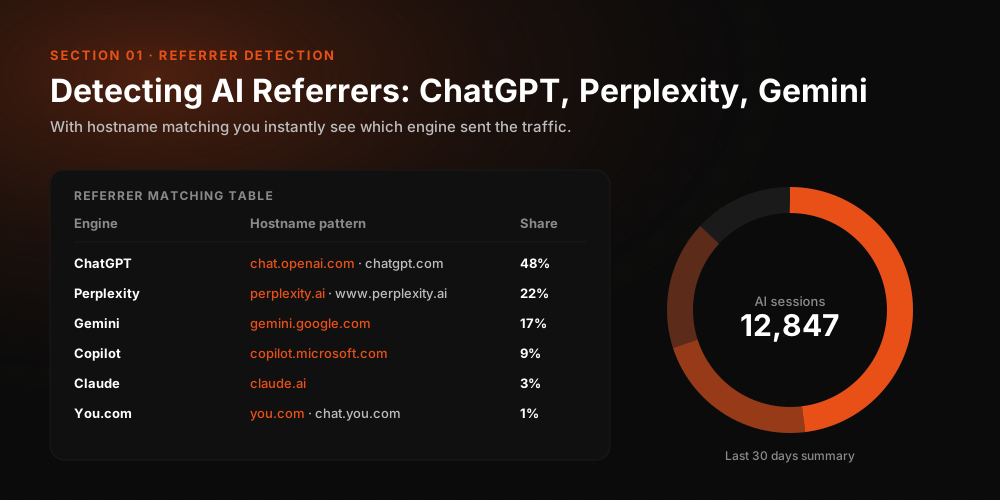
AI traffic refers to visits to your website made by automated software or artificial intelligence systems rather than people. These systems typically visit a site to collect data, crawl content or automate certain tasks. In other words, they do not behave like real users.
A news site or an e-commerce platform, for example, may be visited regularly by bots. Those bots come to crawl or analyze content, but they never engage with a product or make a purchase. The result is an inflated crowd in your statistics that does not reflect reality. Understanding AI traffic is the first step to interpreting your analytics correctly.
Why should AI traffic be measured?
Measuring AI traffic matters most when you need to analyze marketing and advertising performance accurately. This kind of traffic can inflate pageview counts, but it contributes nothing to conversions such as sales or form submissions. If AI traffic is not filtered out of your analysis, your site’s performance can look very different from what it actually is.
You might believe you are getting a healthy volume of visits, but if a large share of them come from bots, you will misjudge how interested real users actually are. That can send your marketing budget in the wrong direction. In short, measuring AI traffic correctly is critical to keeping your data trustworthy and avoiding wasted spend.
Where does AI traffic come from?

AI traffic can arrive from several sources. The most common are search engine crawlers (such as Googlebot), the bots social media platforms send to generate content previews, certain AI powered analytics tools and ad tracking systems.
Automated content scraping software also generates AI traffic. When these bots land on your site they look like real visitors, but behind the scenes they are only harvesting information. All of these sources can show up in your analytics and mimic human behavior. Recognizing where AI traffic originates is an important first step toward analyzing it correctly.
How does AI traffic differ from human traffic?
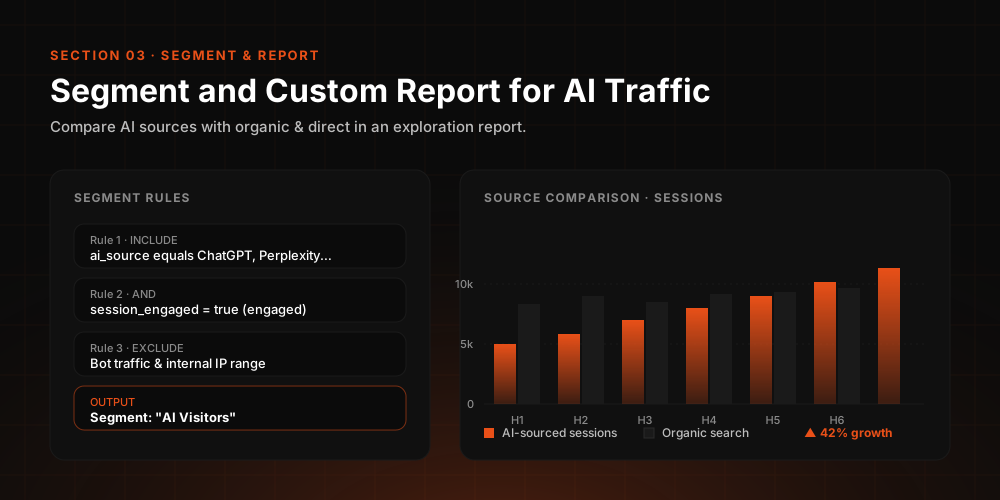
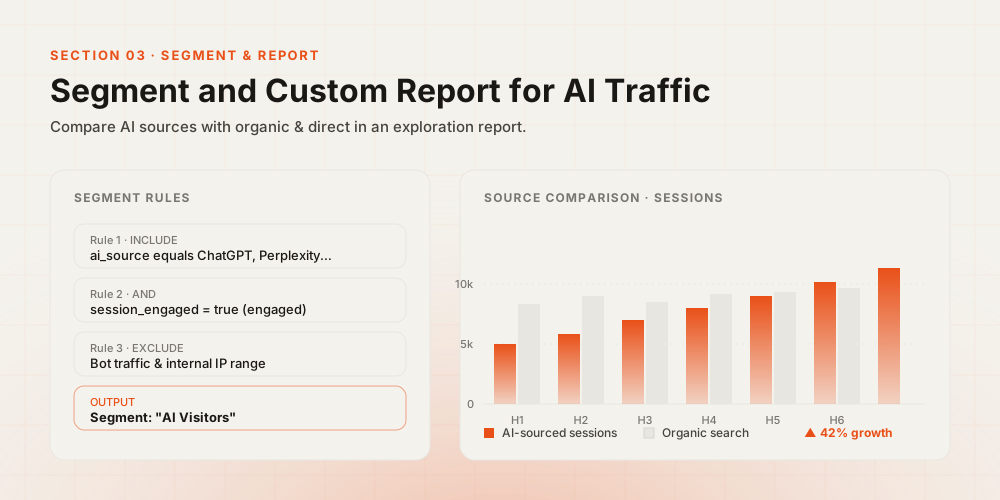
There are some fundamental differences between AI traffic and human traffic. When people visit a site, they generally read the content, move between pages and spend some time there. AI, by contrast, usually moves very fast, often hits a single page and leaves immediately.
Artificial traffic also tends to cluster at specific hours or repeat identical behavior patterns, while real user behavior is far more varied. These differences make it possible, over time, to tell AI traffic and human traffic apart. Getting that distinction right pays off across the board, from content strategy to ad performance.
Can Google Analytics detect AI traffic?
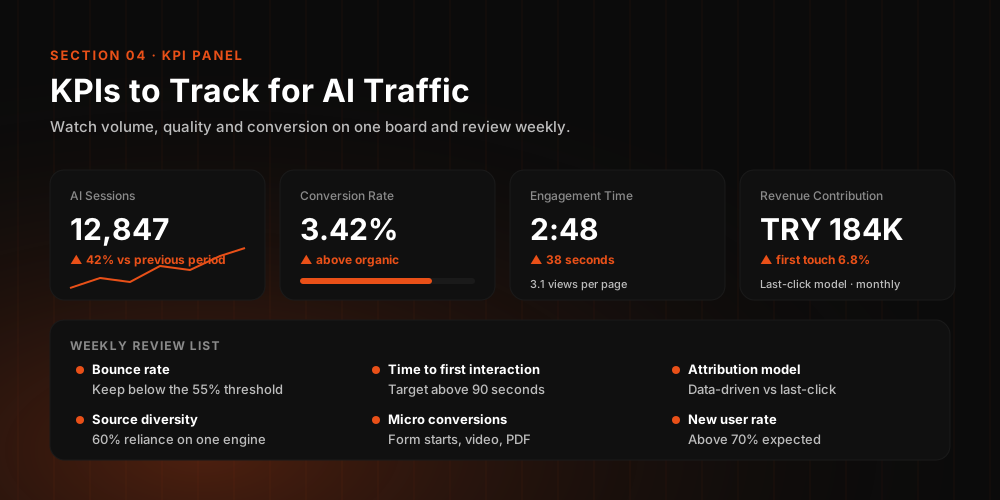
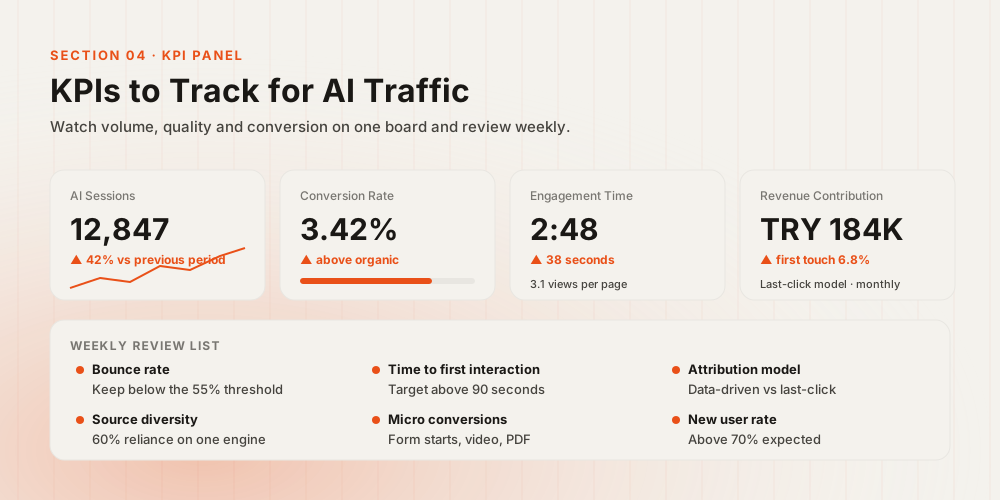
Google Analytics can recognize some types of artificial traffic. It offers a setting that automatically filters known bots, but that setting only covers systems that have already been identified. New or more sophisticated AI systems can sometimes slip past these filters.
That means not all artificial traffic is removed automatically. To get more accurate results, site owners may need to run some manual checks: short sessions, extremely fast page transitions or repeated visits from the same sources are all worth investigating. Doing so leads to analysis that reflects reality far more closely.
How do you track AI traffic more effectively with Google Analytics 4?
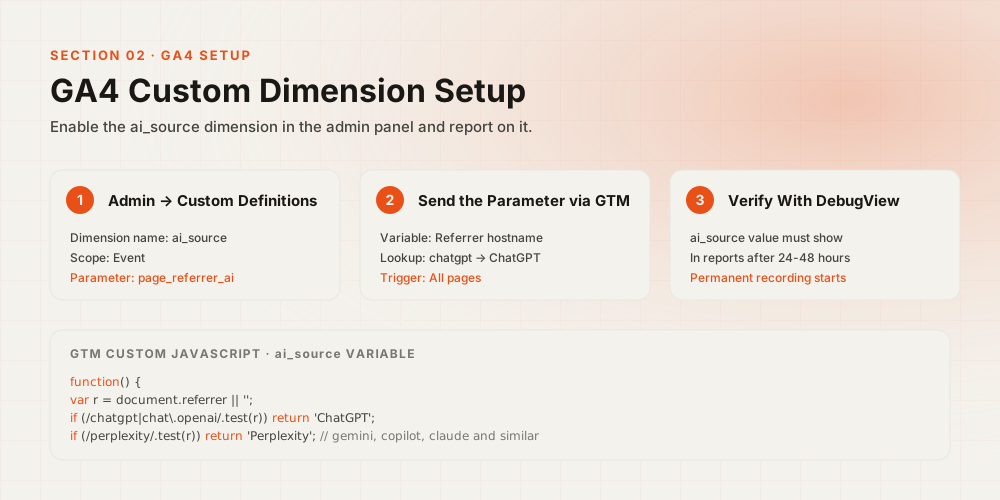
Google Analytics 4 (GA4) lets you follow user behavior in far more detail, which helps in understanding AI traffic. It is easier to see, for instance, which pages are being visited unusually fast and which visits end without a single click.
GA4 also lets you segment different traffic types in your reports and build custom filters to view real users only. That is a major advantage when analyzing ad campaigns in particular. Learning to recognize AI traffic in GA4 helps you understand your actual audience with far more precision.
Which settings should you configure to filter AI traffic?
The first step in Google Analytics is to enable bot filtering, which lets the system exclude a number of known bots on its own. Beyond that, reviewing suspicious traffic sources lets you filter out unwanted visitors.
If you spot extremely short visits, sessions with no time on page or visits that repeat far too often, you can set up custom exclusions to keep them out of your analysis. The payoff is cleaner, more reliable data. Even simple measures like these can raise the quality of your reports significantly.
How do you distinguish AI traffic in your analysis?
To separate real visitors from AI traffic, a straightforward review of your reports goes a long way. Real users navigate between pages, click on links and spend longer on certain content. AI traffic is typically fast and generates no engagement.
If most visitors to a page leave without staying even one second, treat that as a red flag. Keep these behaviors in mind, analyze with extra care and evaluate this type of traffic separately. Once you spot the AI signals, you can shape your site strategy accordingly.
How does AI traffic affect SEO and ad performance?
Artificial traffic can distort both SEO and advertising performance. If a page receives heavy traffic but no conversions, AI traffic may be the reason. The page can appear ineffective when, in reality, genuine users may never have reached it at all.
Likewise, if you pay per click on ad campaigns and part of that traffic comes from AI, your budget is being wasted. Filtering out AI traffic is therefore an essential part of making sound decisions in digital marketing. Campaigns built on clean data run more efficiently and prove far more sustainable.