Run a Site Check-up with Screaming Frog
Learn how to audit your website with Screaming Frog, from crawl setup and RAM settings to broken links, sitemaps, and GEO and AI Search readiness checks.

When you start working on GEO and AI Search, you need powerful tools that measure your website's technical health, crawlability, indexability, and user experience. These tools are not just for producing error lists; they help you understand how your site is perceived through Search Console, GA4, PageSpeed Insights, backlink data, structured data, JavaScript render status, AI crawler access, and source selectability. In this guide, the Webtures team walks through Screaming Frog, a tool we use frequently in technical audits, with an up-to-date GEO and AI Search perspective.
Desktop or web-based?
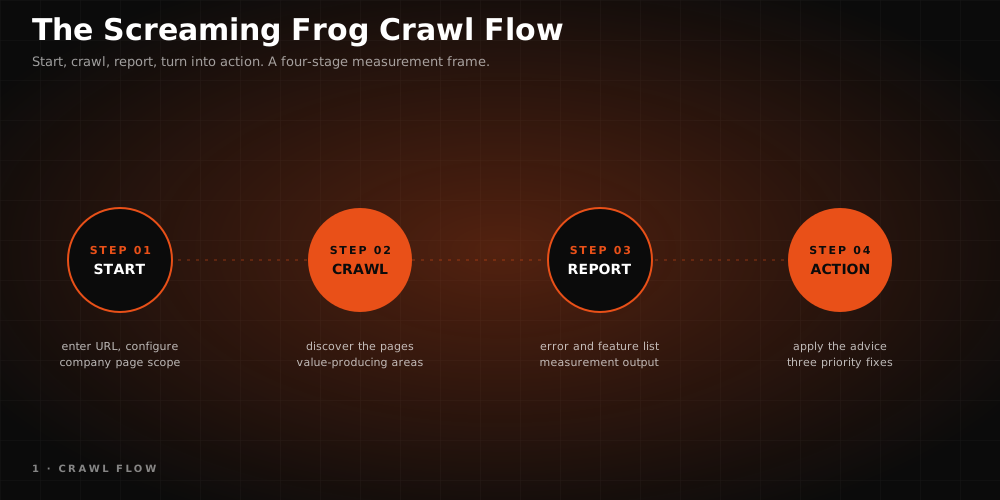
Unlike Semrush, Ahrefs, Moz, and many similar web-based tools, Screaming Frog is a crawler application that runs on your desktop. It works on Windows, macOS, and Ubuntu/Linux. This architecture provides flexibility for large site crawls, custom crawl configurations, JavaScript render analysis, log file comparisons, and migration checks.
Because it runs locally, crawl performance depends on your computer's RAM, processor, and storage capacity. For large e-commerce sites, multilingual structures, or projects with heavy URL inventories, configuring memory settings correctly before the crawl is important.
Is it paid?
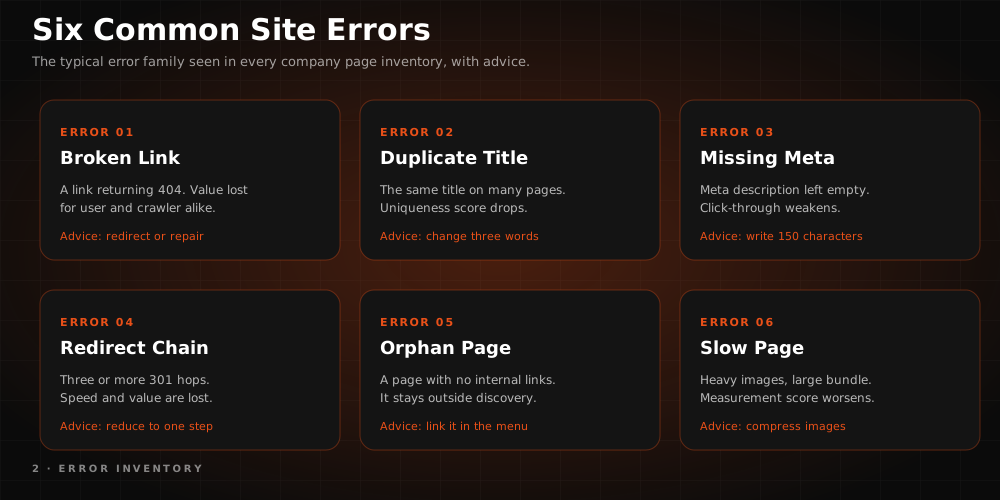
The program follows a freemium model. You can download Screaming Frog for free from the official website and crawl up to 500 URLs. The free version can be enough for small sites and basic audits, but large crawls, advanced configurations, API integrations, JavaScript rendering, crawl saving, scheduling, and automation require the licensed version.
Since pricing, URL limits, and version features can change over time, check the Screaming Frog pricing page for current details.
Screaming Frog features
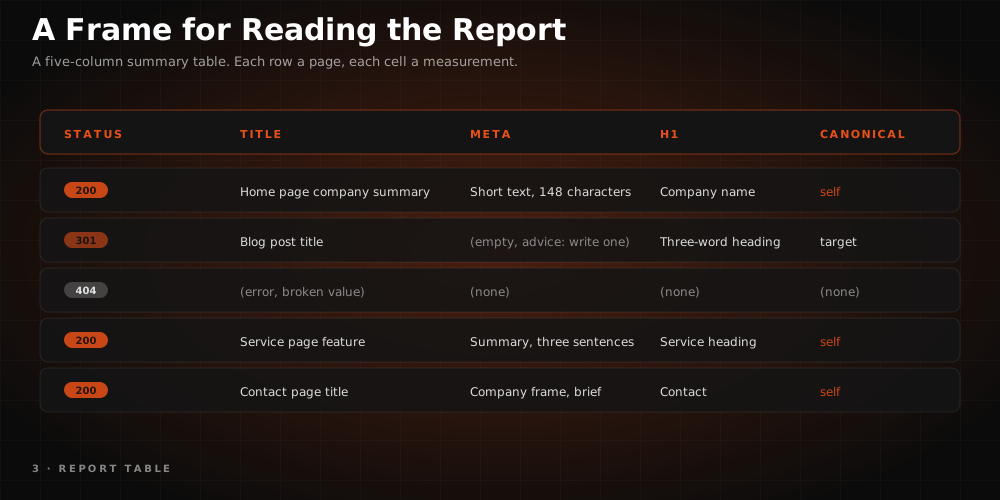
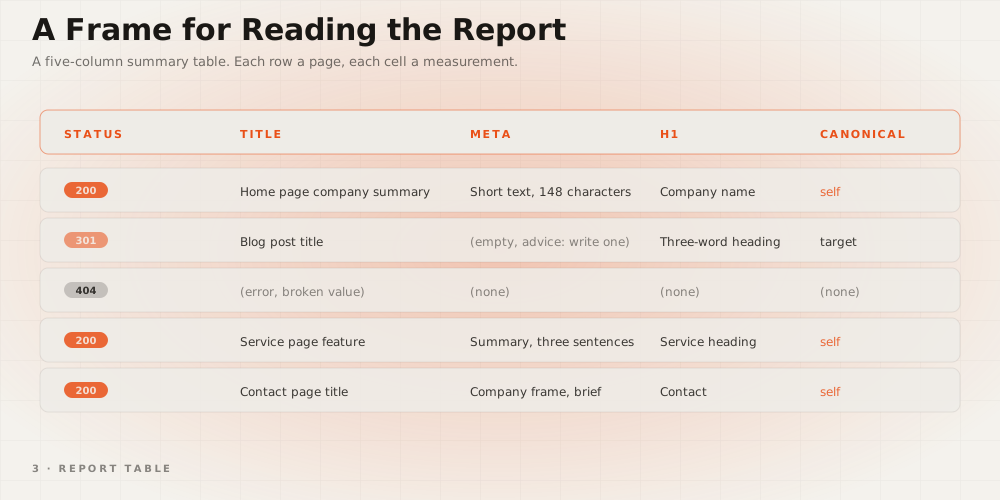
- Reviewing missing and duplicate meta tags
- Analyzing missing, duplicate, or hierarchically broken H1 and H2 tags
- Detecting missing, short, long, or duplicate page titles
- Reviewing missing, short, long, or duplicate meta descriptions
- Analyzing 3XX, 4XX, and 5XX response codes
- Checking URL format, parameter, trailing slash, and letter case problems
- Reviewing robots.txt, meta robots, X-Robots-Tag, and canonical directives
- Analyzing canonical URL structures
- Detecting thin, duplicate, or low-coverage pages
- Matching link metrics from Ahrefs, Majestic, and Moz with crawl data
- Generating XML sitemaps and image sitemaps
- Reviewing JavaScript rendering, mobile usability, and PageSpeed Insights data
- Data import/export, crawl comparison, and automated reporting
- Running custom prompt analyses during the crawl through AI integrations such as OpenAI, Gemini, Anthropic, or Ollama
These capabilities take Screaming Frog far beyond a technical error finder. Configured correctly, the tool also serves content inventory, migration checks, internal link architecture, GEO compliance, AI crawler accessibility, and citability analysis.
Getting started
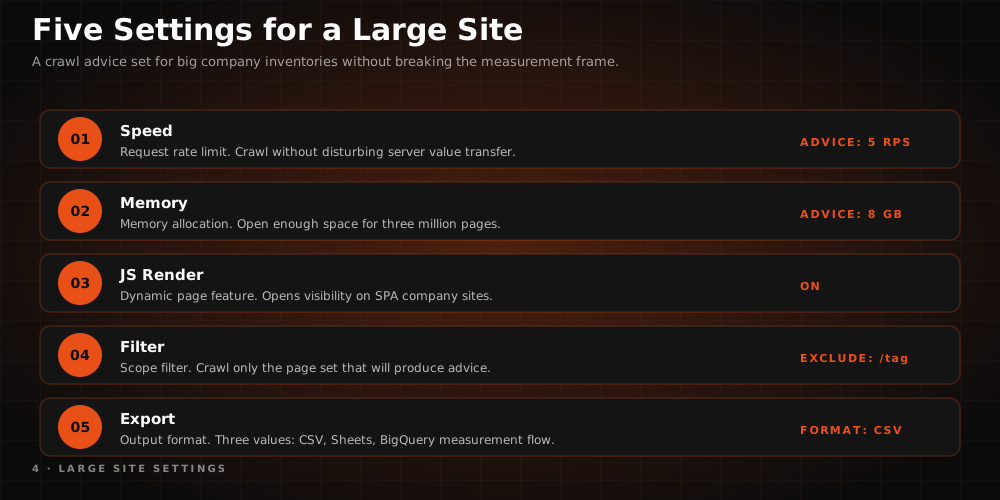
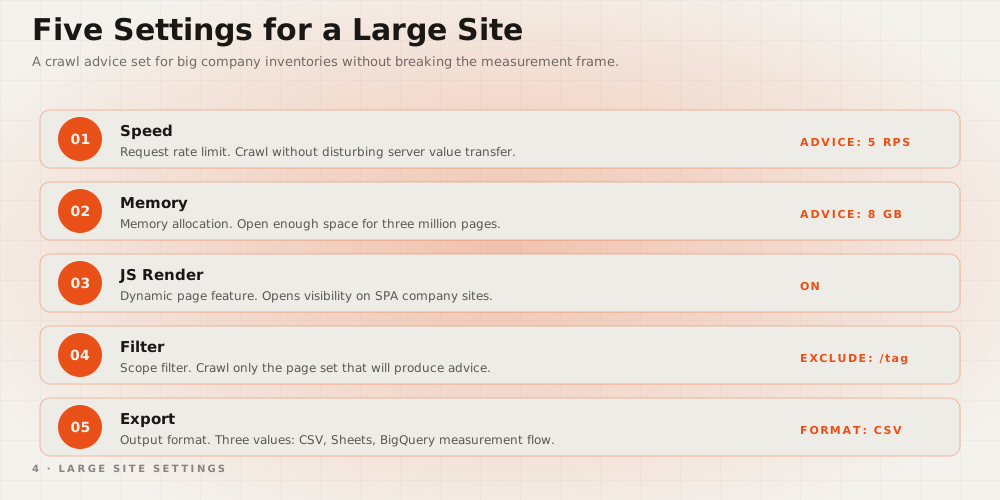
The interface can look overwhelming the first time you open the program. Newcomers should start by getting familiar with the menus, crawl modes, and reporting areas.
Let's take a quick look at the navigation headings visible at the top.

File
Under the File menu, click Save to store a crawl and reload it later with the Open button. You can access recent crawls through File > Open Recent. On large projects, saving crawl data matters for later technical comparisons and migration checks.
Configuration
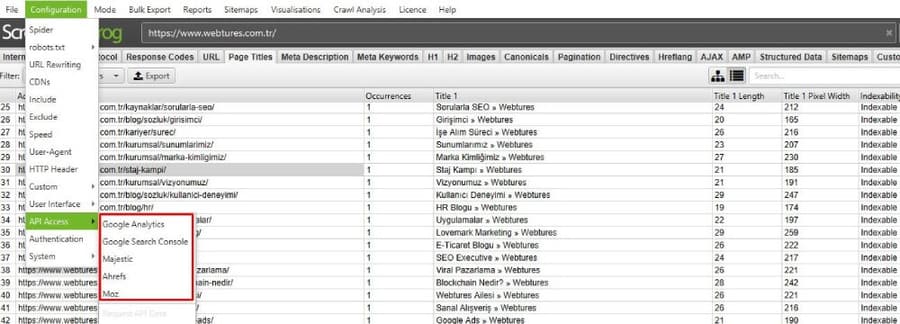
The Configuration menu is where you customize which content types get crawled and which data you want to see. Under Spider you can adjust crawl behavior for HTML, images, JavaScript, CSS, subdomains, and other content types. The Include and Exclude fields let you define URL patterns to include in or exclude from the crawl.
Another important item under this heading is API access. By connecting your Google Analytics 4, Google Search Console, PageSpeed Insights, Majestic, Ahrefs, and Moz accounts, you can analyze crawl data alongside performance, indexing status, traffic, conversion, and link metrics. In GEO-focused work, this pairing makes it easier to see which pages are both technically accessible and valuable as sources.
Mode
Spider is selected by default under this menu.
Spider mode: The program's core crawl mode. It collects the links on a website, classifies URLs by tabs and filters, and lists response codes, titles, directives, and page details.
List mode: Lets you import a specific URL list and crawl only those URLs. Useful for migrations, legacy URL checks, sitemap validation, or AI crawler access tests.
SERP mode: Lets you import page titles and meta descriptions and analyze them by pixel width and character length. This mode is handy for pre-checking title and description updates before rolling them out.

Bulk Export
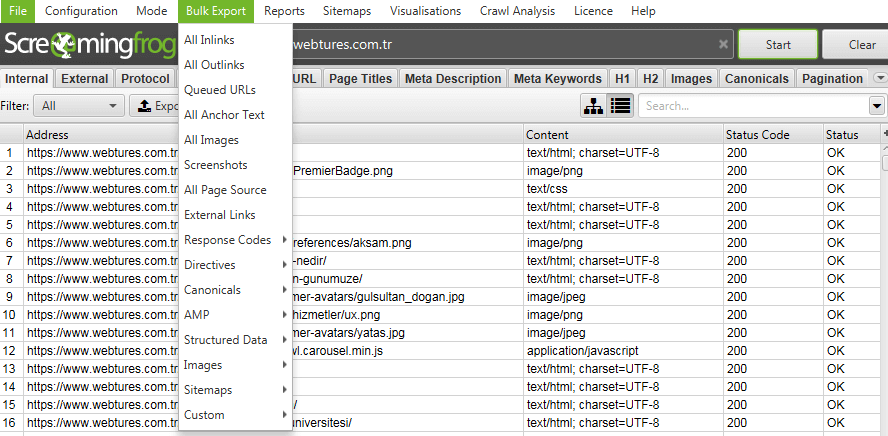
With Bulk Export you can export specific response codes, redirects, inline links, anchor texts, images, canonicals, directives, and many other data sets. This area is very useful for error lists shared with technical teams, migration control files, and recurring audit reports.
Reports
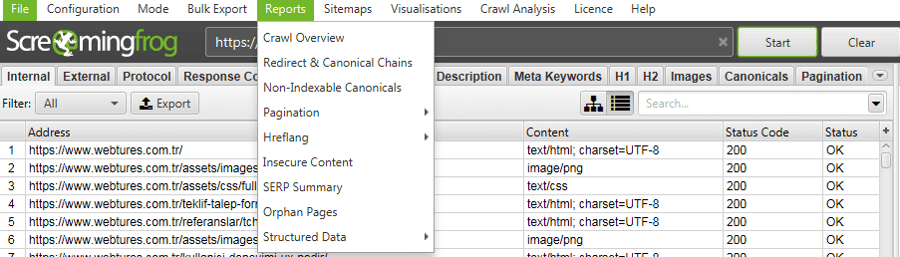
The Reports menu gives you ready-made outputs from the crawl results. Redirect chain, canonicals, orphan pages, structured data, crawl overview, and similar reports offer a quick view for technical prioritization.
Sitemaps
The Sitemaps menu offers XML Sitemap and Images Sitemap options. From here you can generate a sitemap of the quality, accessible URLs you want indexed. The sitemap must not contain 4XX, 5XX, noindex, low-quality URLs, or URLs whose canonical points to another page.

These settings are enough to get started. Now let's look at RAM settings to run the program more efficiently.
RAM usage settings
Screaming Frog needs RAM while crawling a website. The default configuration reserves a fixed amount of memory from your system. On sites with a large number of URLs, a low memory allocation can slow the crawl down or make the application sluggish. Before starting a large crawl, optimize the memory setting for your system's capacity.
Important note: At least 2 GB of your system's total RAM should stay free for other processes. For example, if your system has 8 GB of RAM, allocating a maximum of 6 GB to Screaming Frog keeps things balanced.
To do this, follow the steps below;
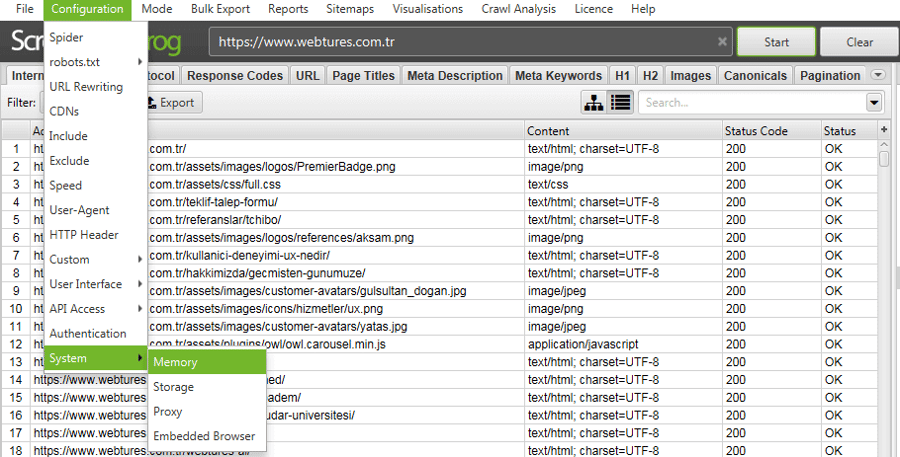
Configuration > System > Memory
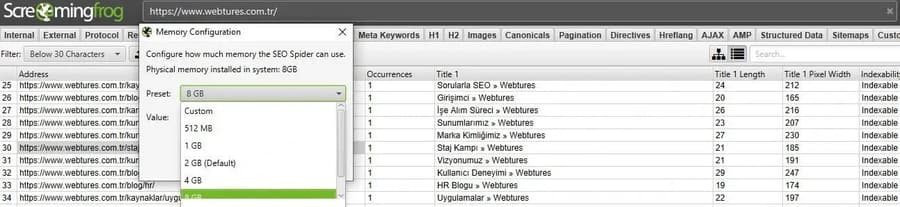
Once the RAM settings are done, you can move on to crawling the website.
Crawling a website with Screaming Frog
Now that you know the interface in broad strokes, let's crawl a site and interpret the results.
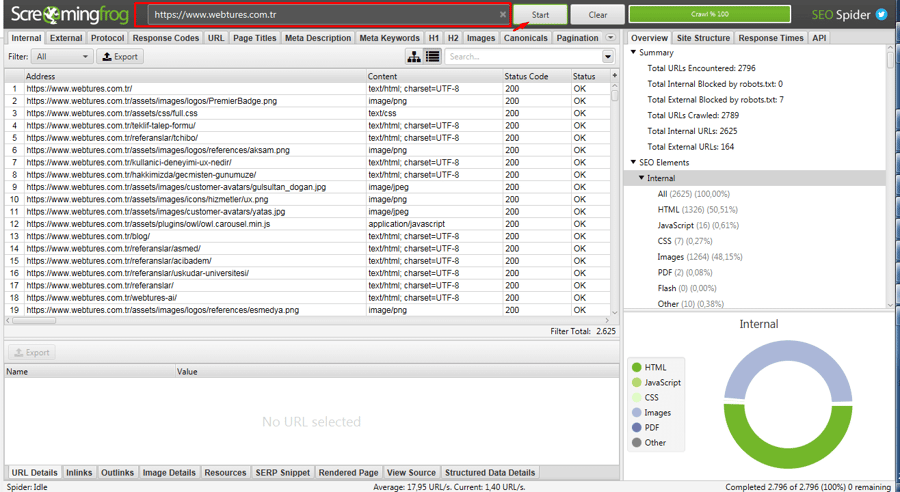
First, copy your website's landing page URL from the browser, paste it into the URL field in Screaming Frog, and press Start. In this example we are using webtures.com/tr.
Crawl time varies with the number of links on the site, server response speed, JavaScript render settings, computer performance, and RAM allocation.
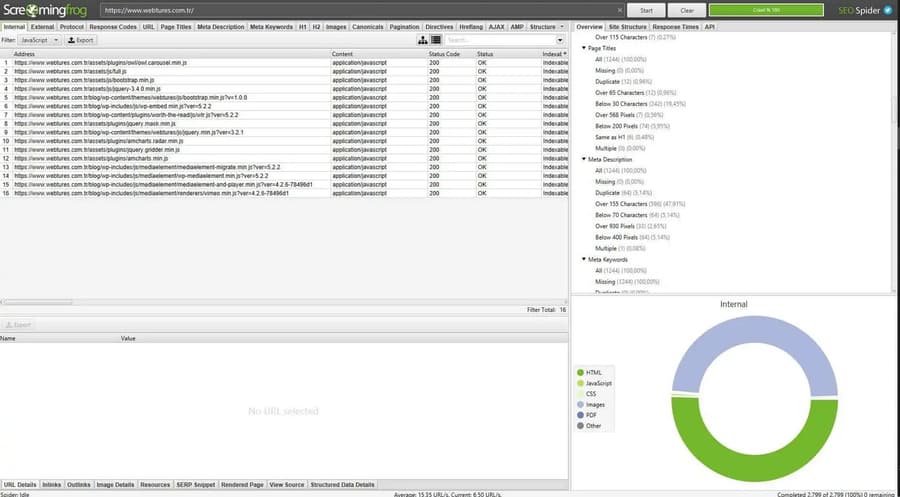
When the crawl finishes, the links appear in the main screen. Summary filters sit on the right, and details for the selected URL appear in the lower panel. Screaming Frog essentially consists of three main areas: the main screen holding the URL list, the summary panel on the right, and the lower panel showing details for the selected URL.
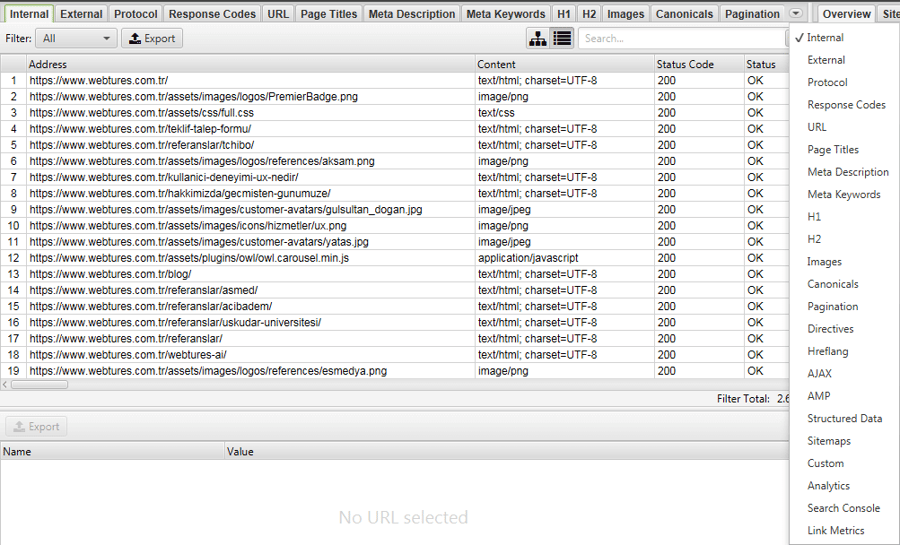
The section below holds a series of tabs. Each tab helps you evaluate a different technical or content signal of the website.
Internal: Lists your website's internal links. You can analyze page importance with data such as crawl depth, inlink count, indexability, status code, and canonical.
External: Shows the links pointing from your website to other sites. Outbound links with 3XX, 4XX, or 5XX status codes should be checked for user experience and trust signals.
Protocol: Shows the HTTP/HTTPS status of internal and external URLs. Mixed content and security problems can surface here.
Response Code: Contains the response codes of internal and external URLs. The Indexability column matters for understanding whether a page can be indexed. The Response Time field shows how long each link took to download.
URL: Lets you analyze URL issues such as format, parameters, length, uppercase letters, and special characters.
Page Titles: Lists page titles by length, pixel width, and missing, duplicate, or multiple usage. Title data matters not only for clicks but also for how AI answer surfaces understand the page.
Meta Description: Lets you view each page's meta description. Even though descriptions are not always shown as written, they should be checked for search intent, page promise, and click expectations.
Meta Keywords: Lists each page's meta keywords tags. Since this data is no longer a meaningful signal for modern search systems, it is mostly used to spot legacy page remnants.
H1 – H2: Lists the H1 and H2 tags found across the website. Heading hierarchy matters for content structure, topic clarity, and an LLM-readable page layout.
Images: Lists the images on the website. Image size, alt text, indexability, and missing dimension attributes can be checked here.
Canonicals: Lets you see canonical links. Incorrect canonical usage can make important pages send their signal to the wrong URL.
Pagination: Used to understand the relationships between paginated URLs. Pagination structure still matters for the crawlability of category and listing pages.
Directives: Shows directives such as meta robots, X-Robots-Tag, canonical, noindex, and nofollow. It should also be checked for AI crawler access and source selection.
AMP: Lists the AMP pages found during the crawl. AMP is no longer required by Google; this tab is mostly used to audit legacy AMP infrastructure.
Structured Data: Lists structured data errors and validity status. Schema markup is valuable for clarifying entity signals such as product, article, breadcrumb, organization, and FAQ.
Sitemaps: Shows the URLs in the sitemap and how they relate to the crawl output. Non-indexable, 4XX, canonicalized, or orphan URLs can be checked here.
Analytics: When you connect your GA4 account to Screaming Frog, you can match user and conversion data with the crawl output at the URL level.
- Sessions
- Users
- Engagement metrics
- Page views
- Conversion and event data
- Revenue or goal values
Search Console: When integrated through the Search Console API, the following data can be analyzed at the URL level.
- Clicks
- Impressions
- CTR
- Average position
- Index and crawl status via URL Inspection
Overview panel
The right side of the Screaming Frog screen is useful for quickly spotting errors and opportunities across the website. It is one of the first places to look when prioritizing technical work.
Overview
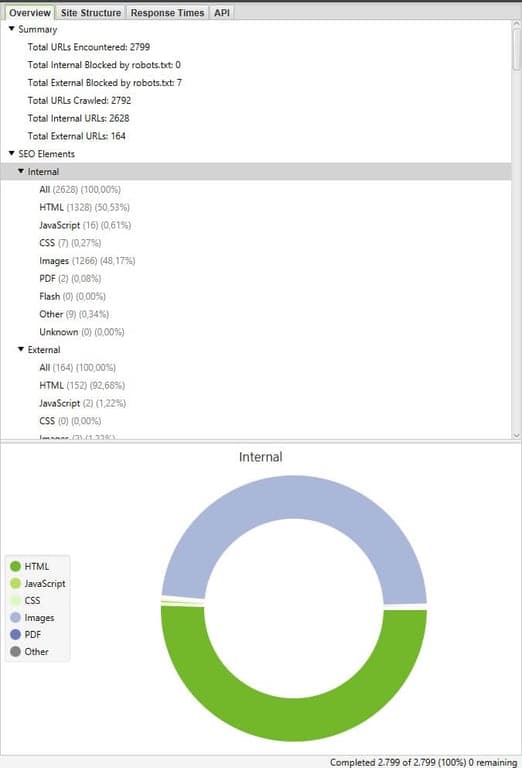
The Overview section lets you view the entire crawl output from a single point. Use it to get a first impression of the site, spot large problem clusters, and decide which tab to prioritize.
Summary
Total URLs Encountered: Shows the total number of URLs encountered during the crawl.
Total Internal Blocked by robots.txt: Shows the number of internal URLs blocked by robots.txt.
Total External Blocked by robots.txt: Shows the number of external URLs blocked by robots.txt.
Total URLs Crawled: Shows the total number of URLs crawled.
Total Internal URLs: Shows the total number of internal links.
Total External URLs: Shows the total number of external links.
Technical and content elements
This section shows summary counts for the technical and content elements detailed above. Missing titles, duplicate descriptions, noindex URLs, canonical issues, structured data errors, and thin content can all be spotted here at a glance.
Site Structure
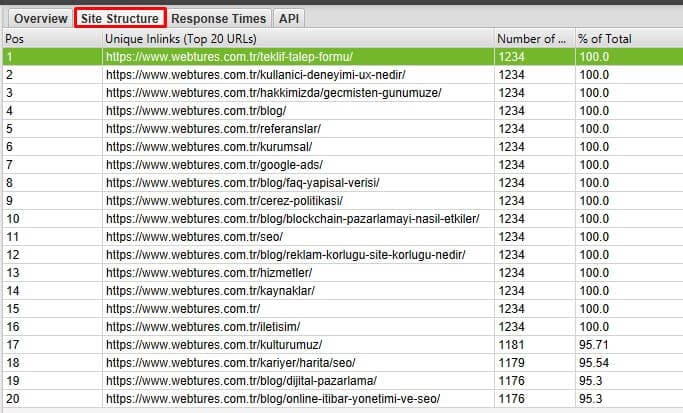
The Site Structure section helps you understand the URL architecture of the website and the pages receiving the most internal links. Use this area to judge whether important pages get enough internal links, review crawl depth values, and see how strongly topic clusters are connected inside the site.
Response Time
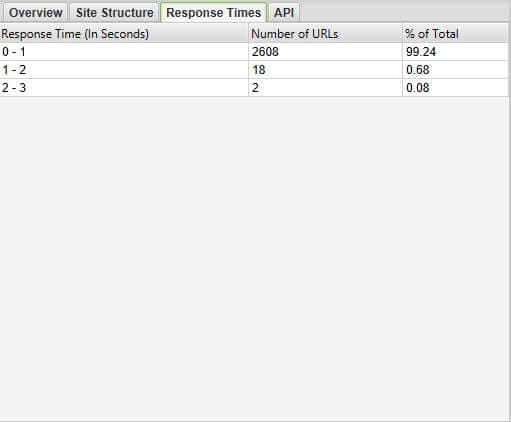
The Response Time section shows how quickly URLs respond. In the Webtures example, most URLs responding within 0-1 seconds is a positive signal for crawl efficiency and user experience. Slow-responding URLs should be examined separately for Core Web Vitals, crawl budget, user experience, and AI crawler access.
API
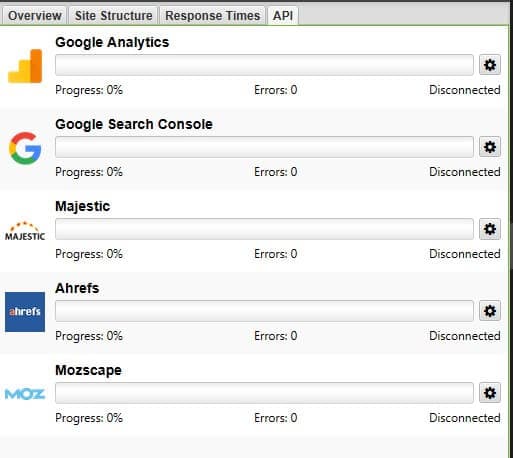
The API section shows the status of your connections to Google Analytics 4, Search Console, PageSpeed Insights, and link metric tools. Because these integrations pair crawl data with performance data, they make it easier to prioritize technical problems.
Case study 1: analyzing page titles with Screaming Frog
In this case study, let's detect duplicate page titles across a website. Duplicate titles can blur the search intent and topical separation of pages. They can also make it harder for AI Search systems to tell similar pages apart.
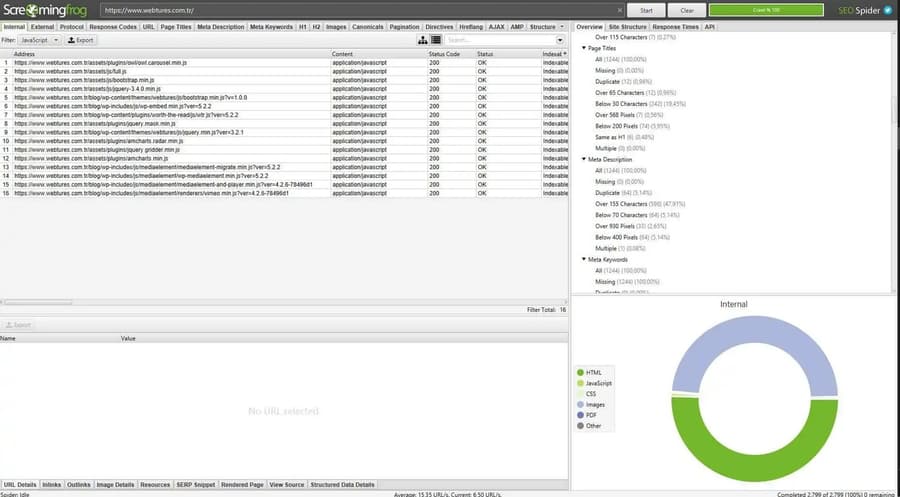
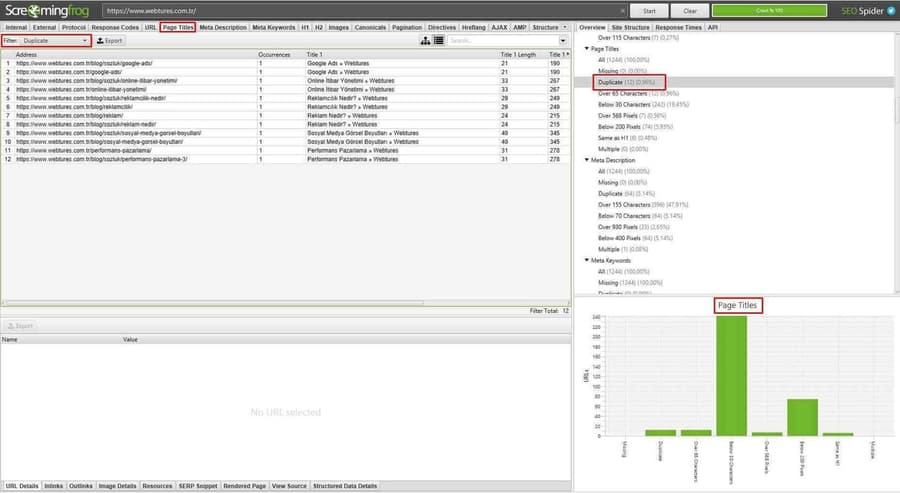
After crawling the site, check the Page Titles area in the Overview panel on the right. Click the relevant filter to see the titles flagged as duplicates.
The chart lets you review title lengths, missing titles, duplicate usage, and pixel widths. Clusters of short titles such as "Below 30 Characters" can indicate the page promise falls short.
Clicking the Duplicate filter opens the Page Titles tab and lists the URLs sharing the same title.
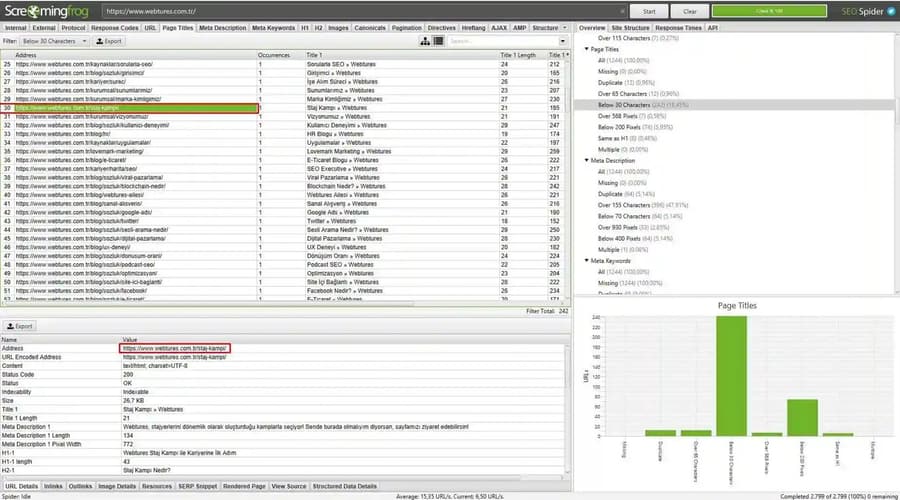
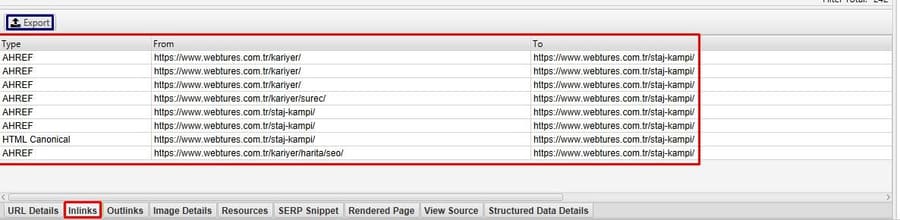
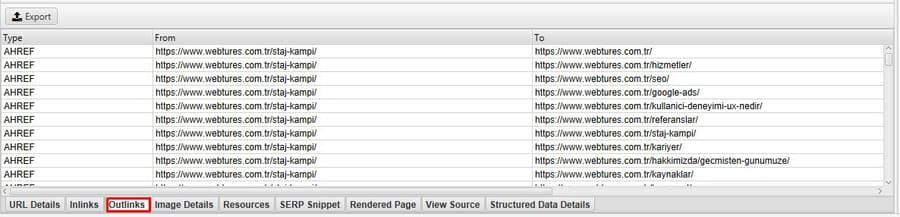
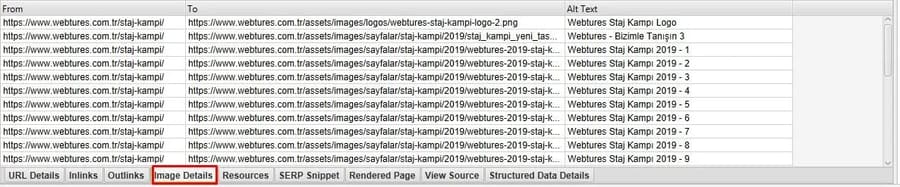
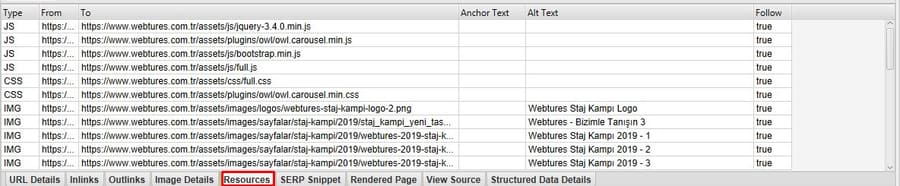
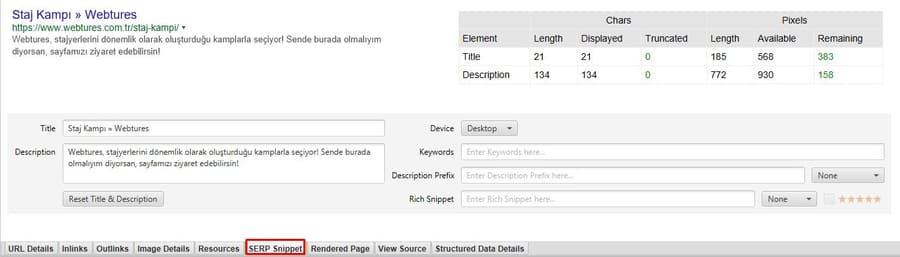
Click any row to inspect that URL's details in the lower panel. This section includes areas such as URL Details, Inlinks, Outlinks, Image Details, Resources, SERP Snippet, Rendered Page, View Source, and Structured Data Details.
The duplicate title list can be exported with the Export button. You can choose CSV, Excel 97-2004 Workbook, or Excel Workbook formats. This output can be used to track actions between the content team and the technical team.
Detailed page-level information in Screaming Frog
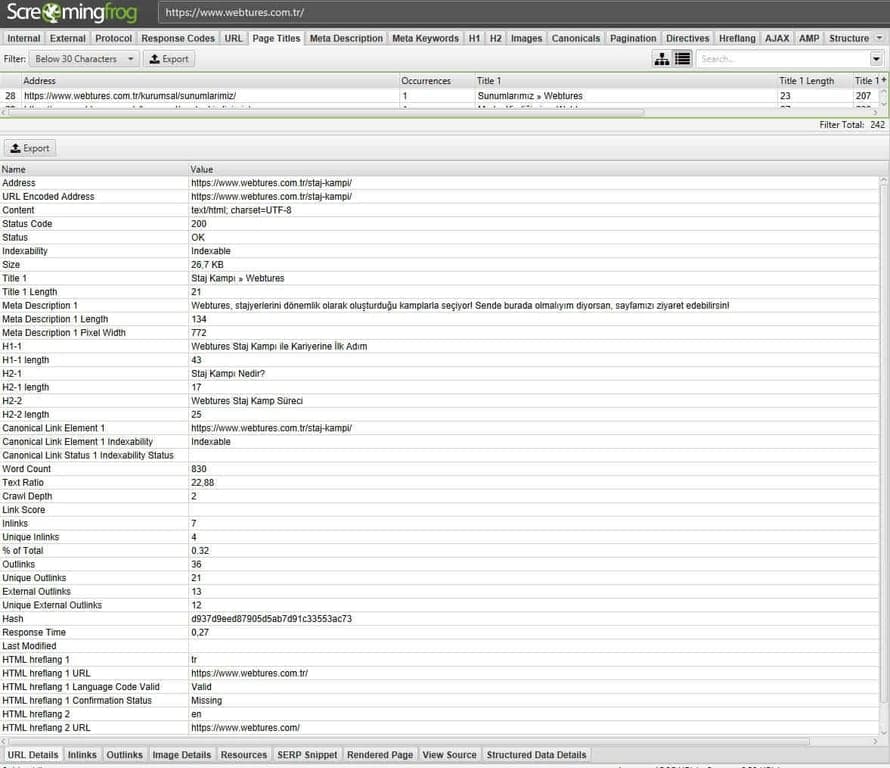
When you click any link in the main screen, detailed information about that page appears in the lower panel. The URL Details tab opens by default.
URL Details: Shows the title, meta description, H1-H2 tags, canonical, word count, page load time, indexability, and technical signals.
Inlinks: Shows the links pointing to this page from other pages. Internal link count, anchor text, and source page data matter for understanding the flow of authority to the page within the site.
Outlinks: Shows the links going from this page to other pages within the site or to external sources. From a GEO perspective, links to relevant sources and topic clusters can strengthen the page's context.
Image Details: Shows the images on the page and their alt text.
Resources: Shows photos, CSS, JavaScript, and other resources together with their status codes and follow status.
SERP Snippet: Previews how the page could appear in search results. Check the title and description text for search intent and CTR.
The Rendered Page, View Source, and Structured Data Details tabs can also be used to inspect the page's source HTML, rendered DOM, and structured data status.
Case study 2: detecting broken links on your website
In this case study, let's walk through the monthly scenario of detecting broken links on a website and sharing them with the technical team. Broken links weaken user experience, disrupt crawl flow, and can cut the transfer of authority to important pages.
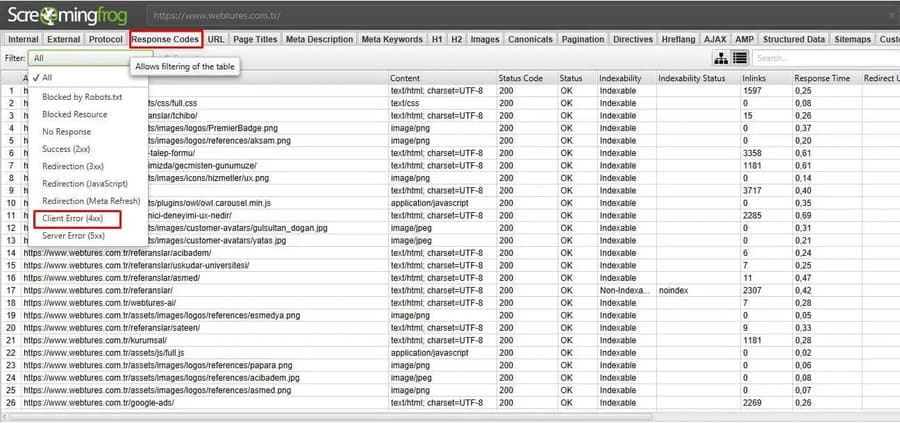
First, enter the website URL and press Start. Once the crawl finishes, click the Response Codes tab in the top menu. Then select Client Error (4XX) from the Filter field.
You can export the URLs with 4XX error codes using the Export button. In this list, examine not only the broken URL but also the source page linking to it. If the page is valuable and has an equivalent new URL, set up a 301 redirect; the link inside the content should be updated directly to the correct target URL.
Case study 3: generating an XML sitemap with Screaming Frog
Suppose your website has no current /sitemap.xml file. In that case, you can crawl the site with Screaming Frog and generate an XML sitemap.
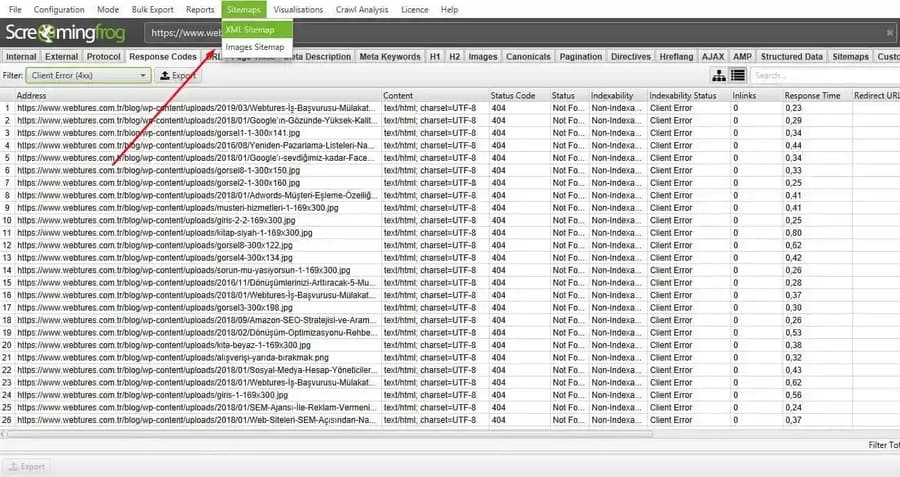
Crawl the site as usual, then click the Sitemaps tab in the top menu.
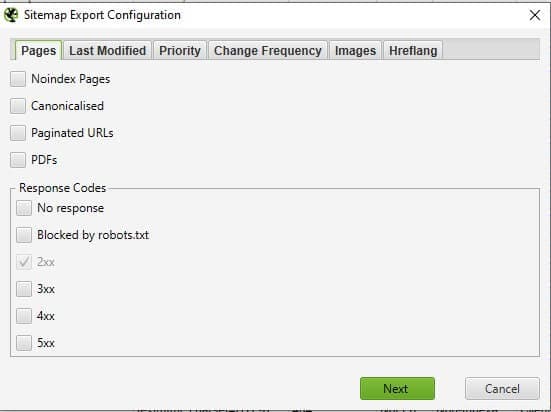
Clicking XML Sitemaps or Images Sitemap opens a new window. Here you can select which URL types to include in or exclude from the sitemap file. 4XX, 5XX, noindex, parameter-driven, low-quality pages, and pages whose canonical points to another URL should stay out of the sitemap.
GEO and AI Search checks with Screaming Frog
Screaming Frog can be used not only for classic technical audits but also for GEO and AI Search readiness. The goal in this approach is to make sure pages are accessible, understandable, and citable as sources for users, Googlebot, and AI crawlers alike. To do this, read the crawl data alongside internal link structure, sitemap coverage, structured data, rendered content, Search Console performance, GA4 engagement, and PageSpeed Insights metrics.
Make sure important pages are not excluded due to noindex, robots.txt, or an incorrect canonical. Check that hub, category, service, and blog pages are linked correctly within the internal architecture, and audit schema structures such as Organization, Article, Product, Breadcrumb, and FAQ through the Structured Data tab. The H1-H2 structure should communicate the page topic and user intent clearly, and the Rendered Page and View Source tabs should confirm that important content is not hidden from crawlers by JavaScript, both of which matter for source selectability.
With the AI integrations, you can run custom prompts to analyze page summaries, entity coverage, answer clarity, and citability. These analyses should not act as the decision mechanism on their own; interpret them together with crawl data, Search Console, GA4, PageSpeed Insights, backlink/mention data, and editorial judgment.
That covers the core workflow for Screaming Frog. You can use the tool for regular technical audits, migration checks, content inventory, broken link analysis, sitemap generation, structured data checks, and AI Search readiness.
You can also click here to explore Ahrefs.