What Is Canva AI? How Is It Used?
Discover what Canva AI is and how to use it: generate images, edit video, create voiceovers and music, and turn ideas into professional designs fast.


Canva AI is a tool whose artificial intelligence features let you make a wide range of edits to your image, video, and audio media with ease. Users can apply these AI-assisted tools to both personal and corporate projects to develop more creative, effective, and faster solutions. By simplifying complex operations such as image, audio, and video editing, Canva AI makes professional design achievable for everyone. The platform's easy-to-use structure and broad feature set have opened a new chapter in the design world. After a short learning curve, users can bring even complex designs to life with ease.
Where does Canva AI stand out?
Canva AI, with its innovative feature set, is indispensable not only for individual users but for professionals as well. The core strengths of this technology include:
- Flexible use cases: It can be used across many areas, from educational materials to marketing campaigns.
- User-friendly design: It offers an interface anyone can learn and use with ease.
- Speed and efficiency: Complex projects can be completed within minutes.
Canva and its AI features offer a simpler experience compared with Adobe Photoshop tools in particular. With fast, easy operation, you can handle your work directly through Canva AI.
What is Canva AI?
Canva AI is an AI-assisted toolset developed to make design processes faster, more effective, and easier. While enabling users to create professional designs, it offers features that boost creativity and optimize workflows. With photo editing, text generation, template suggestions, and more, Canva AI's innovative solutions help users save time and produce compelling content at the same time.
Canva AI is as indispensable for businesses as it is for individual users. Businesses can use Canva AI to prepare striking social media content, professional presentations, and marketing materials. The platform's user-friendly interface lets users of every level design with ease. Whether you are preparing a social media post or a complex presentation, Canva AI will put its artificial intelligence to work on every design need you have.
How is Canva AI used?
Using Canva AI is highly intuitive, with step-by-step guidance built in. Here are the steps to follow to use Canva AI effectively:
- Create an account and sign in: Sign in to your Canva account or open a new one. This is the first step to accessing all the AI features.
- Choose a workspace: Pick a template suited to your project or a blank canvas. Canva offers a large library of pre-designed templates for whatever you need.
- Use the AI tools: Add text, images, audio, or video to your design using Canva AI's smart tools. Each feature adds a new dimension to your design. To use these AI capabilities, work with all the tools labeled "Magic".
- Final touches and review: Fine-tune your design with AI assistance. Details such as color harmony, text alignment, and effect adjustments can be completed with ease.
- Save and share: Put your design to use either by downloading it or by sharing it directly on social media platforms.
Canva AI offers the flexibility to match users' needs, making work easier for beginner and expert designers alike. In team settings in particular, it helps designs get finished in less time.
What are Canva AI's features?
Canva AI enriches the design experience with a long list of innovative features. Each one helps users bring their creative vision to life:
Canva AI's features are as follows:
- Image generation
- Image editing
- Video creation
- Video editing
- Voice generation
- Image expansion
- Music generation
- Audio enhancement
Generating images with Canva AI
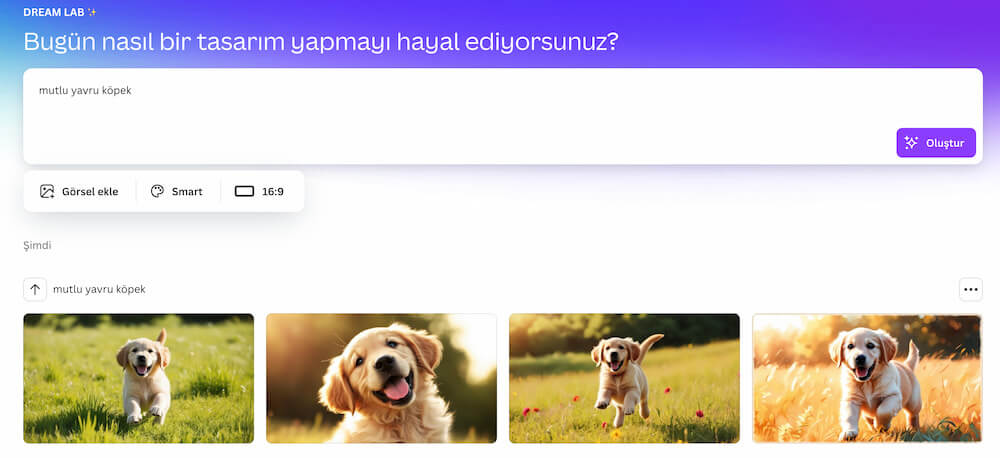
Canva AI lets you create original, distinctive images from nothing but text input. By writing specific prompts, users can quickly obtain visuals that match their needs. This feature is ideal for social media campaigns in particular, where the demand for visual content runs high.
The free version of Canva AI gives you 20 credits per month, which means you can generate 20 images per month in Canva Dream Lab.
Editing images with Canva AI
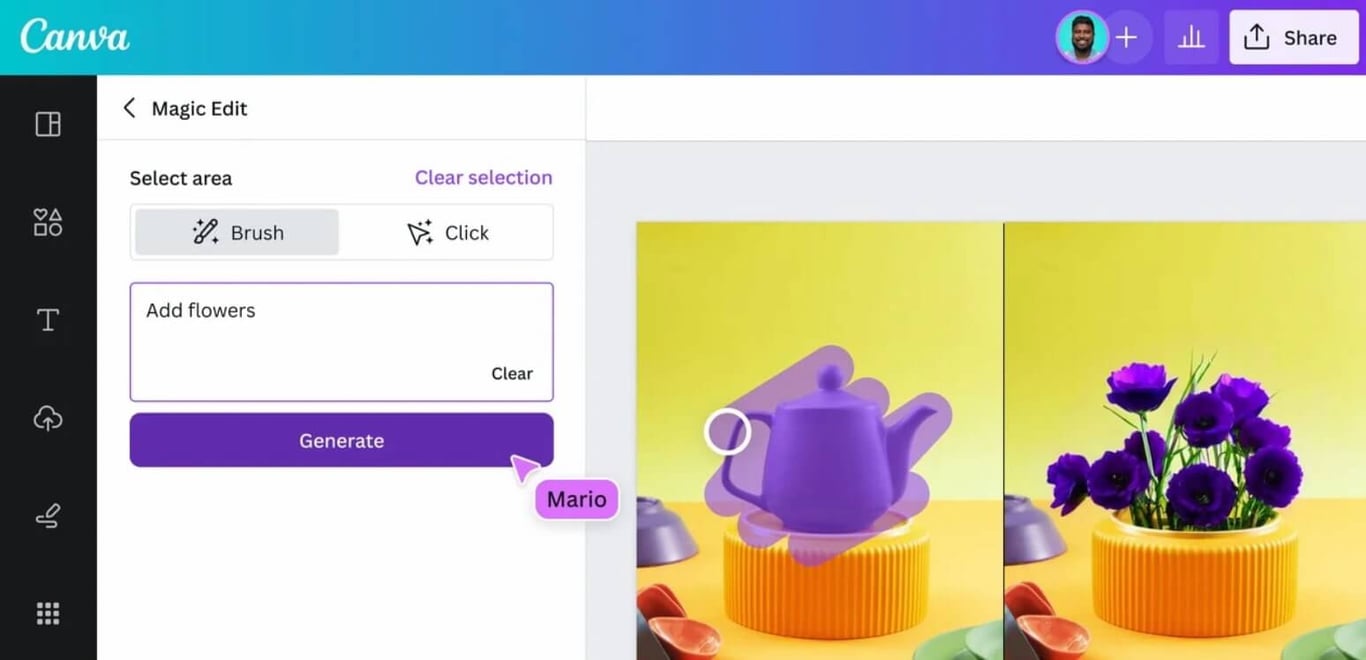
Operations such as color grading, filter application, custom effects, and photo manipulation are easy to perform with Canva AI. Complex edits can be completed within minutes. This feature allows even amateur users to produce professional visuals.
Creating videos with Canva AI
Canva AI helps users create imaginative videos. Thanks to drag-and-drop features and automatic video templates, you can achieve a professional look with ease. With Canva AI, users can prepare both short and long-form videos effortlessly.
Note: Video creation and editing are currently offered in beta.
Editing videos with Canva AI
The AI-assisted video editing tool offers comprehensive editing options, from transition effects to subtitle insertion. You can easily optimize your videos' color tones and overall atmosphere. The tool works across formats, from training videos to marketing content.
Generating voiceovers with Canva AI
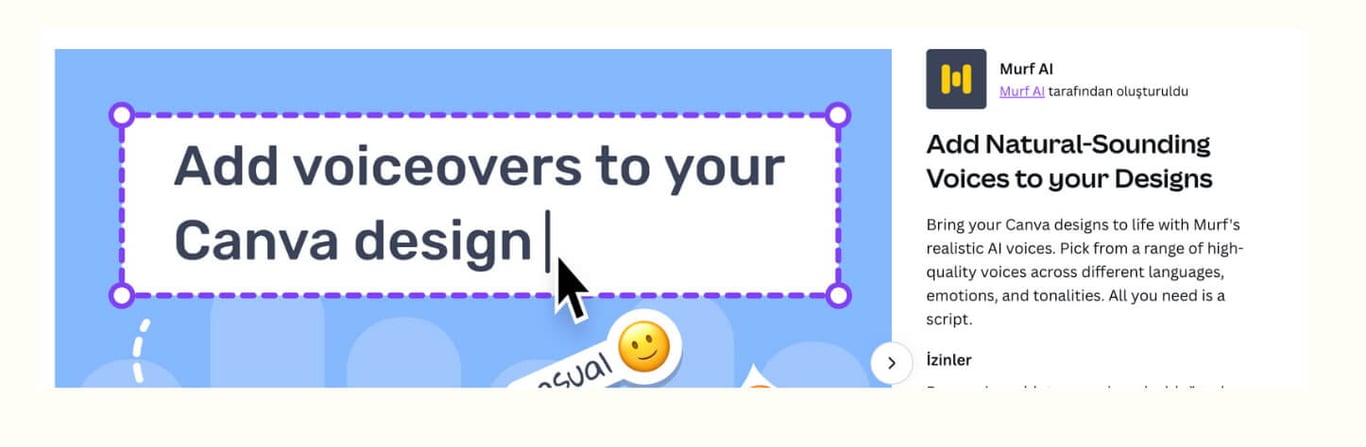
You can create voiceovers from text input or add custom sound effects suited to your projects. Canva AI delivers professional voiceover quality. This feature saves users a significant amount of time, especially on video projects.
To generate AI voices within Canva, you need to add the Murf AI app to Canva. With Murf AI, you can create AI-generated voices inside Canva and add them to your content.
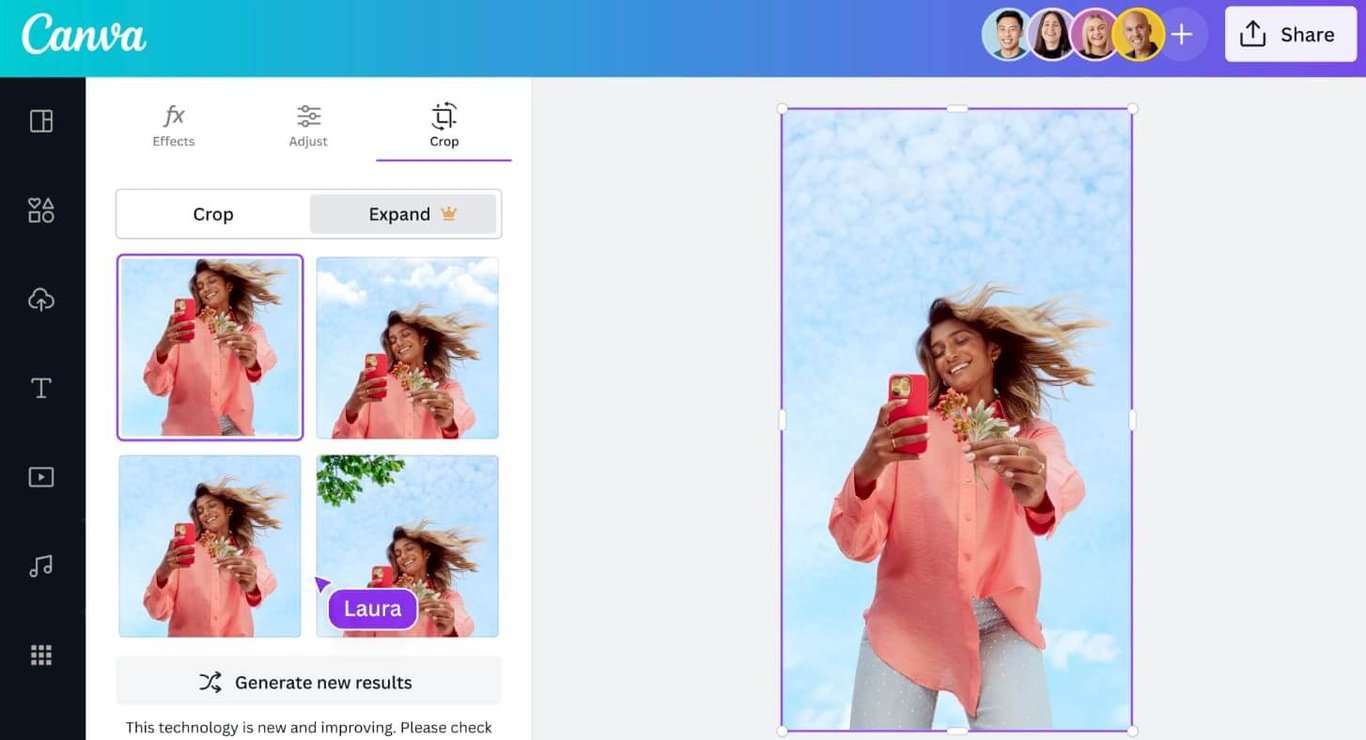
Expanding images with Canva AI
With Canva AI's image expansion tool, you can add detail to existing visuals and extend their backgrounds. This is a particularly effective feature for social media and presentation projects. By upscaling image resolution, you can also achieve sharper results.
Generating music with Canva AI
You can enrich your content by creating custom music tailored to your project. Canva AI offers music options across different styles and categories. Users frequently turn to this feature to set the right atmosphere for presentations and videos.
Enhancing audio with Canva AI features
It improves the quality of your audio recordings so you get a more professional output. This feature is ideal for both personal and corporate projects, and it sees frequent use in education and podcast projects as well.
Note: Audio enhancement is currently offered in beta.
Canva AI features: the bottom line
Canva AI delivers solutions that bring creativity and speed together in the modern design world. With its user-friendly interface, comprehensive features, and innovative technology, Canva AI offers a professional answer to both individual and corporate design needs.
For its AI features, the free version of Canva allocates 20 credits per month, and those 20 credits are enough to cover your basic work. Some of the AI features run through other tools added to Canva as apps (such as Murf AI), and using those tools may require an extra fee.
Canva AI also keeps team members in seamless sync on collaborative work. For anyone who wants to save time and produce quality content, Canva AI is a thoroughly modern tool. With the versatile solutions it offers, the platform attracts more users every day.

Let us make your brand visible in AI search.
Share your goals, we'll come back with a custom growth plan within one business day. A strategy lead will reach out personally.
Get in touch