What Is Google Gemini? How Do You Use It?
Google Gemini is Google's family of multimodal SI models, capable of processing text, images, audio, video, and code together, along with the assistant product built on top of them. Gemini is no longer just a standalone chat tool.


Google Gemini is Google's family of multimodal SI models, capable of processing text, images, audio, video, and code together, along with the assistant product built on top of them. Gemini is no longer just a standalone chat tool. It is the layer powering SI answers in Google Search, Workspace applications, and the assistant experience on Android.
For brands, the real question is therefore not which Gemini version is current, but where the brand appears inside search results and SI-generated answers. This article covers what Gemini is, how it reshapes search, and what you need to do about visibility.
What is Google Gemini?


Google Gemini is a family of multimodal large language models (LLMs) announced on 6 December 2023 as the successor to LaMDA and PaLM 2. The name does not describe a single release. Google ships new model generations at regular intervals and offers both lightweight and high-capacity variants under the same brand.
Gemini covers both the model and the user-facing assistant. The assistant was previously named Bard. On the model side, Gemini is distributed across Google Search, Workspace, Android, and Google Cloud. Most users meet Gemini inside a Google product they already use rather than in a separate app.
How is Gemini changing search?


Gemini turns the search result from a list of links into an answer surface. When a user asks a question, Google retrieves content from its index, passes it to the model, and presents the generated summary alongside source links. This appears in two main forms:
- AI Overviews: A summary answer compiled from several sources and shown above the classic results page. Users can get the answer without clicking through. We covered this surface in detail in what is Google AI Overviews.
- AI Mode: A fully conversational search experience. The user asks follow-up questions and the system generates new queries and gathers sources at each step. See what is Google AI Mode for how it behaves.
The underlying mechanism is the same on both surfaces: the model answers from content retrieved out of the search index, not from memory alone. The practical consequence is clear. Appearing in SI answers does not require a separate channel; it requires indexable, citable content.
How does Gemini connect to the Google ecosystem?


What separates Gemini from its rivals is that it sits inside products the user is already working in. That position removes the need to open a separate tab and directly increases frequency of use.
- Search: SI answers are generated directly on the results page.
- Workspace: Drafting, summarising, and table generation inside Docs, Sheets, Gmail, and Slides.
- Android: Device assistant duties such as controlling apps and settings, and answering questions about what is on screen.
- Chrome and Lens: Visual search input and page summarisation.
- Google Cloud: Model integration into your own applications through the API.
This distribution explains why visibility inside Gemini answers has become its own workstream for enterprise brands. The customer journey now starts in the answer, not on the site.
How do you use Google Gemini?


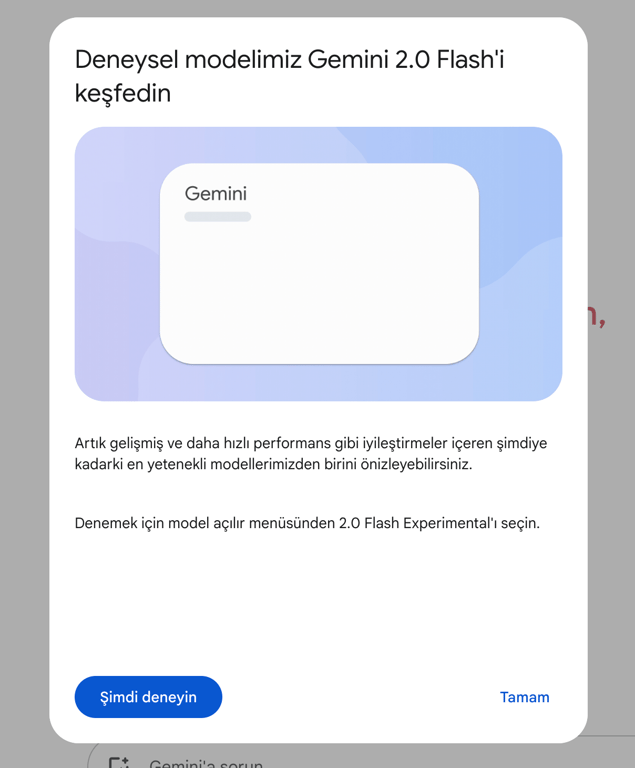
To use Gemini, sign in at gemini.google.com with your Google account. The interface is conversational: you can type text, upload an image or document, or use voice input.
- Sign in with your Google account and start a new conversation.
- Provide your input: a question, an instruction, text, an image, or a document.
- Review the answer, then narrow it with follow-up questions or request a specific format.
- Verify critical facts against a primary source. Models can be wrong on details outside their context.
Write the prompt precisely for better answers. State the role, the audience, the format, and the length. Uploading a sample and asking for output in the same shape works better than describing the format in prose. Our method for producing publishable output with SI is set out in how to create content with SI.
What is Gemini used for?
Because it is multimodal, Gemini is not tied to a single task type. In enterprise teams it shows up most often in these areas:
- Content production: Draft copy, headline variations, product descriptions, and social posts.
- Summarisation: Turning long reports, meeting notes, and document sets into decision summaries.
- Data analysis: Interpreting tabular data, spotting patterns, and writing queries.
- Software development: Generating code, debugging, and drafting test cases.
- Visual understanding: Extracting information from screenshots, photographed tables, or product imagery.
- Translation and localisation: Moving content across languages and adapting tone.
- Customer service: Drafting responses and classifying intent through the API.
How do brands appear in Gemini answers?
Appearing in Gemini answers comes down to holding citable content in the search index. The model grounds its answer in passages pulled from that index, so the work is still technical accessibility and content quality.
- Passage-level citability: Every paragraph should make sense read on its own, with the first sentence delivering the answer.
- Question-shaped headings: Put the questions users actually type into your headings. Query-to-heading matching feeds source selection.
- Tables and lists: Present comparisons and step sequences in structured form. These formats parse more cleanly.
- Entity clarity: Name the brand, the expert, the date, and the organisation explicitly. Structured data reinforces that clarity.
- Technical access: Pages must be crawlable and indexable, server-side rendering is preferable, and canonical structure has to stay consistent.
- Original evidence: Commodity content that repeats common knowledge does not get cited. First-hand experience, measured outcomes, and expert judgement are what set a page apart.
Together these practices are known as generative engine optimization, or GEO. We set out the framework in what is GEO and walk through execution in GEO optimization in SI search.
Which criteria actually separate Gemini from ChatGPT?
The useful way to compare Gemini and ChatGPT is to look at structural criteria rather than benchmark scores that go stale within weeks. Version names change; the headings below do not.
| Criterion | What it measures | Why it matters |
|---|---|---|
| Context window | How much input the model handles in one pass | Decisive for long-document analysis and multi-step tasks |
| Ecosystem integration | Which products the model is embedded in | Gemini sits close to Google products, ChatGPT to its own application layer |
| Citation behaviour | How often and how the answer links out | Brand visibility depends directly on this |
| Multimodality | Depth of image, audio, and video input handling | Makes the difference in visually driven sectors |
| Enterprise data controls | Retention, regional hosting, and admin controls | Regulatory and corporate compliance requirements |
The right choice depends on your workflow rather than on any general superiority. A team built on Google Workspace hits less friction with Gemini; an independent stack often runs smoother on ChatGPT.
Frequently asked questions about Google Gemini
Which devices can access Google Gemini?
You can access it through a web browser, the mobile app, and the API. On Android it also runs as the device assistant.
Is Google Gemini paid?
There is a free usage tier alongside paid subscriptions with higher capacity. Plan contents and prices change, so verify current details on Google's own pages.
Can my site show up in Gemini answers?
It can. Because answers are grounded in the search index, a page that is crawlable, citable, and authoritative on its topic can be surfaced as a source.
Does content produced with Gemini harm SEO?
The production method alone is not decisive. Content that carries no original perspective, goes unverified, and is published at scale does harm; editorially reviewed content carrying first-hand knowledge creates value.
If you want to measure how your brand is positioned in SI answers and grow that visibility deliberately, take a look at our GEO optimization service.