What Is WebP?
WebP is a file format provided by Google to save storage space and reduce image size without sacrificing quality. WebP images are designed to speed up how fast web pages load, allowing web developers to use lightweight yet high-quality images.

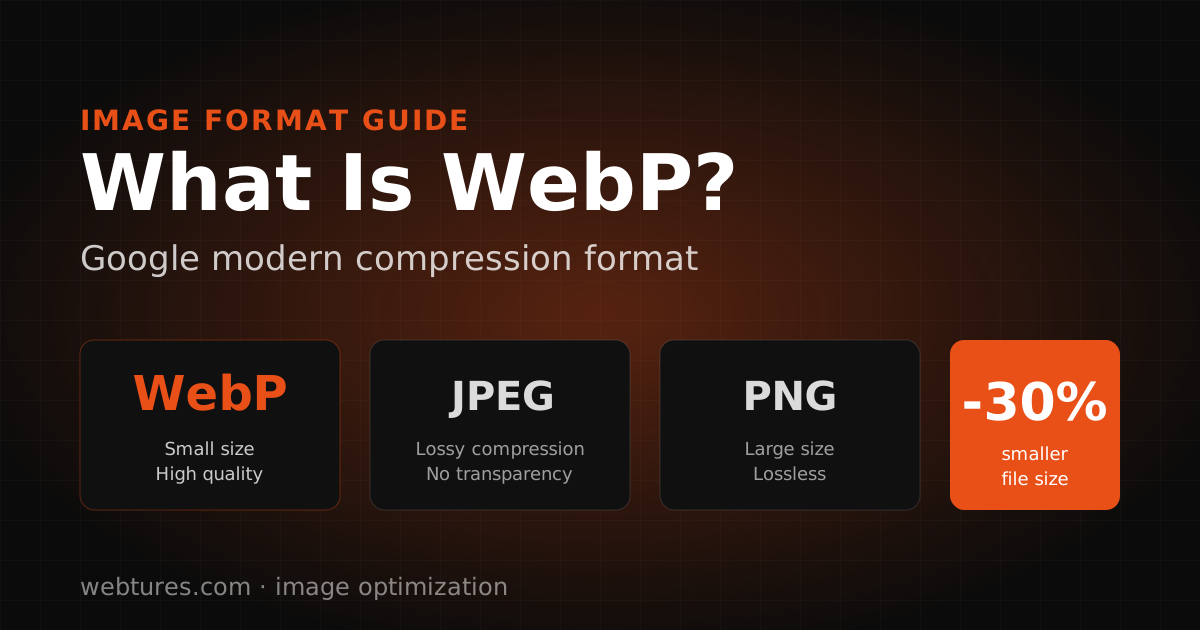
WebP is a file format provided by Google to save storage space and reduce image size without sacrificing quality. WebP images are designed to speed up how fast web pages load, allowing web developers to use lightweight yet high-quality images. Keep in mind that page speed is one of the most effective ways to improve your site SEO.
Which Browsers Support the WebP Format?
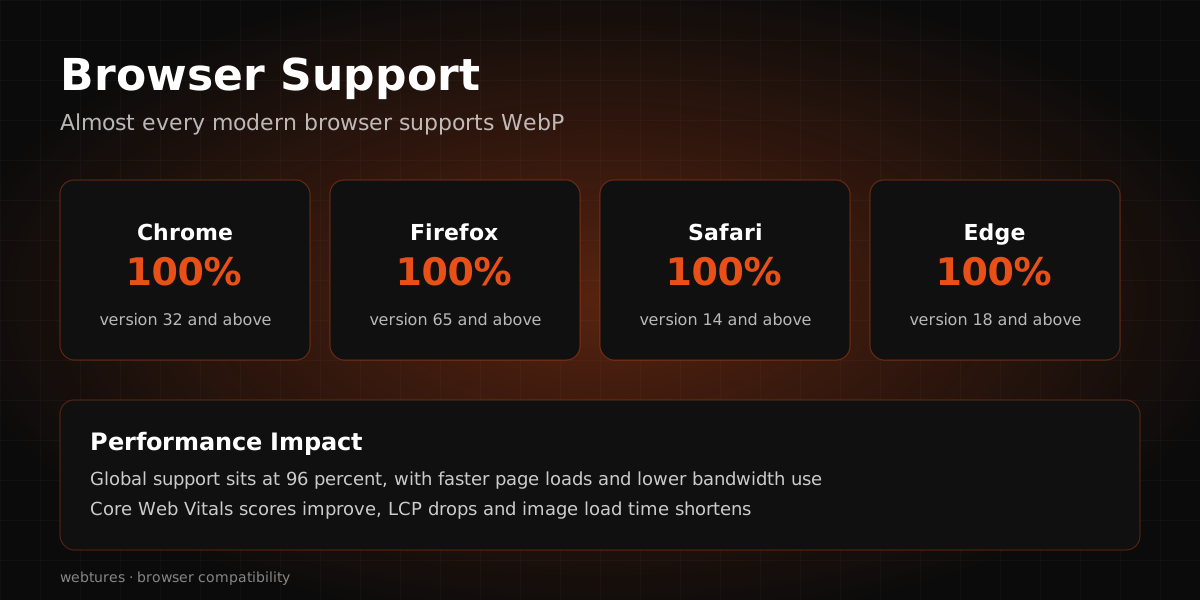
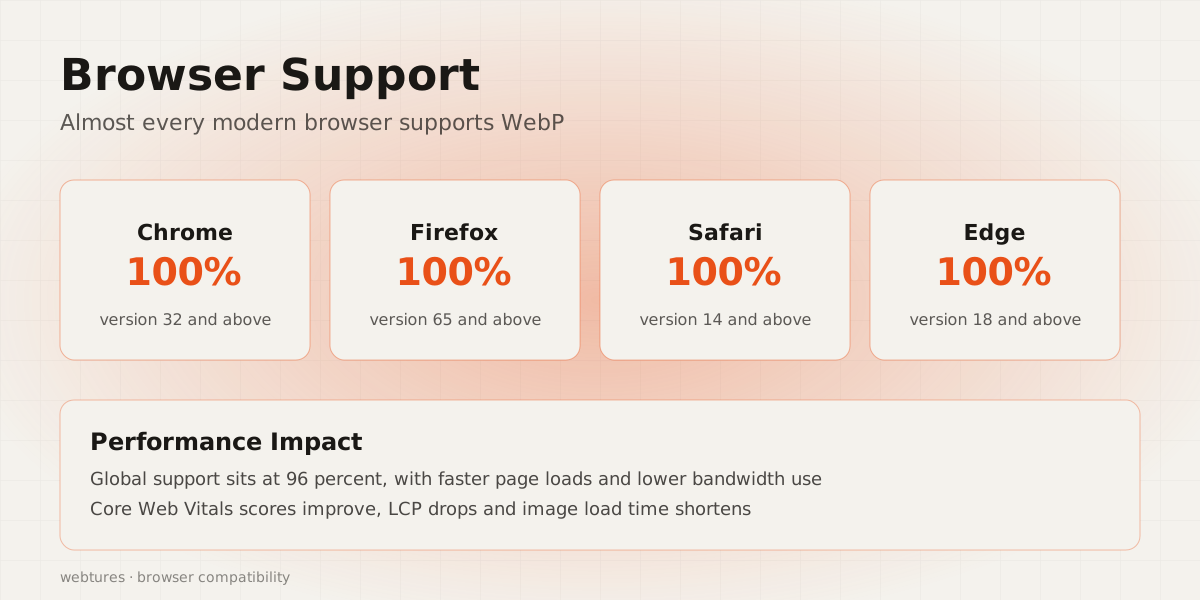
The WebP format was first introduced in 2010 and has continued to evolve since then. Most browsers were expected to adopt the format within a few years of its release. Browsers such as Chrome, Microsoft Edge, Firefox, Opera, and Safari support the format, while some browsers such as Internet Explorer still do not.
On our own site at Webtures we keep the source images as JPG and PNG and serve WebP or AVIF through the CDN depending on what the browser accepts; we set up the same arrangement in client projects. What we observe is that the format change alone is not enough: an image loaded larger than the space it occupies wastes more bytes than any format saves.
Opening a WebP File
WebP files were developed by Google and are free to use. They can therefore be opened in many applications and programs on a computer. You can also save a WebP image the same way you save any other image: right-click the image and choose "Save Image As", just as you would with other formats.
You can also view WebP files using graphics software such as GIMP, ImageMagick, or Microsoft Paint, which open these images by default. IrfanView, Windows Photo Viewer, and Photoshop, however, need plugins to open WebP images.
How Is WebP Different From Other Formats?
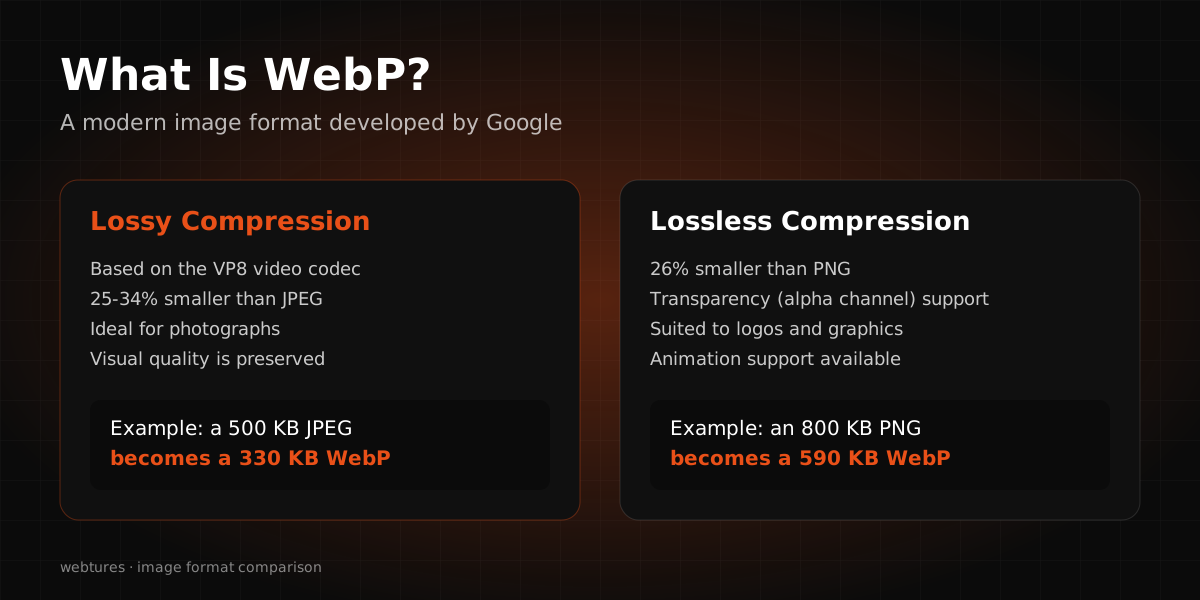
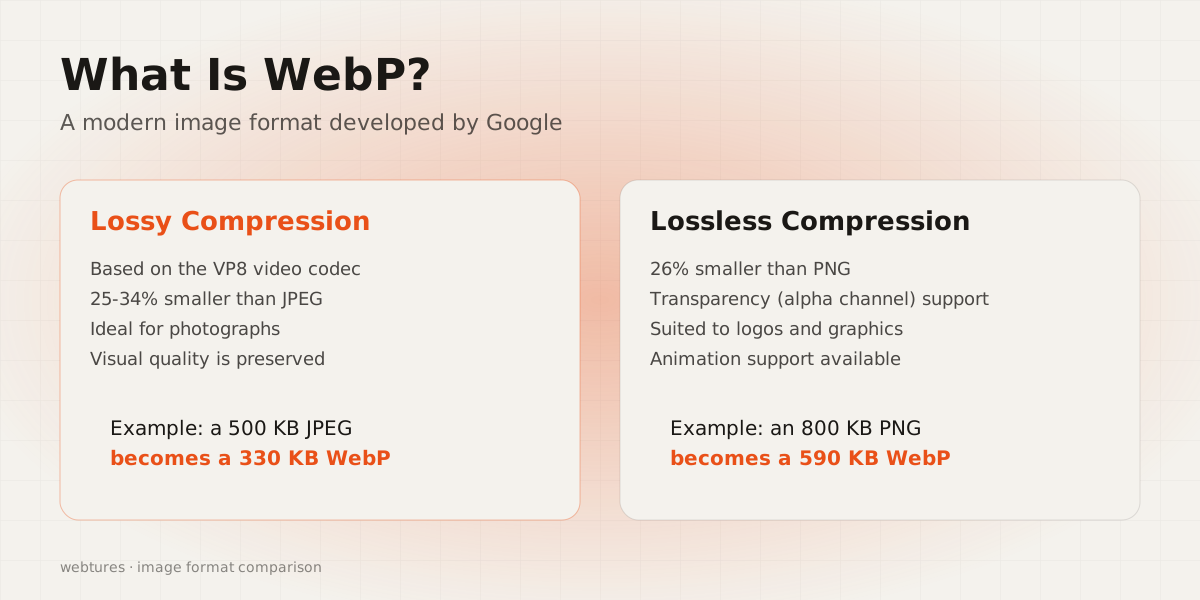
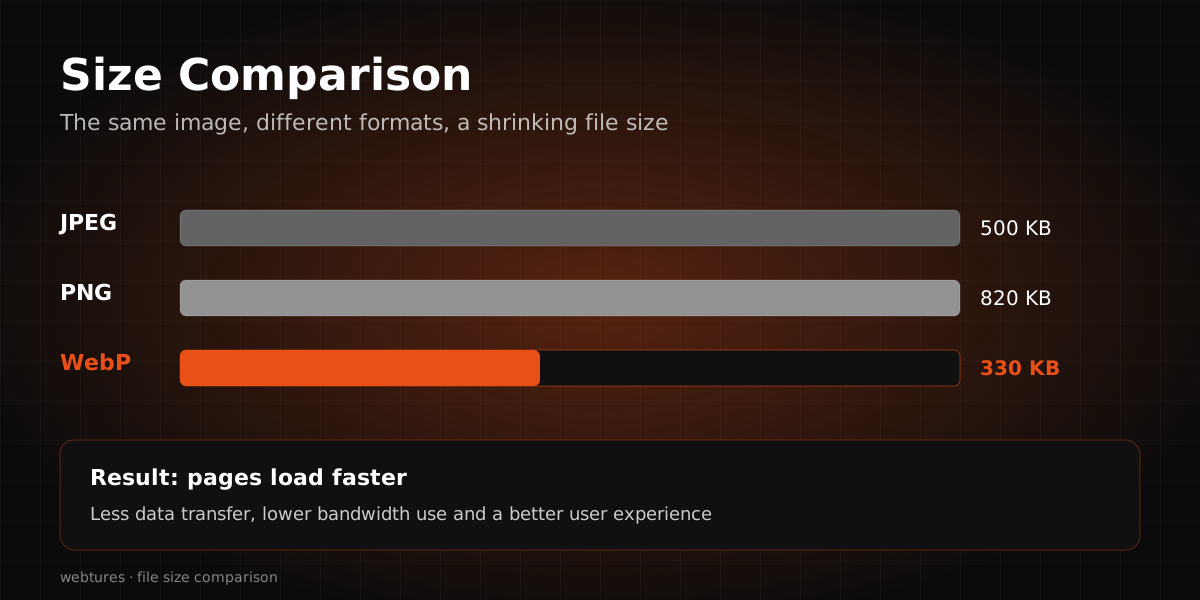
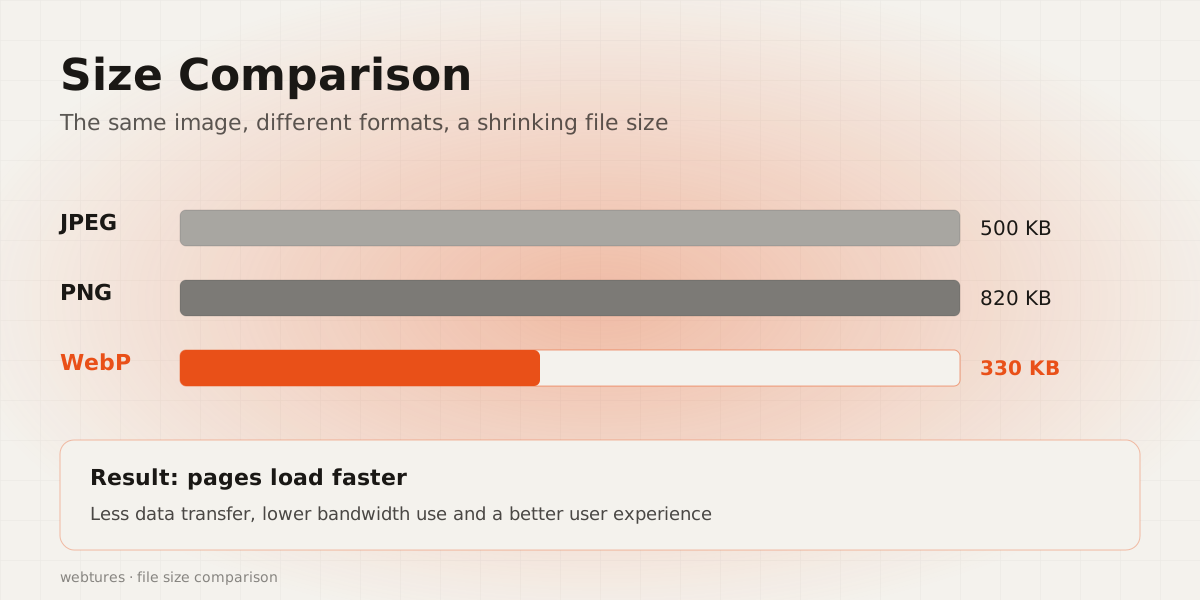
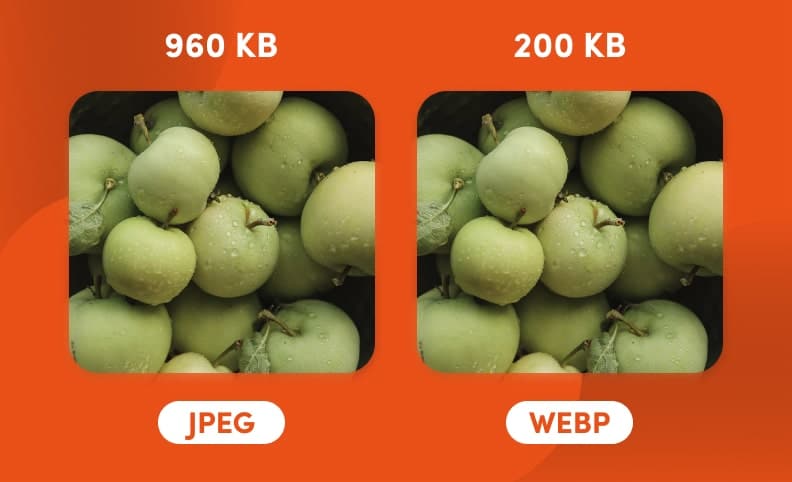
According to information published by Google itself, the WebP format is 26 percent smaller than PNG images and 25 to 34 percent smaller than JPEG. For websites with a large number of images, switching to WebP can make a substantial difference and significantly speed up page loading, especially on mobile phones.
This strong performance, combined with Google's vote of confidence, has paved the way for WebP to become the new default format for web images.
What Is the WebP Image Format?
WebP has two modes for compressing standard images (jpg and png files) without losing quality:
- Lossy WebP
- Lossless WebP
In both cases, WebP reduces image size by 30 to 70 percent. That means faster website loading and lower bandwidth consumption.
Advantages and Disadvantages of the WebP Format
Wondering whether you should choose the WebP format for the images on your website? Below, we walk through the pros and cons of the WebP format:
What Are the Benefits of the WebP Format?
-
It Speeds Up Page Loading
Pages with WebP images load faster because of the smaller file size, and that speed gain lifts user satisfaction considerably. Every extra second of page load time can reduce user satisfaction by up to 16 percent, and once a page takes more than 4 seconds to load, on average one in four visitors may leave the page.
-
It Uses Less Storage Space
Advanced WebP compression means files need less storage space. This matters especially for image-heavy websites and reduces web hosting costs.
-
It Supports Image Transparency and Animation
WebP is the only image format that covers both sharper PNG-style transparent backgrounds and animated GIF-style motion. It can also compress JPEG files.
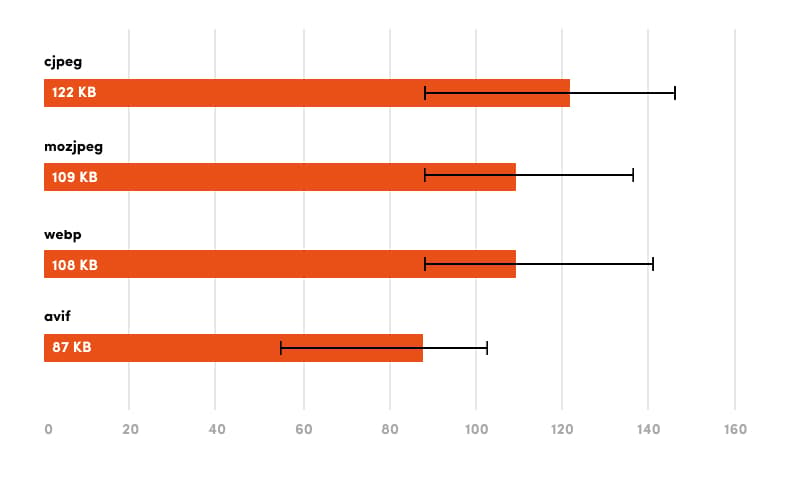
In the image below, you can see the file sizes of photos in different formats at the same quality and dimensions:
What Are the Disadvantages of the WebP Format?
-
Not Supported by All Browsers
Although many browsers support the WebP format, some still do not. Internet Explorer, for example, does not support the format, and since no new versions of that browser will be released, it likely never will.
-
Quality Loss in Images
Reduced image quality is not a drawback unique to this format. Every image compression method inevitably lowers image quality to some degree. For most people this quality loss is irrelevant, but visual-first sites such as photography websites need higher-quality images.
How to Convert Images to the WebP Format
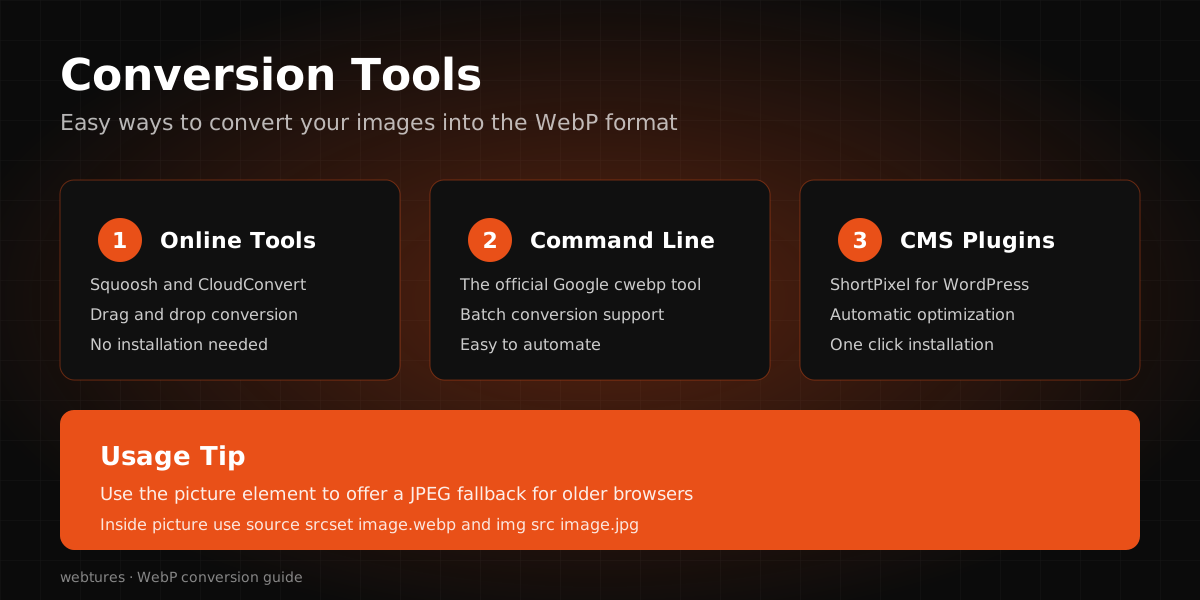
If you decide to use this image format on your web pages, you have several options for converting. Many applications support the format, and you can export images directly from the source file. Adobe Photoshop and Sketch, for example, give users this option. However, if you designed and edited your visuals earlier, or if they come from sources that do not support the format, you will need a conversion app such as XnConvert.
A quick web search will surface many apps for converting images to the WebP format. These tools either install on your system or run as online converters that require no software installation at all.
How to Convert WebP Images to JPG and PNG
The WebP extension is not yet supported in some image editing programs or online upload forms. You may therefore occasionally need to convert WebP images into more widely used formats in simple ways. There are several ways to do it:
-
Use Internet Explorer
To save web images in JPG or PNG format, copy the URL, paste it into the Internet Explorer address bar, and save the image easily in JPG or PNG format.
-
Use Chrome Extensions
By installing an extension called "Save Image as Type" in the Google Chrome browser, you can save WebP images in PNG or JPG format.
-
Use Format Conversion Add-ons in Firefox
With the "WebP Image Converter" add-on, an option to save the image in PNG format is added to the browser's right-click menu. You can also select other formats from the add-on's settings.
-
Use MS Paint
If you prefer not to use online tools and do not want to install an app for the job, and your computer runs Windows 10, you can simply use MS Paint, which ships with Windows by default.
How Does WebP Work in WordPress?
Unfortunately, WordPress does not yet support the WebP format by default. While WordPress supports the most popular image file formats, including JPEG, PNG, GIF, and ICO, it has not yet added WebP to the list.
This means you cannot upload a WebP file to your WordPress media library, as you may run into a security error. There is no need to worry, though: with the WebP Express plugin, you can convert the images on your website to the WebP format.