AI Crawler Bots: A Guide to GPTBot, PerplexityBot, and ClaudeBot
Learn what AI crawler bots are and manage GPTBot, PerplexityBot, and ClaudeBot access with robots.txt to earn citations in AI-generated answers.

AI crawler bots are the crawlers that artificial intelligence companies run to discover, retrieve, and use web content in their answers. GPTBot, PerplexityBot, ClaudeBot, and Google-Extended are the best known among them. They differ from classic search bots in one key way: the content they collect is used for model training or real-time answer generation, not for ranking. If you want to be cited in AI answers, you need to manage these bots' access to your site deliberately. In this guide we cover the major AI crawlers, access management, and the right permission strategy.
What are AI crawler bots?
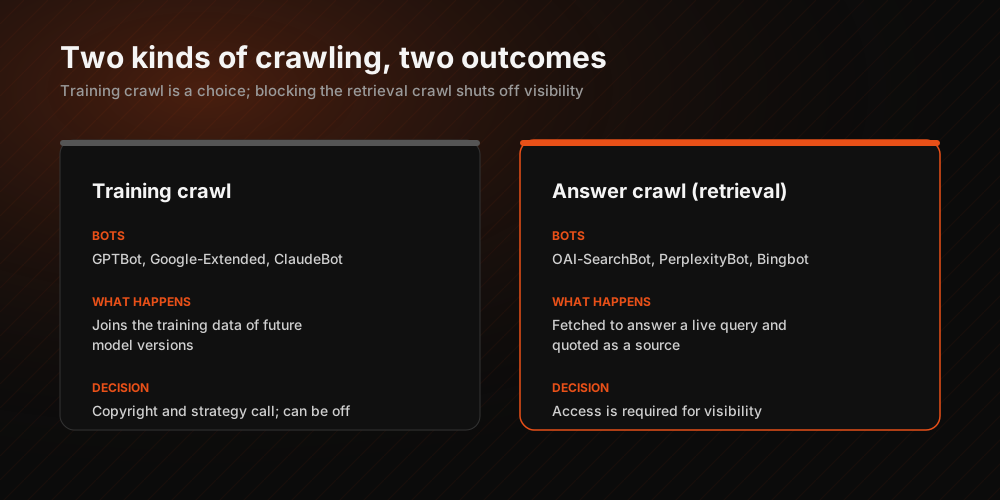
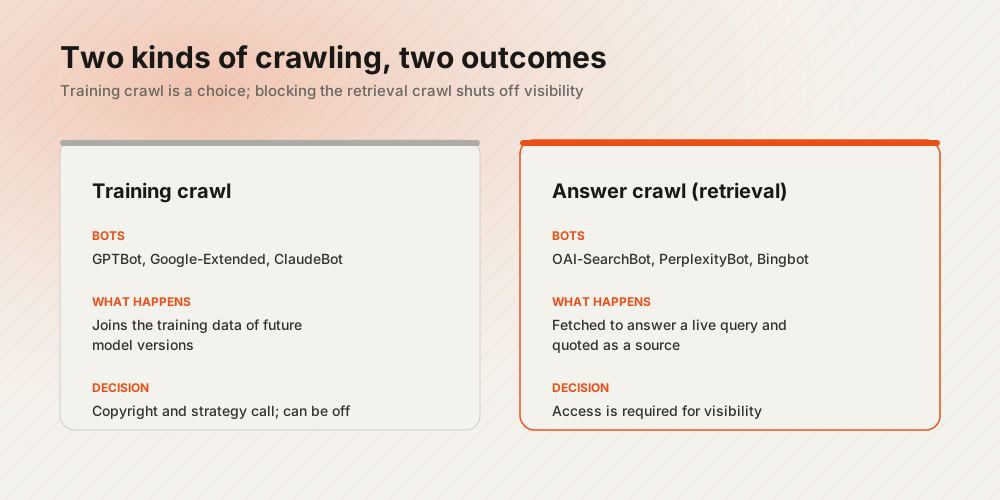
AI crawlers are automated crawlers that let language-model-based systems gather information from the web. While classic crawlers like Googlebot scan pages to index and rank them, AI crawlers work toward two distinct goals:
- Training crawls: Content is collected to join the training data of future model versions (examples: GPTBot, Google-Extended).
- Answer crawls (retrieval): Content is fetched on the spot to generate an answer to a user's question and is cited as a source (examples: OAI-SearchBot, PerplexityBot).
This distinction is strategically critical: allowing training crawls is a matter of preference, while blocking answer crawls removes you from AI answers entirely. For brands that aim for visibility, the second group is indispensable.
Which are the major AI crawler bots?
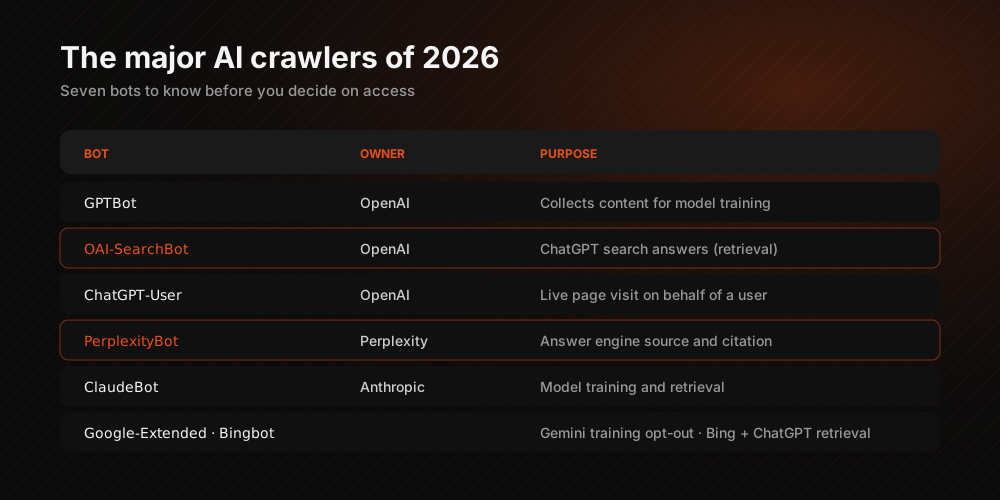
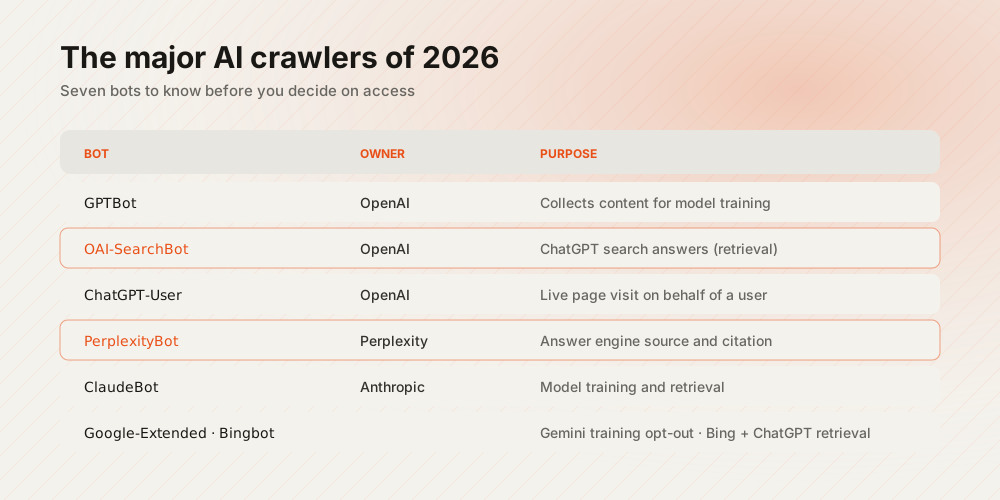
As of 2026, these are the bots you need to recognize when making access decisions:
| Bot | Owner | Purpose |
|---|---|---|
| GPTBot | OpenAI | Content collection for model training |
| OAI-SearchBot | OpenAI | Retrieval for ChatGPT search answers |
| ChatGPT-User | OpenAI | Real-time page visits on behalf of users |
| PerplexityBot | Perplexity | Answer engine sourcing and citation |
| ClaudeBot | Anthropic | Model training and retrieval |
| Google-Extended | Gemini training preference (independent of indexing) | |
| Bingbot | Microsoft | Bing index; also feeds ChatGPT retrieval |
One important nuance: blocking Google-Extended does not affect your rankings in Google Search; it only opts your content out of Gemini training. Blocking Bingbot, on the other hand, costs you both Bing and the ChatGPT search experience that draws on the Bing index.
How do you manage AI bot access with robots.txt?
The standard tool for access management is the robots.txt file. Each bot is targeted by its own user-agent name:
- To allow: Unless you block a bot specifically, the general rules under
User-agent: *apply; if you want to be cited, this is usually enough. - To block selectively:
User-agent: GPTBotplusDisallow: /shuts out only that bot. - To signal preferences: Next-generation directives such as Content-Signal let you keep crawl permission while separating your usage preferences (training, search, answers).
One technical detail deserves attention: once you define a bot-specific rule group, that bot no longer reads the rules in the User-agent: * group. If your general group contains Disallow lines, you must copy them into the bot-specific group as well; otherwise the directories you meant to keep private open up to that bot. Access permission alone is not enough; you also show bots what they should read with an llms.txt file.
Allow or block? A decision framework
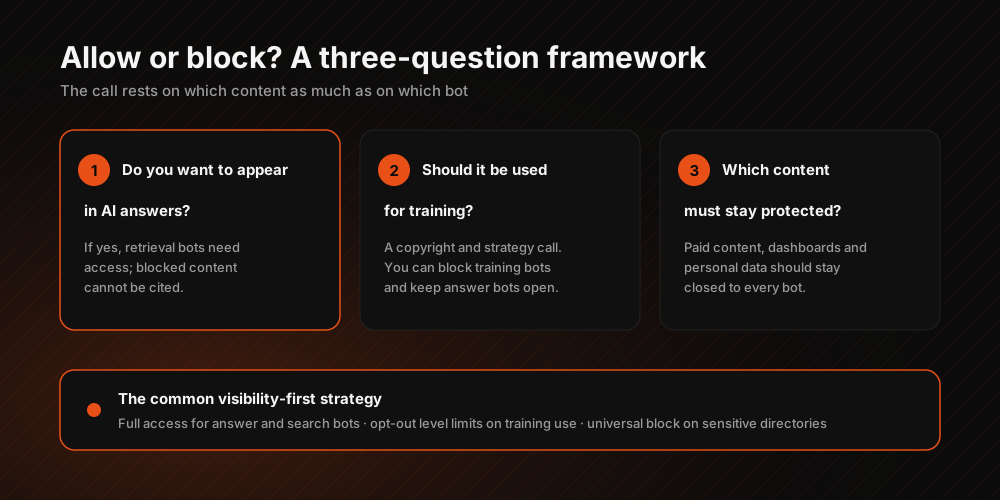
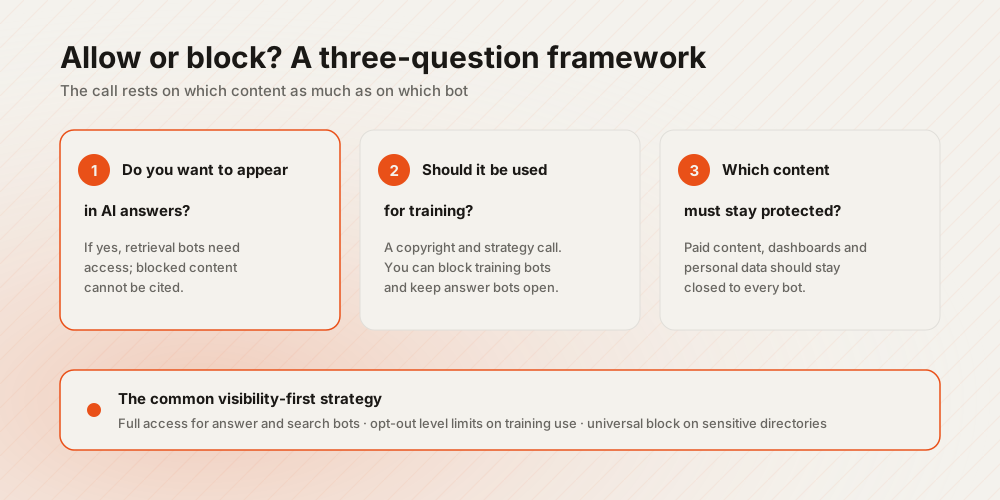
The right answer is not the same for every brand; three questions bring it into focus:
- Do you want to appear in AI answers? If yes, retrieval bots (OAI-SearchBot, PerplexityBot) need access. Blocked content cannot be cited.
- Should your content be used in model training? This is a copyright and strategy choice. You can close training bots (GPTBot, Google-Extended) while keeping answer bots open.
- Which content needs protection? Paid content, customer panels, and pages containing personal data should stay closed to every bot; the distinction runs along "which content," not only "which bot."
The common visibility-first strategy looks like this: full access for answer and search bots, preference-level limits on training use, and a universal block on sensitive directories. For the full list of access decisions, review the AI discoverability items in our GEO checklist.
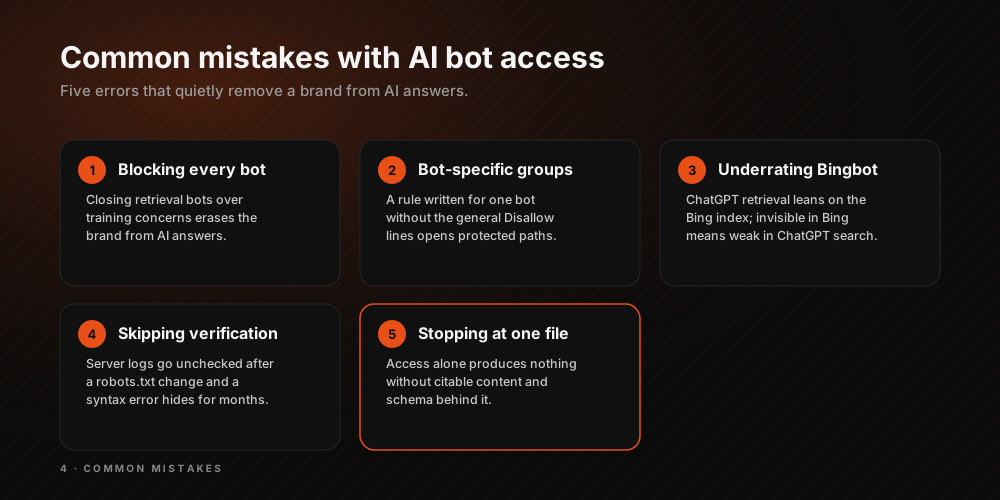
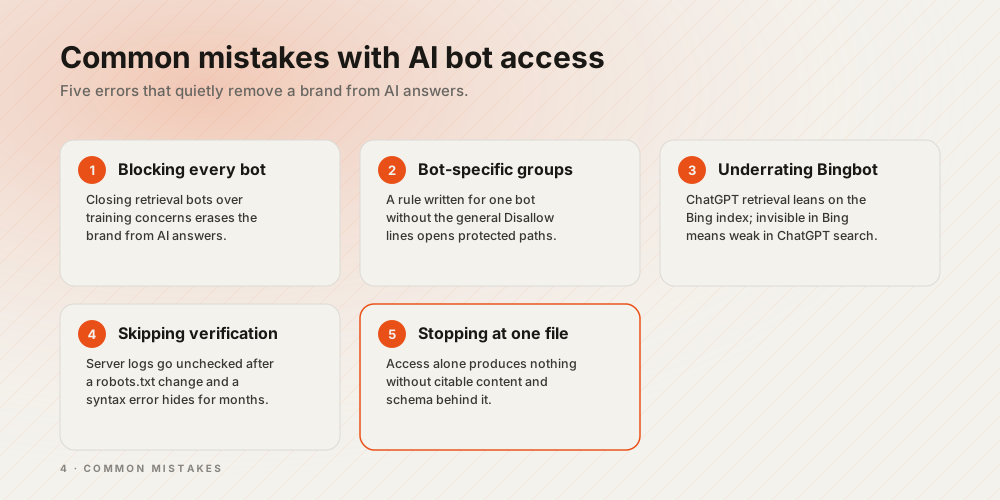
Common mistakes
- Blocking every AI bot by reflex: Closing retrieval bots out of training concerns is the most common mistake, and it erases the brand from AI answers.
- Forgetting the side effect of bot-specific groups: Writing rules for a single bot without copying the general Disallow lines opens protected directories to that bot.
- Underestimating Bingbot: ChatGPT retrieval relies on the Bing index; content invisible in Bing stays weak in ChatGPT search too.
- Skipping verification: Not checking bot visits in your server logs after a robots.txt change; a rule syntax error can go unnoticed for months.
- Stopping at a single file: Access permission produces no results without citable content and schema. For the complete framework, read our guide to AI search optimization.
The Webtures approach
Webtures manages AI bot access as part of the visibility strategy: on our own site we grant full access to answer and search bots, declare our usage preferences with Content-Signal, and hand bots a content map through llms.txt. We build the same model for our clients, verify bot behavior through log analysis, and tie access decisions to measurable citation goals. To assess how ready your site is for AI bots, get in touch with our GEO consultancy team.